
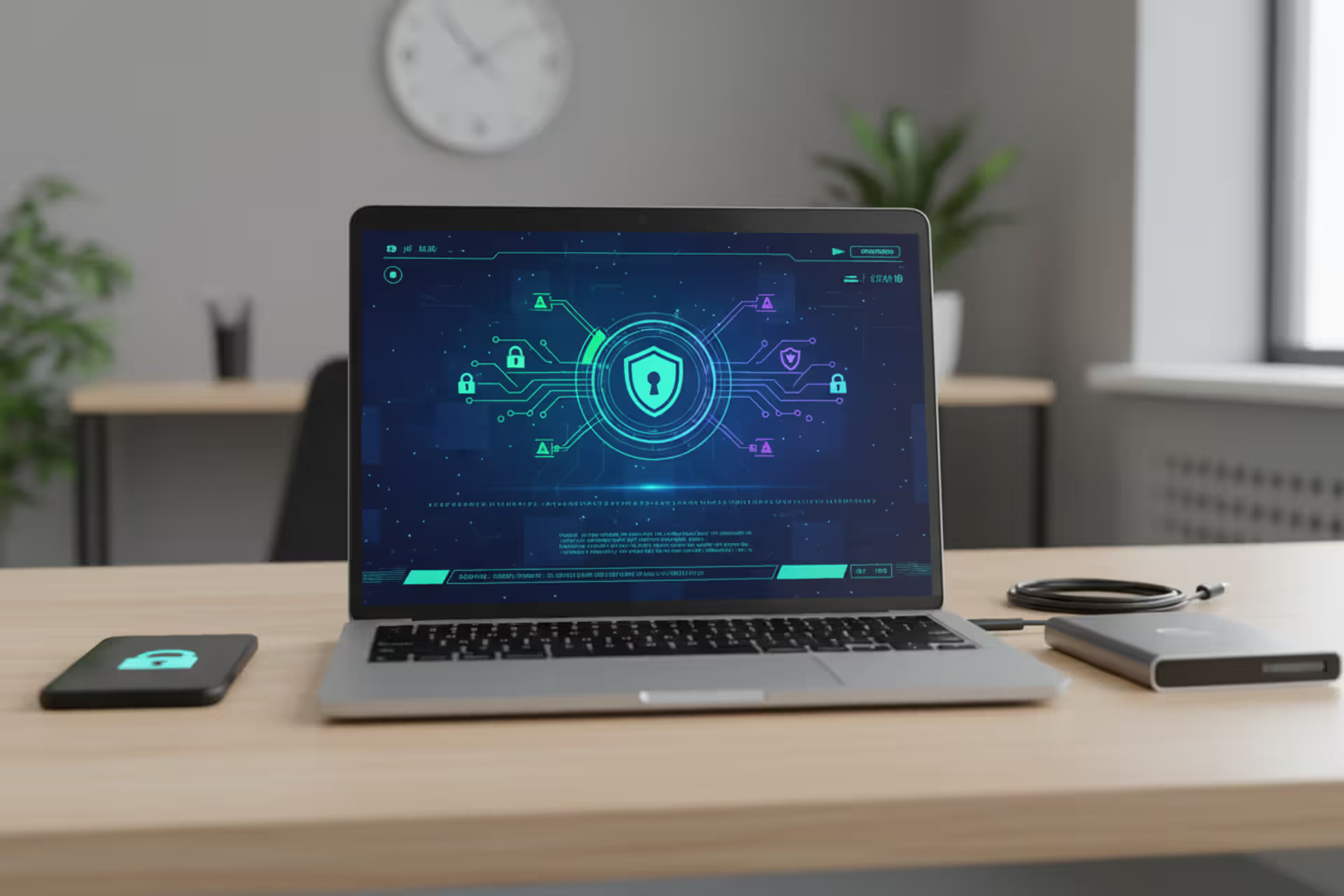
Computer security workspace with laptop, smartphone, and data protection icons
Computer Security Guide

Most people think computer security means buying antivirus software and calling it a day. That's like locking your front door but leaving every window wide open. Real protection requires understanding what you're defending against and why attackers would target you in the first place—whether you're protecting family photos or corporate financial records.
This guide walks through the actual mechanisms keeping systems safe, the threats you'll face, and practical steps that work in real situations. No fluff about "cyber hygiene" or vague warnings. Just what actually matters.
What Is Computer Security?
Computer security protects computing systems—everything from hardware to software to data—against theft, damage, unwanted access, and service disruption. You're looking at devices, networks, servers, mobile phones, and cloud infrastructure all needing protection.
The whole thing rests on three pillars: keeping information private (confidentiality), making sure data stays accurate and unmodified (integrity), and ensuring authorized people can actually use systems when they need them (availability). Lose any one of these, and you've got a security problem.
Protection happens at multiple levels. Physical barriers include locked data centers and fingerprint scanners. Technical controls involve encryption and network filters. Administrative measures cover who gets access to what and how you respond when something goes wrong. The practical meaning? You're building multiple defensive layers because different threats attack from different angles. One security tool won't cut it—you need overlapping safeguards where one catches what another misses.

Author: Trevor Kingsland;
Source: elegantimagerytv.com
A hospital handling patient records faces HIPAA regulations and potential lawsuits. A parent managing their kid's college fund faces identity thieves and account takeovers. Different stakes, different requirements, but both need fundamentals covered. Remote work becoming standard, smart home devices multiplying, and businesses moving to cloud services have created exponentially more entry points than existed a decade ago.
How Computer Security Works
Computer security relies on several interconnected systems verifying identity, restricting access, protecting data whether stored or traveling, and watching for attacks in progress.
Authentication confirms you're actually who you claim to be. Passwords alone fail constantly—people pick "Summer2024!" or reuse their email password on fifty other sites. When one site gets breached, attackers try those credentials everywhere else. Adding extra verification steps helps: you enter your password (something you know), then confirm using your phone (something you have), or scan your fingerprint (something you are). Stealing a password becomes useless without that second piece. Even basic SMS codes beat passwords alone, though attackers with enough resources can intercept texts or trick phone carriers into transferring your number to their device.
Encryption scrambles readable information into gibberish without the decryption key. Current standards like AES-256 would take every computer on Earth working together longer than the universe has existed to crack through brute force. It protects files sitting on hard drives and information moving across networks. Seeing "HTTPS" and a padlock icon in your browser means TLS encryption is protecting your connection from anyone snooping on the network traffic.
Firewalls stand between trusted internal networks and the sketchy internet. They examine traffic flowing both directions against security rules, blocking anything that looks wrong. Newer firewalls inspect individual applications' traffic, spot malware patterns, and stop intrusion attempts based on how attackers actually behave, not just basic port filtering.
Access controls follow a simple principle: give people the minimum permissions they need to do their job, nothing more. You assign permissions to job roles rather than individuals, which makes managing large organizations much simpler. Marketing teams don't need financial system access. Developers shouldn't have administrative rights on live production servers unless absolutely required for a specific task.
Security monitoring collects logs from servers, applications, network gear, and individual computers, then analyzes everything looking for suspicious patterns. These systems correlate events across your entire infrastructure, flagging things like repeated failed logins, weird data transfers, or connections to known malicious servers. The hard part is tuning alerts so you catch real threats without drowning in false alarms about normal activity.

Author: Trevor Kingsland;
Source: elegantimagerytv.com
Types of Computer Security Threats
Attack methods change constantly as criminals find new exploitation techniques and technologies. Knowing what's out there helps you prioritize defenses.
Malware is malicious software built to harm systems or steal information. Viruses latch onto legitimate programs and spread when people share files. Trojans pretend to be useful apps while secretly doing damage. Worms copy themselves across networks without anyone clicking anything, potentially flooding systems with traffic until they crash. Spyware watches what you do and sends out passwords, credit card numbers, and other sensitive details. Each type needs different detection approaches and removal strategies.
Phishing attacks exploit human nature rather than technical bugs. Criminals send emails appearing to come from your bank, coworkers, or Amazon, tricking you into entering credentials on fake websites, clicking infected links, or downloading malware disguised as legitimate attachments. Spear phishing targets specific people using details gathered from LinkedIn, Facebook, or previous data breaches to make messages more convincing. Business Email Compromise scams fake messages from executives requesting urgent wire transfers, stealing billions annually from companies that don't verify requests through separate channels.
Ransomware locks up victim files with encryption and demands payment for the unlock key. Modern operations don't just encrypt—they steal your data first, threatening to publish sensitive information if you don't pay. It's double extortion. These groups run like legitimate businesses with affiliate programs, help desks for victims, and professional negotiators. Recovering without backups is basically impossible, and paying doesn't guarantee you'll get your files back while funding organized crime.

Author: Trevor Kingsland;
Source: elegantimagerytv.com
Insider threats come from people with legitimate access—employees, contractors, partners. Malicious insiders steal trade secrets, sabotage systems after getting fired, or sell access to external attackers. More often, careless insiders accidentally cause breaches by sharing passwords, misconfiguring cloud storage buckets to be publicly accessible, or falling for social engineering. Catching insider threats requires behavioral monitoring that walks an uncomfortable line between security and employee privacy.
Distributed Denial of Service attacks bury targets under traffic from thousands or millions of compromised devices until legitimate users can't access services. Attackers control botnets—armies of infected computers and Internet of Things devices—generating massive traffic floods. Some attacks overwhelm bandwidth, others exhaust server processing power, and application-layer attacks target specific functions like database lookups. Fighting back requires substantial bandwidth capacity, sophisticated traffic filtering, and often expensive third-party mitigation services.
Zero-day exploits abuse software vulnerabilities nobody knew about before. Since vendors can't patch flaws they haven't discovered, these exploits work until someone notices the attacks and creates fixes. They sell for thousands or millions on underground markets and get reserved for high-value targets. The gap between vulnerability discovery and widespread patch deployment creates ongoing risk, especially for organizations running outdated software.
Key Computer Security Measures and Best Practices
Effective security combines technical tools, organizational policies, and user awareness. These practices create overlapping protection layers.
Strong, unique passwords remain critical despite being widely ignored. A solid password runs at least 12 characters mixing upper and lowercase letters, numbers, and symbols. Password managers generate and remember complex passwords so you don't have to, eliminating any reason to reuse credentials. Never use the same password on multiple sites—when one gets breached, attackers immediately try it everywhere else. Random word combinations ("correct horse battery staple") balance security with memorability if you need passwords you can actually type.
Adding extra verification wherever available matters most for email, banking, and work accounts. Text message codes provide marginal security since attackers can intercept SMS or convince phone carriers to port your number. Apps like Google Authenticator or Microsoft Authenticator create time-based codes offering better protection. Hardware tokens such as YubiKeys provide maximum phishing resistance because they verify the website's identity before completing authentication.
Regular software updates fix security holes attackers actively exploit. Turn on automatic updates for operating systems, browsers, and applications whenever the option exists. Criminals constantly target known vulnerabilities in outdated software because many users postpone updating. WannaCry ransomware in 2017 exploited a Windows flaw Microsoft had patched months earlier, yet hundreds of thousands of unpatched systems got infected because people delayed installing updates.
Backup strategies provide your last option when everything else fails. Security experts recommend keeping three data copies on two different storage types with one copy stored off-site. Automated daily backups to cloud services or external drives ensure you can recover recent information. Test your restoration process regularly—backups mean nothing if you can't actually restore from them. Keep at least one backup offline and disconnected so ransomware can't encrypt it along with everything else.
Employee security training tackles the human element that technology can't completely protect. Ongoing training should cover spotting phishing emails, reporting suspicious activity, handling sensitive information properly, and following security policies. Simulated phishing tests identify who needs extra help while reinforcing lessons organization-wide. Security awareness needs continuous attention, not annual checkbox exercises, because attack techniques evolve monthly.
Network segmentation divides networks into isolated zones, preventing attackers who breach one area from easily reaching others. Guest WiFi needs complete separation from internal corporate networks. Critical systems like databases and financial applications belong in protected zones with strict access requirements. Segmentation contains breaches and stops attackers from jumping from a compromised laptop to your most valuable targets.
Endpoint protection goes beyond old-school antivirus to include endpoint detection and response capabilities monitoring system behavior, catching suspicious activities, and responding automatically to threats. Modern tools use machine learning to identify malware variants that signature-based detection misses. Mobile device management enforces security policies on smartphones and tablets, protecting corporate data even on employees' personal devices.

Author: Trevor Kingsland;
Source: elegantimagerytv.com
Computer Security Examples in Real-World Scenarios
Looking at how organizations actually implement security shows these concepts in action.
Enterprise network security at a mid-sized financial services firm involves multiple defenses working together. Perimeter firewalls filter traffic entering and leaving the network. Remote employees connect through VPNs encrypting all communications. Email security gateways scan messages for malicious attachments and phishing before delivery. Network access control verifies device compliance with security standards before granting network access. Security operations center analysts watch SIEM alerts around the clock, investigating suspicious activities and coordinating responses. Annual penetration testing finds vulnerabilities before attackers do. This layered approach acknowledges that perfect controls don't exist.
Personal device protection for home users looks simpler but follows identical principles. The home router's firewall blocks unsolicited incoming connections. Windows Defender or another reputable antivirus scans for threats. The user enables FileVault disk encryption on their MacBook so stolen devices can't expose data. They use a password manager with unique credentials for each service and turn on two-factor authentication for email, banking, and social media. Automatic backups to an external drive and cloud service ensure family photos and important documents survive hardware failure or ransomware. Browser extensions block tracking and malicious sites. These steps don't require technical expertise but dramatically reduce risk.
Cloud security implementations split responsibility between service providers and customers while creating new challenges. A healthcare organization moving patient records to AWS implements encryption at rest using AWS Key Management Service, ensuring even AWS staff can't access plaintext information. Identity and Access Management policies grant minimum necessary permissions to applications and users. Virtual Private Cloud configurations isolate production from development environments. Cloud Access Security Broker solutions monitor cloud usage, detecting unauthorized apps and risky configurations. Regular audits verify HIPAA compliance. The shared responsibility model means providers secure infrastructure while organizations secure their data and applications running on that infrastructure.
Common Computer Security Mistakes to Avoid
Even security-conscious people and organizations make mistakes undermining their defenses. Recognizing these pitfalls prevents expensive incidents.
Ignoring software updates happens surprisingly often despite everyone knowing better. People postpone updates because they're busy, worry updates will break something, or find restart prompts annoying. Organizations delay patching production systems due to change control bureaucracy or compatibility concerns. Each delay extends the window during which attackers can exploit known flaws. Establish maintenance windows for applying updates and test patches in staging environments first, but prioritize security over convenience.
Weak password practices persist despite decades of warnings. Users choose "Password123" or their dog's name because it's memorable. They write passwords on sticky notes attached to monitors. They share login credentials with coworkers to simplify access. Each practice undermines authentication entirely. Organizations that don't enforce password complexity or implement multi-factor authentication leave themselves vulnerable to credential-based attacks causing most breaches.
Absence of backup strategies means ransomware attacks or hardware failures result in permanent data loss. Some people assume cloud sync services like Dropbox constitute backups, but these synchronize deletions and encryption across devices. Others back up data but never test restoration, discovering only during emergencies that backups are corrupted or incomplete. Without verified, offline backups, organizations choose between paying ransoms or losing critical information.
Poor access management gives excessive permissions violating least privilege principles. Former employees keep system access months after leaving. Contractors have identical access to full-time staff. Administrative accounts get used for routine tasks, increasing damage from compromised credentials. Regular access reviews, prompt deactivation of departed personnel, and role-based controls address these issues, but many organizations lack processes to implement them consistently.

Author: Trevor Kingsland;
Source: elegantimagerytv.com
Neglecting physical security lets attackers bypass technical controls completely. An unlocked server room lets anyone install malicious hardware. Unattended laptops in coffee shops get stolen with their unencrypted data. USB drives found in parking lots get plugged into corporate computers, infecting networks with malware. Physical access often equals total system access, yet physical security gets less attention than technical measures.
Over-reliance on single security measures creates false confidence. Organizations deploying expensive firewalls but neglecting endpoint protection or user training leave gaps attackers exploit. Security demands layered defenses—when one control fails, others provide backup. Evaluate security holistically rather than assuming any product or measure provides complete coverage.
The human element remains the weakest link in computer security. You can build the most sophisticated technical defenses, but one employee clicking a phishing link can bypass all of them. Security must address people, processes, and technology together
— Dr. Sarah Chen
Frequently Asked Questions About Computer Security
Computer security represents an ongoing process rather than a destination. Threats evolve as attackers develop new techniques and technologies create fresh vulnerabilities. Measures protecting systems effectively last year may prove inadequate against tomorrow's attacks. Staying informed about emerging threats, maintaining security fundamentals, and adapting defenses as circumstances change form the foundation of long-term protection.
Small, consistent actions—turning on multi-factor authentication, using password managers, applying updates promptly, maintaining backups—collectively provide substantial protection without requiring technical expertise. Organizations benefit from formal security programs with defined policies, regular training, and dedicated resources, but even individual users can significantly reduce risk through basic practices.
Neglecting computer security costs extend beyond financial losses to include reputational damage, legal liability, and operational disruption. Breaches expose sensitive personal information, intellectual property, and confidential communications. Recovery demands significant time and resources even when backups exist. Prevention remains far more cost-effective than cleanup.
Computer security ultimately balances risk, usability, and cost. Perfect security is impossible—every measure involves trade-offs between protection and convenience. The goal is reducing risk to acceptable levels based on protected asset value and threat likelihood. A home user and a hospital need different security postures, but both benefit from understanding fundamental principles and implementing appropriate controls.
Start with basics: strong authentication, current software, reliable backups, and healthy skepticism toward unsolicited messages. Build from there based on your specific needs and threat environment. Computer security isn't a problem you solve once and forget, but a discipline that rewards consistent attention with substantially reduced risk and greater peace of mind in an increasingly connected world.
Related Stories

Read more

Read more




The content on this website is provided for general informational and educational purposes only. It is intended to explain concepts related to cybersecurity awareness, online threats, phishing attacks, and data protection practices.
All information on this website, including articles, guides, and examples, is presented for general educational purposes. Cybersecurity risks and protection strategies may vary depending on individual behavior, technology usage, and threat environments.
This website does not provide professional cybersecurity, legal, or technical advice, and the information presented should not be used as a substitute for consultation with qualified cybersecurity professionals.
The website and its authors are not responsible for any errors or omissions, or for any outcomes resulting from decisions made based on the information provided on this website.