

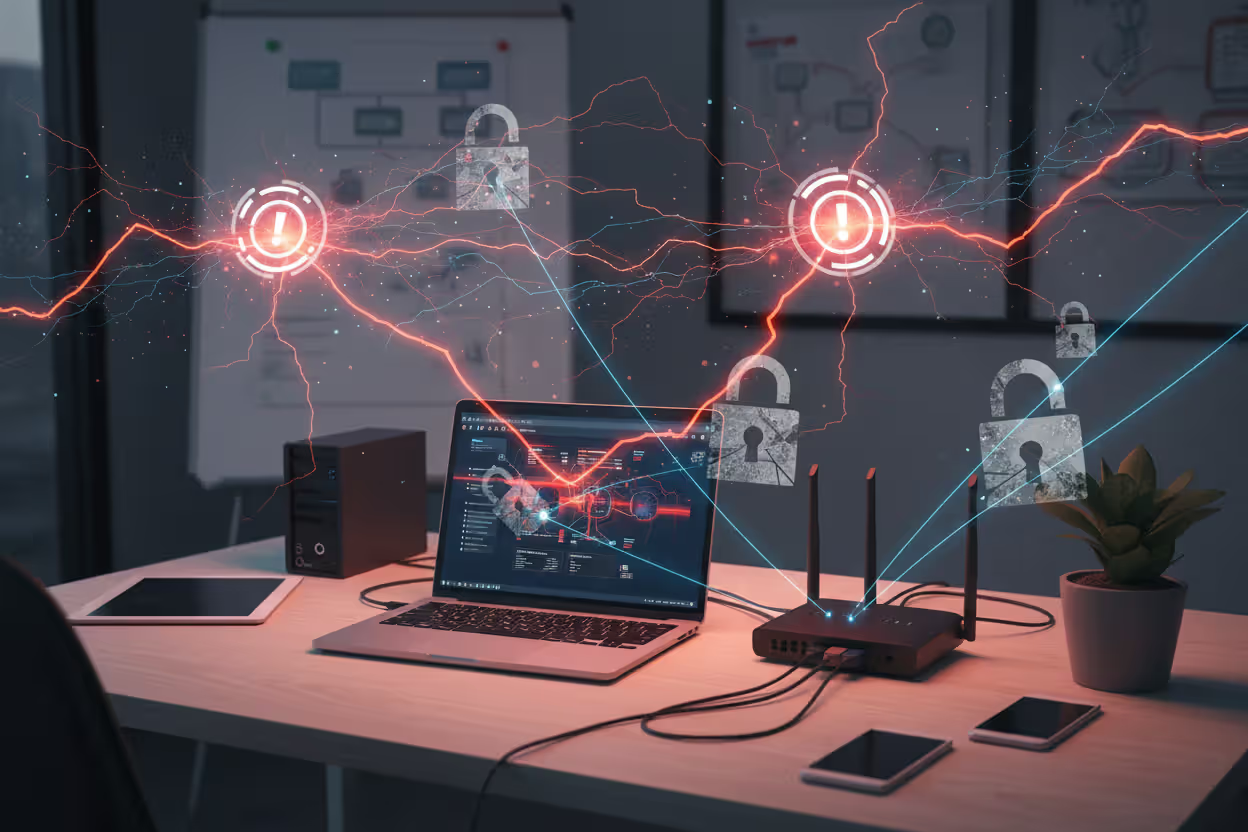
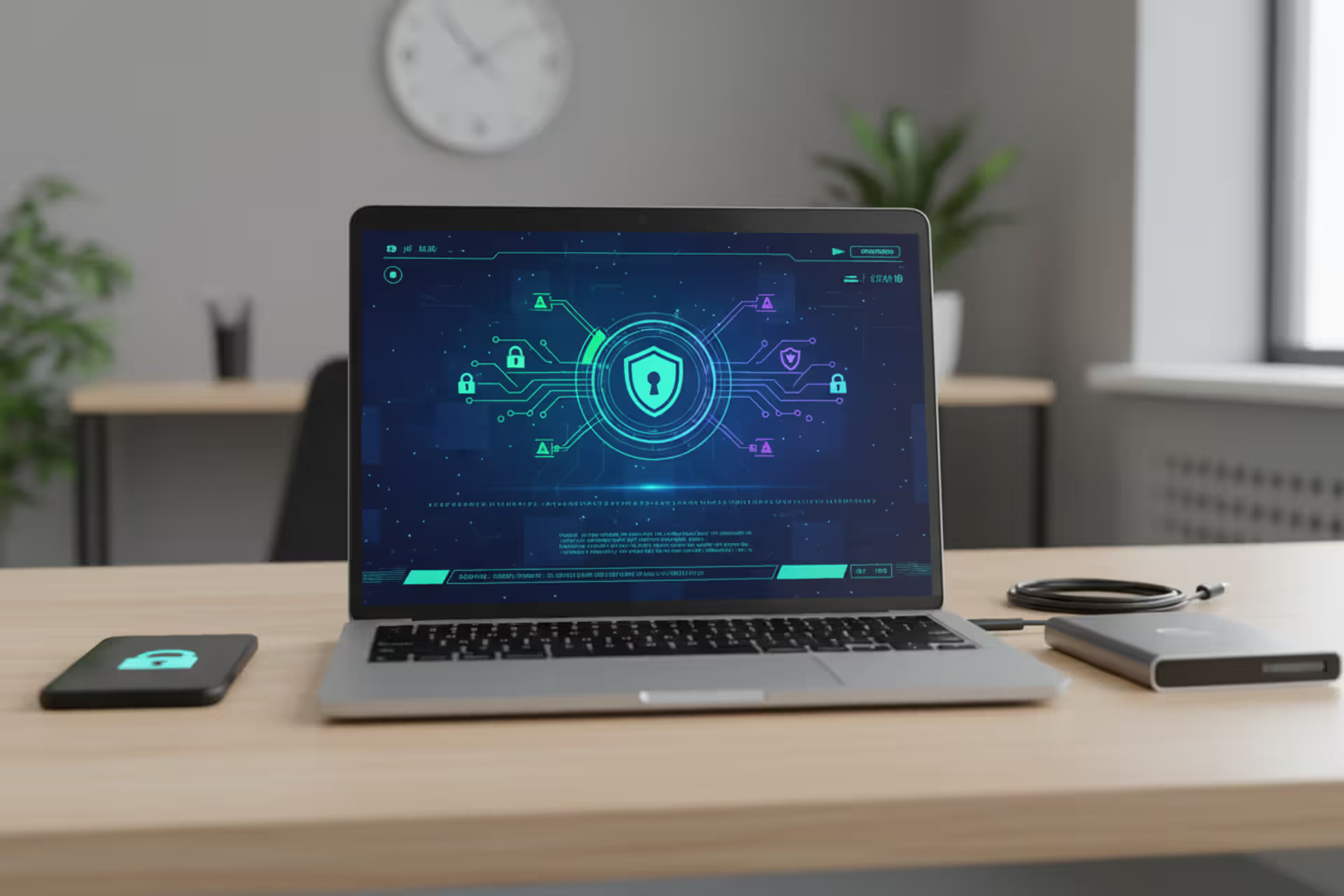
Small business team working in an office with visible cybersecurity protection elements
Cyber Security Threats for Small Businesses Explained

Small businesses occupy a dangerous position in today's digital landscape. Cybercriminals view them as accessible targets—companies with budgets that won't support dedicated IT security staff, systems running software from several years ago, and employees who haven't been trained to spot sophisticated scams.
The consequences of a single breach can be catastrophic. Bank accounts drained overnight. Customer information stolen and sold. Operations frozen for weeks while you scramble to recover. The reputation you've spent years building, destroyed in days. Yet many small business owners still operate under a dangerous misconception: "We're too small to matter to hackers." This belief costs companies dearly every single day.
This guide will walk you through the specific dangers your business faces right now. You'll learn exactly how these attacks happen, what warning signs to watch for, and how to spot vulnerabilities before someone else does.
Why Small Businesses Are Prime Targets for Cyber Attacks
Criminals think like business people—they want the biggest payoff for the least effort. Small businesses check both boxes.
Budget limitations create predictable weak spots. You probably can't afford a full-time security specialist. Enterprise-grade firewalls? Too expensive. 24/7 monitoring? Not in the budget. Maybe you've got antivirus software running and you're crossing your fingers. Attackers know this pattern. Their automated scanning tools can identify these gaps in minutes.
Your business relationships open doors to bigger targets. Work with larger corporate clients as a vendor or contractor? Attackers will compromise your systems first, then use those trusted connections to infiltrate the real prize. This "supply chain attack" strategy has exploded since 2024. You become an unwitting backdoor.
The threat landscape has shifted dramatically. Attackers now use automated tools that scan thousands of small businesses simultaneously, exploiting the same vulnerabilities across entire sectors. A mom-and-pop shop faces the same ransomware variants as mid-sized corporations, but with a fraction of the defensive capabilities
— Maria Chen
Financial access makes attacks profitable fast. Even a modest retail shop processes thousands in credit card transactions weekly. Service businesses maintain bank credentials for payroll and bills. Criminals can monetize this access within hours, often before you realize anything's wrong.
You probably can't recover without paying ransoms. Large corporations maintain multiple backup systems and can restore everything without negotiating. Many small businesses discover their backups were encrypted too—or realize they haven't tested those backups in months. Faced with permanent data loss or closing your doors, the ransom suddenly seems reasonable.
The numbers tell a grim story. About 43% of cyber attacks hit small businesses, yet only 14% feel confident they can handle these risks effectively. Your business will face around 70 attack attempts this year. That number keeps climbing. Worst of all? 60% of small companies that experience a major breach never reopen.
Author: Monica Ellery;
Source: elegantimagerytv.com
Most Common Cyber Security Threats for Small Businesses
Knowing which specific threats you face helps you focus your limited resources where they'll matter most.
| Threat Category | Attack Method | Business Impact | How Hard to Stop |
| Phishing/Social Engineering | Fraudulent messages manipulate staff into sharing passwords or installing malicious programs | Stolen credentials, fraudulent wire transfers, malware deployment | Medium |
| Ransomware | Malicious code locks all your files and demands cryptocurrency payment for the unlock key | Total operational paralysis, permanent data loss, extortion payments | High |
| Weak Passwords | Automated cracking tools test millions of password combinations | Unauthorized system entry, information theft | Low |
| Insider Threats | Staff members deliberately or accidentally damage security | Stolen information, damaged systems, regulation violations | High |
| Unsecured Networks/IoT | Criminals exploit unprotected wireless networks or smart devices | Complete network access, intercepted communications, hijacked devices | Medium |
Phishing and Social Engineering Attacks
Phishing works because it targets people, not technology. An employee gets an email that looks like it came from your bank, asking them to verify account information. Or a text message from the "CEO" demanding an immediate wire transfer for an urgent deal.
These scams have gotten scary good. Criminals study your company on LinkedIn and Facebook, then craft messages that mention real projects, actual colleagues, or genuine business relationships. They'll register domains that look almost identical to legitimate ones—swapping an "i" for an "l" or adding a hyphen—so a quick glance won't catch the fake.
Spear phishing goes after specific high-value individuals. That office manager who handles payroll? The accountant with banking access? Your IT person with administrative passwords? They're all bulls-eyes. Attackers will spend weeks researching to make their approach believable.
Here's a common scenario: Your employee gets a voicemail from someone claiming to represent your software vendor. Their account has been "compromised," the message says. There's a callback number. When your employee calls back concerned, the fake "support technician" asks for login credentials to "secure the account." Those credentials then unlock your actual systems.

Author: Monica Ellery;
Source: elegantimagerytv.com
Ransomware and Malware Infections
Ransomware has become a professional criminal industry. Attackers encrypt everything—your business files, your backup systems, even your cloud storage—then demand cryptocurrency payment for the decryption key. For small businesses, they typically demand between $5,000 and $50,000. That's calculated carefully: painful enough to hurt, but potentially payable enough that you might do it.
Modern ransomware adds a vicious twist. Criminals now steal your data before encrypting it. Refuse to pay for decryption? They'll threaten to publish customer information, financial records, or trade secrets online. This creates unbearable pressure, especially if you handle personal information or operate under strict regulations.
Malware covers broader ground. Some programs record every keystroke, capturing passwords and confidential information. Banking trojans specifically intercept financial transactions, changing payment details to route money into criminal accounts. Cryptominers silently hijack your computer's processing power to generate cryptocurrency, slowing everything down while earning money for attackers.
Infection happens multiple ways. Malicious email attachments remain popular, but you can also get infected from compromised websites, sketchy software downloads, or even USB drives. Some advanced malware exploits unpatched software vulnerabilities and doesn't need you to click anything—just visiting an infected website triggers the installation.
Weak Passwords and Credential Theft
Password reuse creates domino effects. Your employee uses identical passwords for work email, company software, and personal Instagram. When some random website gets breached and exposes those credentials, attackers immediately test them against business systems. This "credential stuffing" succeeds disturbingly often.
Default passwords on equipment practically invite attackers inside. Routers, security cameras, and business devices ship with generic passwords like "admin" or "password123." Manufacturers expect you'll change these immediately. Most people never do. Attackers maintain massive databases of default credentials for thousands of devices and systematically try each one.
Forcing monthly password changes often backfires. Sounds secure, right? But employees create simple patterns instead. "Summer2026!" becomes "Fall2026!" then "Winter2026!" Automated cracking tools figure these out easily. Or people write passwords on sticky notes stuck to their monitors.
Multi-factor authentication dramatically reduces credential theft, but most small businesses implement it inconsistently. Maybe you've enabled it for some systems while leaving others wide open. Attackers just target whatever you left unprotected.
Insider Threats and Employee Errors
Malicious insiders deliberately harm you. A disgruntled employee downloads customer databases before quitting. A financially desperate accountant sells banking credentials to fraudsters. These intentional threats are tough to stop because these people already have legitimate access to sensitive systems.
Honest mistakes are more common though. Someone clicks a suspicious link during a hectic afternoon, not noticing the weird domain spelling. An employee connects their personal laptop to your network, unaware it's infected. A team member discusses confidential projects at a coffee shop while someone listens nearby.
Shadow IT creates invisible security holes. Employees start using unauthorized cloud services, file-sharing platforms, or messaging apps because they're more convenient than approved tools. These bypass all your security controls, creating unmonitored channels for data to leak out.
Insufficient training leaves employees defenseless. They don't know that hovering over links shows the real destination. They don't realize legitimate companies will never ask for passwords via email. They don't understand that urgent wire transfer requests should always be verified through a separate communication method.
Unsecured Networks and IoT Devices
Public Wi-Fi exposes your business communications. An employee works from a coffee shop and connects to free Wi-Fi, not realizing attackers set up fake access points with convincing names. Everything passing through these malicious networks—emails, login credentials, file transfers—becomes visible to criminals.
Business networks often fail to separate different functions. Your guest Wi-Fi runs on the same network as accounting systems and customer databases. A visitor's infected device automatically spreads malware to your critical business systems. Proper network design would isolate these areas, limiting damage from any compromised device.
Internet-connected devices multiply your vulnerabilities. Smart thermostats, security cameras, printers, even coffee makers all connect to your network. Each one is a potential entry point. Many run outdated software that manufacturers stopped updating years ago, leaving known security flaws permanently exposed.
VoIP phone systems present their own risks. Attackers compromise poorly secured systems to rack up thousands in international call charges. More sophisticated attacks intercept actual business calls, gathering intelligence about your operations, relationships, and weaknesses.
How Cyber Security Threats for Small Businesses Work
Author: Monica Ellery;
Source: elegantimagerytv.com
Understanding attack mechanics helps you spot suspicious activity early and implement defenses that actually work.
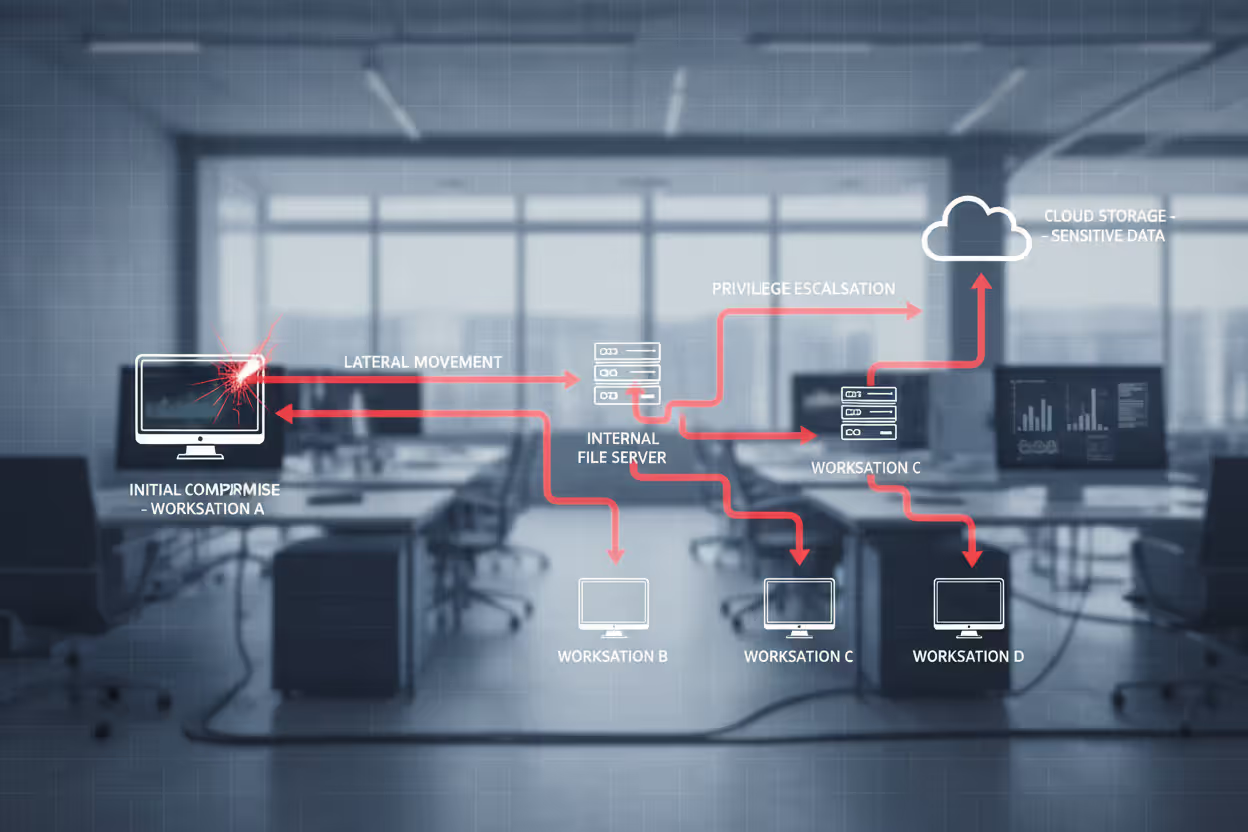
Most attacks follow similar patterns. Reconnaissance happens first. Attackers run automated scans identifying potential targets with specific vulnerabilities, outdated software, or exposed systems. They scrape information from websites, social media, job postings, and business registrations—building detailed profiles of potential victims.
Initial access attempts come next. Maybe they send phishing emails to every employee, hoping someone bites. Perhaps they exploit an unpatched vulnerability in your website or remote access portal. They might try default credentials on exposed devices. This phase often involves hundreds or thousands of automated attempts across many businesses simultaneously.
After breaking in, attackers establish persistence. They create hidden administrator accounts, install remote access tools, or modify system settings to maintain access even if you patch the initial vulnerability. This ensures they can return even if partially discovered and removed.
Lateral movement expands their foothold. Starting from one compromised computer, attackers map your network, identify valuable targets, and move between systems. They escalate privileges, hunting for administrator credentials that unlock access to critical systems. This exploration phase might continue for weeks or months as they quietly scout your environment.
The final stage brings data theft or system compromise. For ransomware, criminals encrypt files across your entire network simultaneously, maximizing damage and pressure. For data theft, they copy sensitive information to external servers. For financial fraud, they initiate unauthorized transactions or modify payment details.
Attacks typically occur outside business hours when nobody's watching closely. Attackers in different time zones work during their daytime—your nighttime—when suspicious activity is less likely to be noticed.
Real-World Examples of Small Business Cyber Attacks
A regional accounting firm with 15 staff members woke up Monday morning in early 2025 to find their systems completely encrypted. The attack had executed over the weekend, locking away client tax returns during peak filing season. Criminals demanded $35,000 in Bitcoin. The firm's backup system? It had been failing for weeks, but nobody monitored the error alerts. With client deadlines looming and no way to access files, they paid. Even after payment, full data recovery consumed three weeks. Missed deadlines caused client defections. Total losses reached $200,000 including revenue and recovery expenses.
A small e-commerce retailer selling handmade goods got caught in a business email compromise. Attackers monitored the owner's email for two weeks, learning supplier relationships and payment patterns. They then sent an email appearing to come from the largest supplier, requesting an urgent wire transfer to a "new" bank account for a big order. The owner recognized the supplier's name and was familiar with the order details mentioned. She transferred $47,000. When the real supplier asked about the overdue payment weeks later, the fraudulent account had been emptied and closed.
A three-doctor medical practice experienced credential theft after an employee clicked a phishing link that appeared to come from their electronic health records vendor. The link directed them to a convincing fake login page that harvested their username and password. Attackers used those credentials to access records for 2,400 patients. HIPAA regulations mandated breach notifications, resulting in regulatory fines totaling $125,000 and multiple patient lawsuits. Reputational damage proved even costlier as patients transferred to other practices.
A small manufacturing company got sabotaged by a departing employee who felt mistreated. Before leaving, he deleted critical design files and customer orders. The company only discovered this sabotage after terminating his access, making recovery impossible. They lost six months of product development work. Customer orders had to be recreated from email records. Product launches got delayed. Key customer relationships suffered from order fulfillment problems.
Warning Signs Your Business May Be Under Attack
Catching attacks early dramatically improves your chances of minimizing damage.
Performance changes often signal trouble. Computers suddenly running like molasses? Applications freezing constantly? Network speeds crawling? These might indicate malware consuming resources or attackers transferring data. One slow computer could be hardware failure. Multiple systems experiencing problems simultaneously? That warrants investigation.
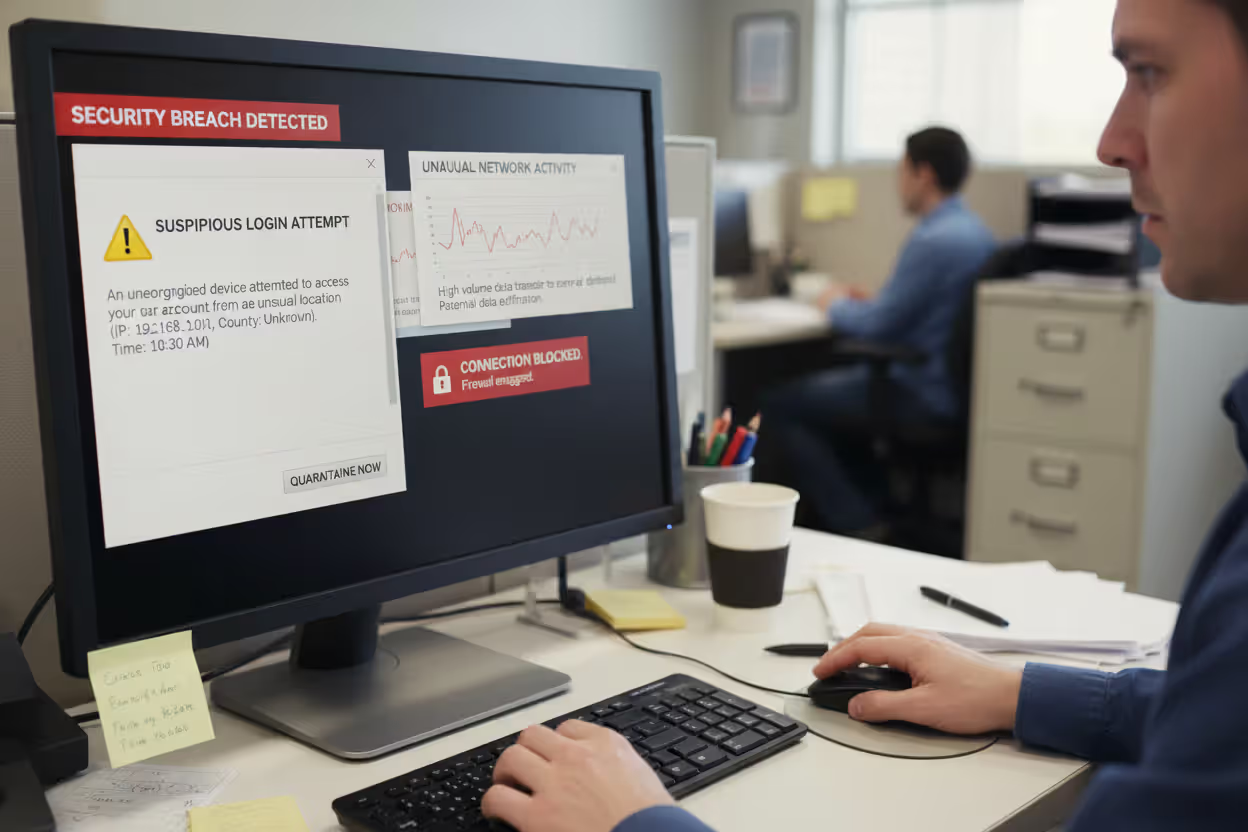
Unusual account activity suggests compromise. Login attempts from strange locations. Password reset requests nobody initiated. Accounts accessing systems at 3 AM. Email rules that automatically forward messages to external addresses or delete specific emails indicate someone's monitoring your communications.
Financial irregularities demand immediate action. Transactions you can't explain. Vendor payment details that suddenly changed. Customers claiming they never received payments your records show as completed. These all suggest financial fraud in progress.
Take employee reports seriously. When someone mentions receiving a weird email from a colleague, an urgent request that breaks normal procedures, or a phone call asking for sensitive information, these reports often represent actual attack attempts. Create a culture where employees feel comfortable reporting suspicions without worrying they'll look foolish.
Ransomware provides obvious indicators—files suddenly have strange extensions, ransom notes appear on screens, nothing opens. But attackers often infiltrate weeks before deploying ransomware. Watch for unusual file access patterns, large numbers of files being copied, or new software installations nobody authorized. These might indicate attackers preparing their ransomware deployment.
Don't ignore security tool alerts. Antivirus warnings, firewall notifications about blocked connections, security software detecting suspicious activity—all deserve investigation. Many breaches succeed because employees dismiss these as false alarms without actually checking.
Author: Monica Ellery;
Source: elegantimagerytv.com
Cyber Security Threats for Small Businesses Overview by Industry
Different industries face distinct threat profiles based on what data they handle and which systems they operate.
Retail businesses get hammered with payment card fraud. Point-of-sale systems are prime targets. Attackers install malware that captures credit card information during transactions. E-commerce sites face credential stuffing as criminals test stolen username-password combinations to hijack customer accounts and make fraudulent purchases. Inventory management systems also attract attention for facilitating theft or fraud.
Healthcare practices handle extraordinarily sensitive data. Electronic health records sell for high prices on criminal markets. Medical identity theft lets criminals obtain prescriptions, file fraudulent insurance claims, or receive medical services under stolen identities. Small practices lack the security infrastructure of hospital systems while maintaining equally valuable patient data.
Professional services firms—legal practices, accounting firms, consultancies—possess confidential client information criminals exploit for competitive intelligence, insider trading, or targeted fraud. Attorney-client communications, financial records, strategic business plans all represent valuable intelligence. These firms also maintain trust relationships with larger clients, making them stepping stones for supply chain attacks.
Manufacturing companies face intellectual property and operational technology threats. Product designs, manufacturing processes, customer lists represent years of competitive advantage. Attackers targeting industrial control systems can disrupt production, damage equipment, or compromise product quality. Many smaller manufacturers run legacy systems with known vulnerabilities that can't be patched without risking production disruptions.
Financial services businesses—insurance agencies, financial advisors, mortgage brokers—handle extensive personal financial information. Beyond direct theft, this data enables sophisticated fraud. Attackers also target these businesses for business email compromise, intercepting and modifying wire transfer instructions for real estate closings or investment transactions.
Construction and contracting firms seem like unlikely targets but face growing attacks. Project plans, bid information, client lists provide competitive intelligence. Large payroll systems with many employees attract credential theft for unemployment fraud schemes. Equipment theft facilitated by compromised scheduling and location tracking has also increased.
Frequently Asked Questions About Small Business Cyber Threats
Small businesses can't treat cybersecurity as something to worry about later or assume they're too insignificant to attract attention. The threats are real, constantly evolving, and specifically designed to exploit the vulnerabilities that resource-constrained organizations typically exhibit.
Here's the encouraging part: understanding these threats gets you halfway to safety. You don't need enterprise budgets to implement meaningful protections. Foundational measures—training employees, enforcing strong passwords with multi-factor authentication, maintaining regular backups, applying software updates promptly, and segmenting your network—stop the majority of attacks. These basic controls address the common vulnerabilities that automated attacks exploit across thousands of businesses every day.
The critical step is moving from awareness to implementation. Take an honest look at your current security situation. Where do vulnerabilities exist? Which threats would hurt your specific business most? What realistic steps can you implement this week versus longer-term improvements?
Cybersecurity isn't a one-time project. It's an ongoing cycle of assessment, improvement, and vigilance. The threat landscape will keep evolving as attackers develop new techniques and exploit new vulnerabilities. But businesses that understand their threats, implement appropriate controls, and maintain security awareness among employees dramatically slash their risk.
Your business represents years of effort, investment, and relationship-building. Defending it requires more than just technology—it means ensuring operations continue, protecting customers who've placed their trust in you, and safeguarding your livelihood. Act before an attack occurs, not after.
Related Stories
Read more

Read more



The content on this website is provided for general informational and educational purposes only. It is intended to explain concepts related to cybersecurity awareness, online threats, phishing attacks, and data protection practices.
All information on this website, including articles, guides, and examples, is presented for general educational purposes. Cybersecurity risks and protection strategies may vary depending on individual behavior, technology usage, and threat environments.
This website does not provide professional cybersecurity, legal, or technical advice, and the information presented should not be used as a substitute for consultation with qualified cybersecurity professionals.
The website and its authors are not responsible for any errors or omissions, or for any outcomes resulting from decisions made based on the information provided on this website.