
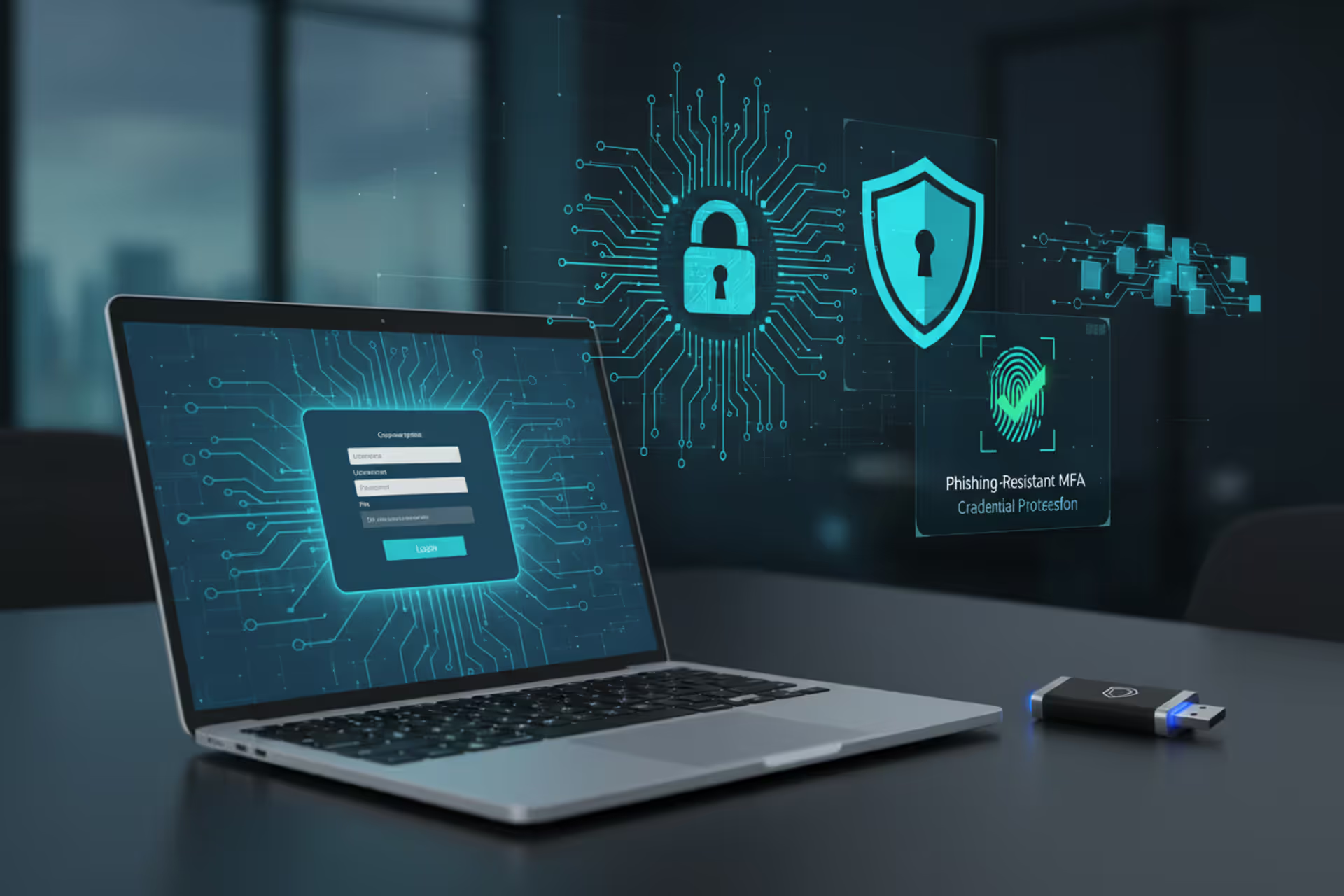
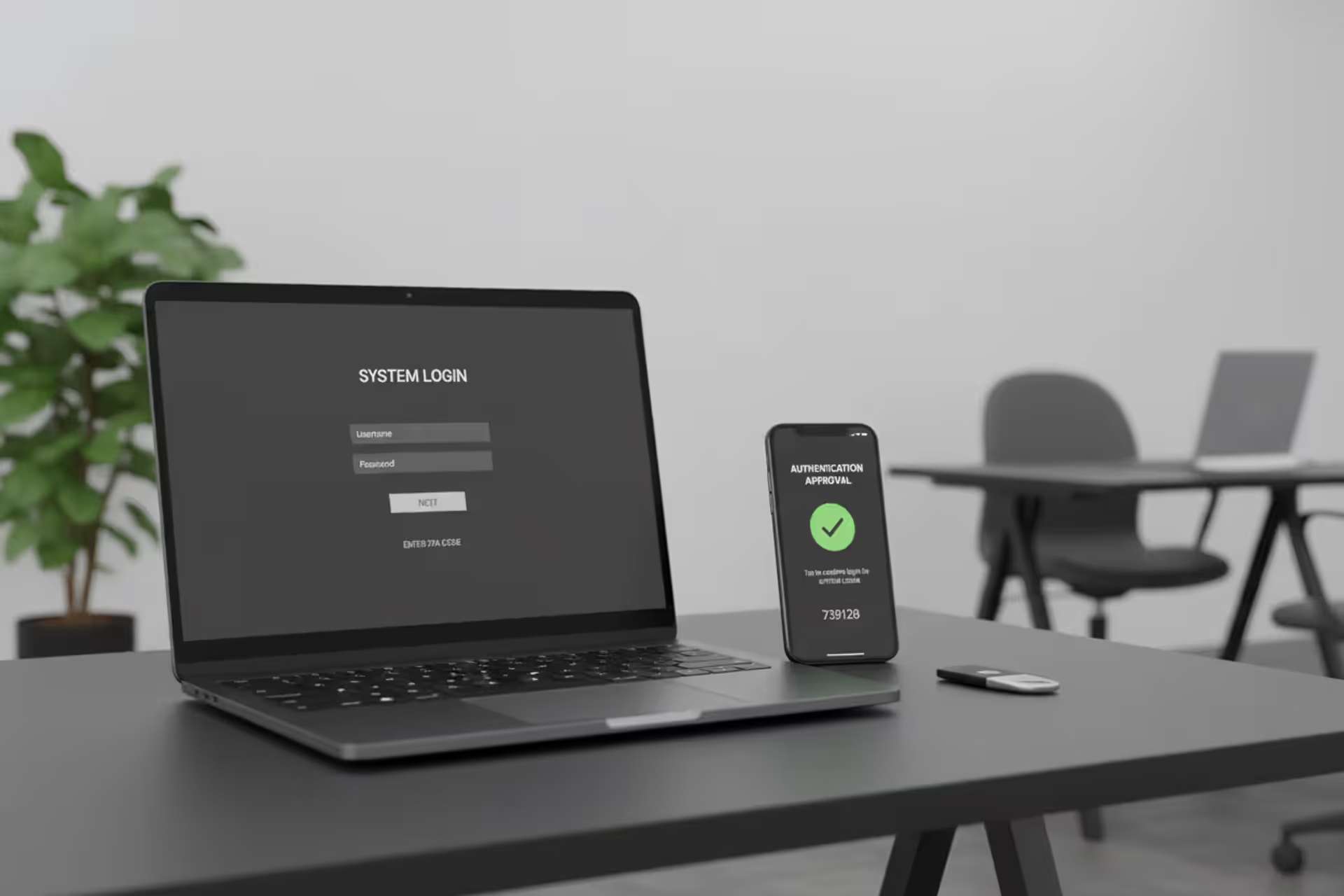
Security key and secure login screen representing phishing-resistant MFA
Phishing Resistant MFA Guide

Credential theft remains the leading cause of data breaches. In 2025, attackers compromised over 4.2 billion records globally, with 89% of successful breaches involving stolen or weak credentials. Traditional multi-factor authentication (MFA) was supposed to solve this problem, yet sophisticated phishing campaigns continue to bypass SMS codes, authenticator apps, and even push notifications with alarming success.
Phishing resistant MFA fundamentally changes this dynamic by making credentials technically impossible to steal or replay. Unlike traditional methods that rely on shared secrets or user decisions, phishing resistant authentication uses cryptographic proof that cannot be intercepted, forwarded, or tricked out of users.
Understanding how phishing resistant MFA works and implementing it correctly has become a critical security priority for organizations of all sizes.
What Is Phishing Resistant MFA
Phishing resistant MFA refers to authentication methods that cryptographically verify both the user's identity and the legitimacy of the service they're accessing. These methods prevent attackers from stealing, intercepting, or replaying credentials even when users are tricked into interacting with fraudulent websites or applications.
The fundamental difference lies in how authentication occurs. Traditional MFA sends a code or pushes a notification that users manually enter or approve. These codes and approvals work anywhere—including on attacker-controlled phishing sites. If an attacker tricks you into entering your password and one-time code on a fake login page, they immediately use those credentials on the real site before the code expires.
Phishing resistant MFA eliminates this vulnerability entirely. Instead of shared secrets that travel between parties, it uses public key cryptography where the private key never leaves your device. The authentication process cryptographically binds to the specific domain you're accessing, making it impossible to use on any other site.
The FIDO2 (Fast Identity Online) and WebAuthn (Web Authentication) standards define how phishing resistant MFA operates. Developed by the FIDO Alliance and now a W3C standard, these protocols ensure that authentication credentials are unique to each service and cannot be phished, reused, or replayed. Major platforms including Google, Microsoft, Apple, and government agencies have adopted these standards as the foundation for modern authentication.
When phishing resistant MFA basics are explained, three properties stand out: credentials are service-specific through origin binding, they use asymmetric cryptography where secrets never transmit over networks, and they require user presence verification that cannot be remotely triggered.
Phishing-resistant authentication is the single most effective control organizations can implement to prevent account takeovers.Traditional MFA provides a false sense of security when adversaries have already demonstrated they can bypass these controls at scale
— Dr. Jennifer Easterly
How Phishing Resistant MFA Works
The technical foundation of phishing resistant MFA relies on asymmetric cryptography and origin binding to create an authentication process that attackers cannot intercept or replay.
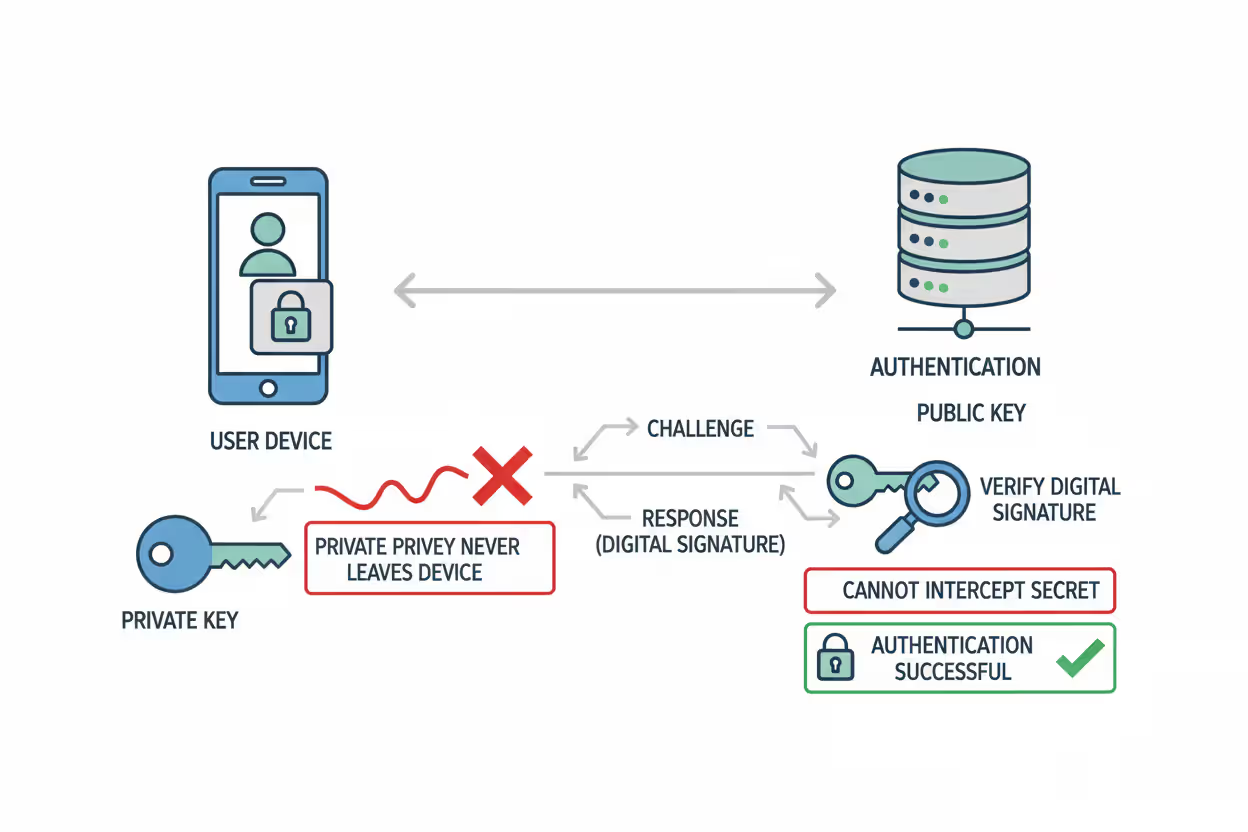
When you register a phishing resistant authenticator with a service, your device generates a unique public-private key pair specifically for that service. The private key stays permanently on your device, protected by hardware security modules or secure enclaves. The public key goes to the service provider, who stores it with your account.
During authentication, the service sends a challenge—a random string of data. Your authenticator signs this challenge with the private key, creating a digital signature. The service verifies this signature using the stored public key. Since only the private key can create valid signatures, and that key never leaves your device, attackers cannot steal or replay your credentials.
Author: Trevor Kingsland;
Source: elegantimagerytv.com
The Role of Public Key Cryptography
Public key cryptography makes phishing resistant MFA fundamentally different from password-based or shared-secret authentication. With passwords or one-time codes, both parties need to know the same secret. This creates opportunities for interception, theft, or social engineering.
Asymmetric cryptography eliminates shared secrets entirely. The private key proves your identity by creating signatures that the public key can verify, but the public key cannot create signatures. An attacker who compromises the service provider and steals all public keys gains nothing—those keys cannot authenticate as users.
Modern phishing resistant authenticators use elliptic curve cryptography, typically the ECDSA algorithm with the P-256 curve. This provides strong security with relatively small key sizes. The private keys are generated and stored in hardware security modules (HSMs) or secure enclaves that prevent extraction even if the device operating system is compromised.
Platform authenticators like Windows Hello or Touch ID use the device's built-in trusted platform module (TPM) or secure enclave. External security keys contain dedicated HSMs. This hardware protection ensures that even sophisticated malware cannot access the private keys.
Origin Binding and Domain Verification
Origin binding represents the second critical component of phishing resistant MFA. Every authentication ceremony cryptographically includes the domain name of the service requesting authentication. The authenticator verifies this domain matches the one associated with the stored credential before signing any challenge.
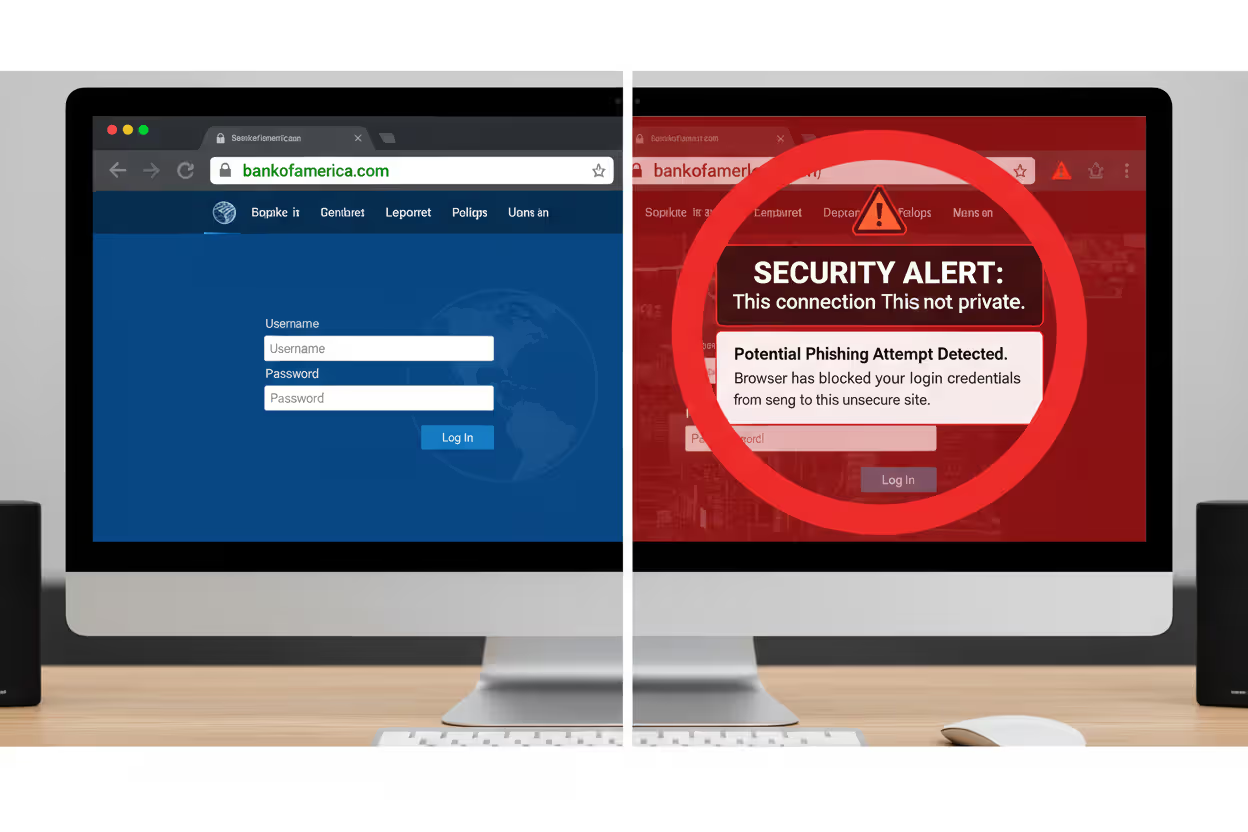
When you register your security key with example.com, the key pair is bound to that exact domain. If an attacker creates a phishing site at examp1e.com (with a number one instead of the letter L), your authenticator refuses to respond. The domain doesn't match, so the private key won't sign the challenge.
This happens automatically at the cryptographic level. Users don't need to notice the domain difference or make security decisions. The authentication simply fails on fraudulent sites, even if they look identical to the real service.
The browser or operating system enforces origin binding by providing the Relying Party ID to the authenticator. This ID derives from the domain name using strict rules. Authenticators verify this ID matches their stored credential before proceeding. Attackers cannot override or manipulate this process because it's implemented in hardware and firmware, not in web page code they control.
Author: Trevor Kingsland;
Source: elegantimagerytv.com
Types of Phishing Resistant MFA Methods
Several implementations of phishing resistant authentication exist, each with different form factors, user experiences, and deployment considerations.
Hardware Security Keys are dedicated physical devices that contain cryptographic processors and store private keys. They connect via USB, NFC, or Bluetooth. YubiKey, Google Titan, and Feitian keys are common examples. Users insert or tap the key when prompted, then press a button to confirm their presence. These keys support multiple accounts and protocols, typically storing credentials for dozens or hundreds of services. They cost $20-70 per key, making them economical for organizational deployments.
Passkeys represent the newest implementation of phishing resistant authentication. These are FIDO credentials stored in password managers or platform authenticators that can sync across devices. Apple, Google, and Microsoft have implemented passkey support across their ecosystems. Users authenticate with biometrics or device PINs, and the credentials sync securely through encrypted cloud services. Passkeys eliminate the need for separate hardware while maintaining phishing resistance. They work across all user devices signed into the same account.
Platform Authenticators use built-in device hardware for authentication. Windows Hello, Touch ID, Face ID, and Android biometric authentication all support FIDO2 standards. The device's TPM or secure enclave stores private keys tied to that specific device. Users authenticate with fingerprints, facial recognition, or PINs. Platform authenticators provide excellent user experience but don't work across devices unless implemented as synced passkeys.
PIV and CAC Cards are smart cards used primarily in government and high-security environments. Personal Identity Verification (PIV) cards for federal employees and Common Access Cards (CAC) for military personnel contain cryptographic certificates that enable phishing resistant authentication. These cards require specialized readers but provide very high assurance levels and integrate with physical access control systems.
Each method shares the core phishing resistant properties—private keys that never leave the authenticator, public key cryptography, and origin binding—but differs in portability, backup options, and user experience.
Phishing Resistant vs Traditional MFA Methods

Author: Trevor Kingsland;
Source: elegantimagerytv.com
Understanding why traditional MFA fails against sophisticated phishing helps clarify the value of phishing resistant approaches.
SMS-based codes are vulnerable to multiple attack vectors. Attackers use SIM swapping to hijack phone numbers, intercept messages through SS7 protocol vulnerabilities, or simply trick users into reading codes aloud during social engineering calls. SMS codes also work on any website, so users who enter them on phishing pages hand attackers valid credentials.
Time-based one-time passwords (TOTP) from authenticator apps like Google Authenticator or Authy are better than SMS but still vulnerable. The codes work on any site, so phishing pages that proxy authentication to the real service can capture and replay them before expiration. Attackers have automated this process—users enter credentials on the fake site, attackers immediately use them on the real site, authentication succeeds, and attackers gain access.
Push notifications represent a more sophisticated attack surface. Services like Duo or Microsoft Authenticator send approval requests to user devices. Attackers conduct "MFA fatigue" attacks by repeatedly triggering authentication attempts until frustrated users approve one to stop the notifications. More advanced adversaries-in-the-middle attacks proxy the authentication session in real-time, making the push notification appear legitimate.
| MFA Method | Phishing Resistance | User Experience | Implementation Cost | Primary Vulnerability |
| SMS Codes | None | Simple | Low | SIM swapping, interception, phishing |
| Authenticator Apps (TOTP) | None | Moderate | Low | Real-time phishing, code replay |
| Push Notifications | Low | Simple | Moderate | MFA fatigue, real-time phishing |
| Security Keys | High | Moderate | Moderate | Physical theft (requires device access) |
| Passkeys | High | Excellent | Low-Moderate | Device compromise (mitigated by hardware) |
The table illustrates why organizations concerned about targeted attacks or advanced persistent threats should prioritize phishing resistant methods. The cost difference has narrowed considerably—passkeys require no additional hardware, and security keys have become affordable at scale.
Real-World Phishing Resistant MFA Examples
Organizations across sectors have deployed phishing resistant MFA with measurable security improvements.
Google eliminated account takeovers among its 135,000+ employees after mandating security keys in 2023. The company reported zero successful phishing attacks against employee accounts since full deployment. Google now offers Titan Security Keys to consumers and enterprises, with both USB and Bluetooth variants supporting FIDO2 standards.
Microsoft has aggressively promoted passwordless authentication using Windows Hello and Microsoft Authenticator as phishing resistant options. The company reported in late 2025 that over 400 million users authenticate monthly with passwordless methods. Microsoft's implementation allows users to replace passwords entirely with passkeys or biometric authentication, eliminating the weakest link in the authentication chain.
The U.S. federal government requires phishing resistant MFA for all employees accessing government systems under the Zero Trust Architecture mandate. Federal employees use PIV cards—smart cards containing cryptographic certificates that enable phishing resistant authentication for both physical and logical access. The Department of Defense similarly requires CAC cards for military and contractor personnel. These implementations demonstrate phishing resistant MFA at massive scale across diverse systems.
Cloudflare deployed security keys company-wide and documented the process publicly. The company chose to issue two YubiKeys to each employee—one primary and one backup—and disabled all legacy MFA methods after a transition period. Cloudflare reported that the deployment eliminated credential-based attacks while improving user satisfaction compared to previous TOTP-based authentication.
Financial institutions have adopted security keys for high-risk transactions and privileged access. Bank of America, Fidelity, and others support FIDO2 security keys for account access, particularly for high-net-worth clients and employees with administrative privileges. These implementations balance security with customer experience by offering keys as an option alongside other authentication methods.
How to Implement Phishing Resistant MFA
Successful deployment requires planning beyond simply purchasing security keys or enabling passkeys.
Assessment Phase: Inventory all systems requiring authentication and determine which support FIDO2/WebAuthn standards. Most modern web applications, cloud services, and operating systems support these standards, but legacy systems may require updates or workarounds. Identify user populations, their technical capabilities, and their access patterns. Remote workers need different solutions than office-based employees.
Choosing Methods: Select authenticator types based on your environment. Organizations with users on modern devices can deploy passkeys with minimal hardware costs. Environments requiring air-gapped systems or high assurance levels may need hardware security keys. Many organizations implement a tiered approach—passkeys for standard users, hardware keys for administrators, and PIV/CAC cards for the highest security roles.
Deployment Strategy: Pilot programs identify implementation challenges before full rollout. Select a technically proficient user group for initial deployment, gather feedback, and refine processes. Develop clear documentation covering registration, daily use, and troubleshooting. Plan for a gradual rollout by department or role rather than organization-wide simultaneous deployment.
User Enrollment: Make registration straightforward with step-by-step guidance and support availability. Many organizations conduct live enrollment sessions where IT staff help users register their authenticators. This reduces frustration and ensures proper setup. Collect backup authentication methods during enrollment to prevent lockouts.
Backup Options: Users will lose devices or forget them. Implement recovery processes that maintain security while preventing permanent lockouts. Options include issuing multiple security keys to each user, enabling backup passkeys on secondary devices, or maintaining secure recovery codes stored offline. Avoid falling back to phishable methods like SMS for account recovery—this undermines the entire security model.

Author: Trevor Kingsland;
Source: elegantimagerytv.com
Common Implementation Challenges
Legacy System Compatibility: Older applications may not support FIDO2 standards. Solutions include updating applications, implementing identity proxies that translate between protocols, or accepting that some systems require interim solutions until modernization.
Mobile Device Support: Not all mobile apps support security keys, though passkey support has improved dramatically. Organizations may need different authenticators for mobile versus desktop access, or may prioritize passkey implementations that work across platforms.
Shared Workstation Scenarios: Environments with shared computers complicate authentication. Hardware security keys work well here since users carry their authenticator, but passkeys tied to the device don't. Consider the physical security of the environment when selecting methods.
Cost Justification: Security key hardware costs are straightforward, but deployment labor, support, and potential productivity impacts during transition require budgeting. Calculate the cost against the potential impact of a single successful phishing attack—most organizations find phishing resistant MFA easily justified.
User Adoption Best Practices
Frame as Convenience, Not Just Security: Users resist changes presented purely as security requirements. Emphasize how passkeys and security keys eliminate password typing, reduce authentication friction, and prevent account lockout from forgotten passwords.
Executive Sponsorship: Visible support from leadership increases adoption. When executives use and endorse the technology, employees view it as important rather than as another IT mandate.
Gradual Enforcement: Allow time for users to adjust before disabling legacy methods. A common pattern: enable phishing resistant MFA alongside existing methods, encourage adoption for 60-90 days, then require it for new logins while grandfathering existing sessions, and finally enforce exclusively.
Responsive Support: Users encountering issues during the transition need quick help. Ensure helpdesk staff are thoroughly trained and can resolve common problems immediately. Track support tickets to identify systemic issues requiring documentation or process changes.
Frequently Asked Questions About Phishing Resistant MFA
Phishing resistant MFA addresses the fundamental weakness that makes traditional multi-factor authentication vulnerable: shared secrets that can be stolen, intercepted, or tricked out of users. By using public key cryptography and origin binding, these methods make credentials technically impossible to phish regardless of how convincing the attacker's fake website appears.
The technology has matured beyond early adoption. Standards are established, major platforms provide native support, and costs have decreased to levels appropriate for organizations of all sizes. Passkeys eliminate hardware requirements entirely while maintaining full phishing resistance.
Implementation requires planning, particularly around backup authentication and user enrollment, but the process is well-understood with documented best practices from organizations that have deployed at scale. The security improvement is substantial—organizations that have fully deployed phishing resistant MFA report eliminating account takeover attacks that previously succeeded despite traditional MFA protection.
For organizations serious about preventing credential-based attacks, phishing resistant MFA has moved from optional to essential. The question is no longer whether to implement these controls, but how quickly you can complete deployment before the next sophisticated phishing campaign targets your users.
Related Stories
Read more
Read more



The content on this website is provided for general informational and educational purposes only. It is intended to explain concepts related to cybersecurity awareness, online threats, phishing attacks, and data protection practices.
All information on this website, including articles, guides, and examples, is presented for general educational purposes. Cybersecurity risks and protection strategies may vary depending on individual behavior, technology usage, and threat environments.
This website does not provide professional cybersecurity, legal, or technical advice, and the information presented should not be used as a substitute for consultation with qualified cybersecurity professionals.
The website and its authors are not responsible for any errors or omissions, or for any outcomes resulting from decisions made based on the information provided on this website.