
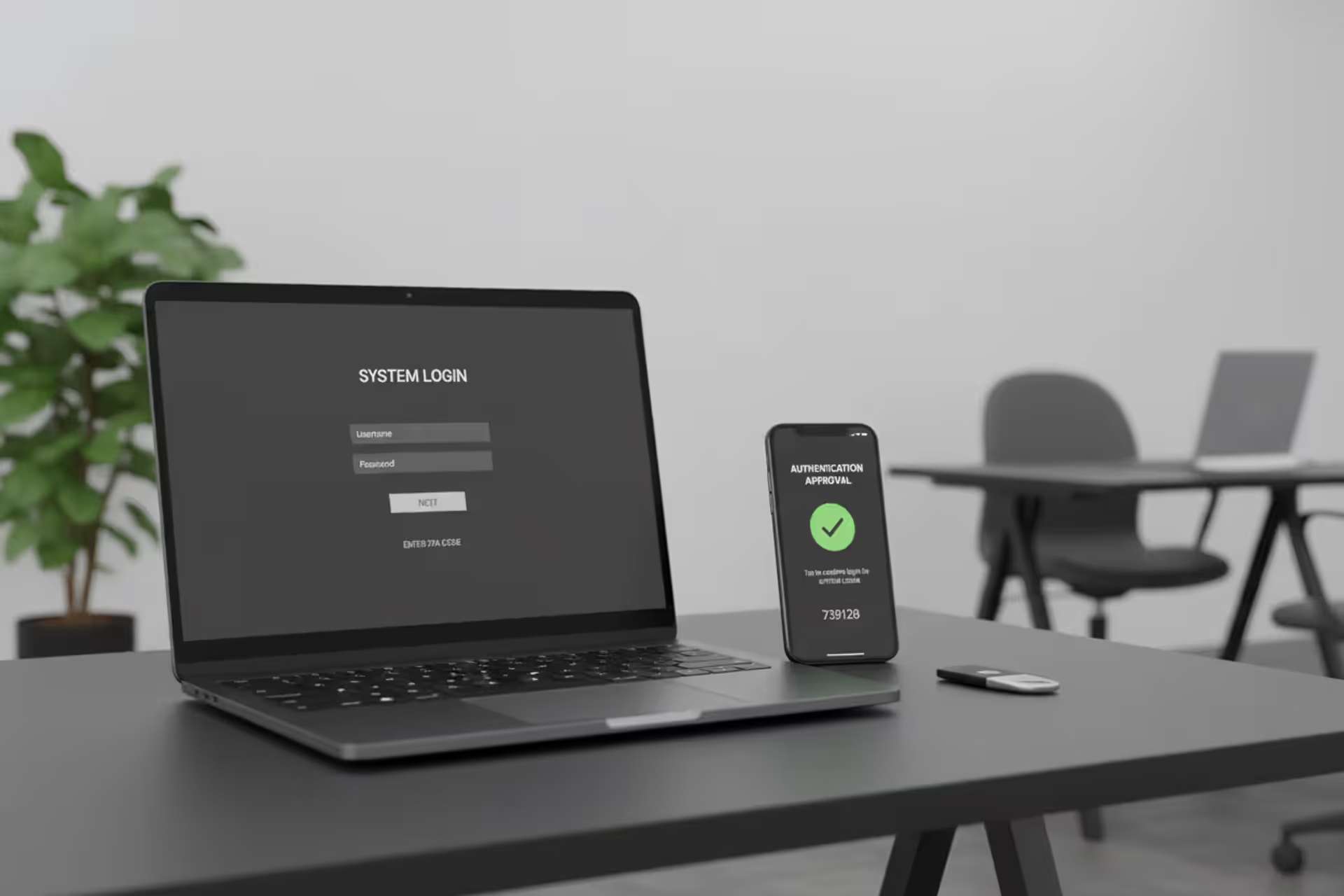
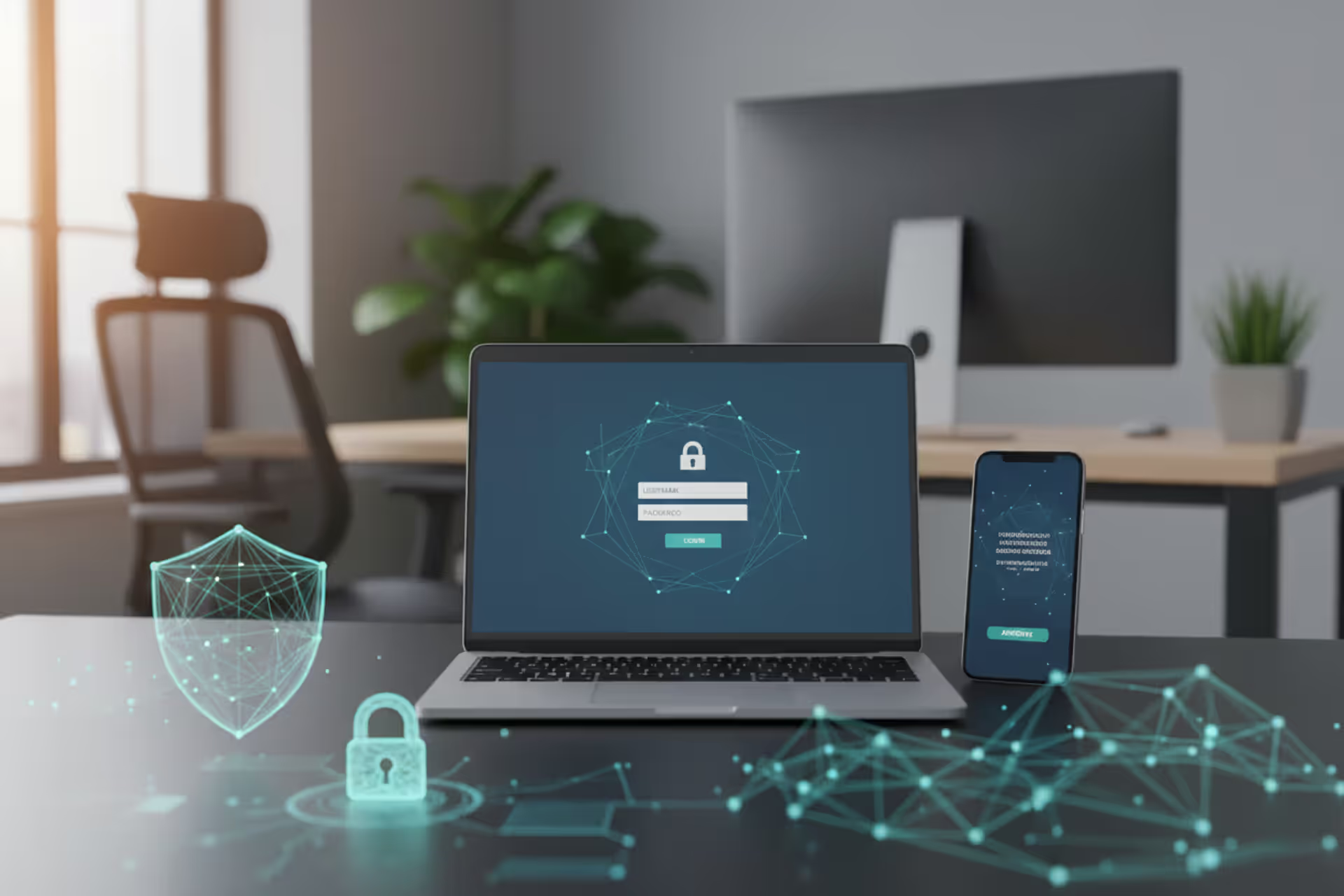
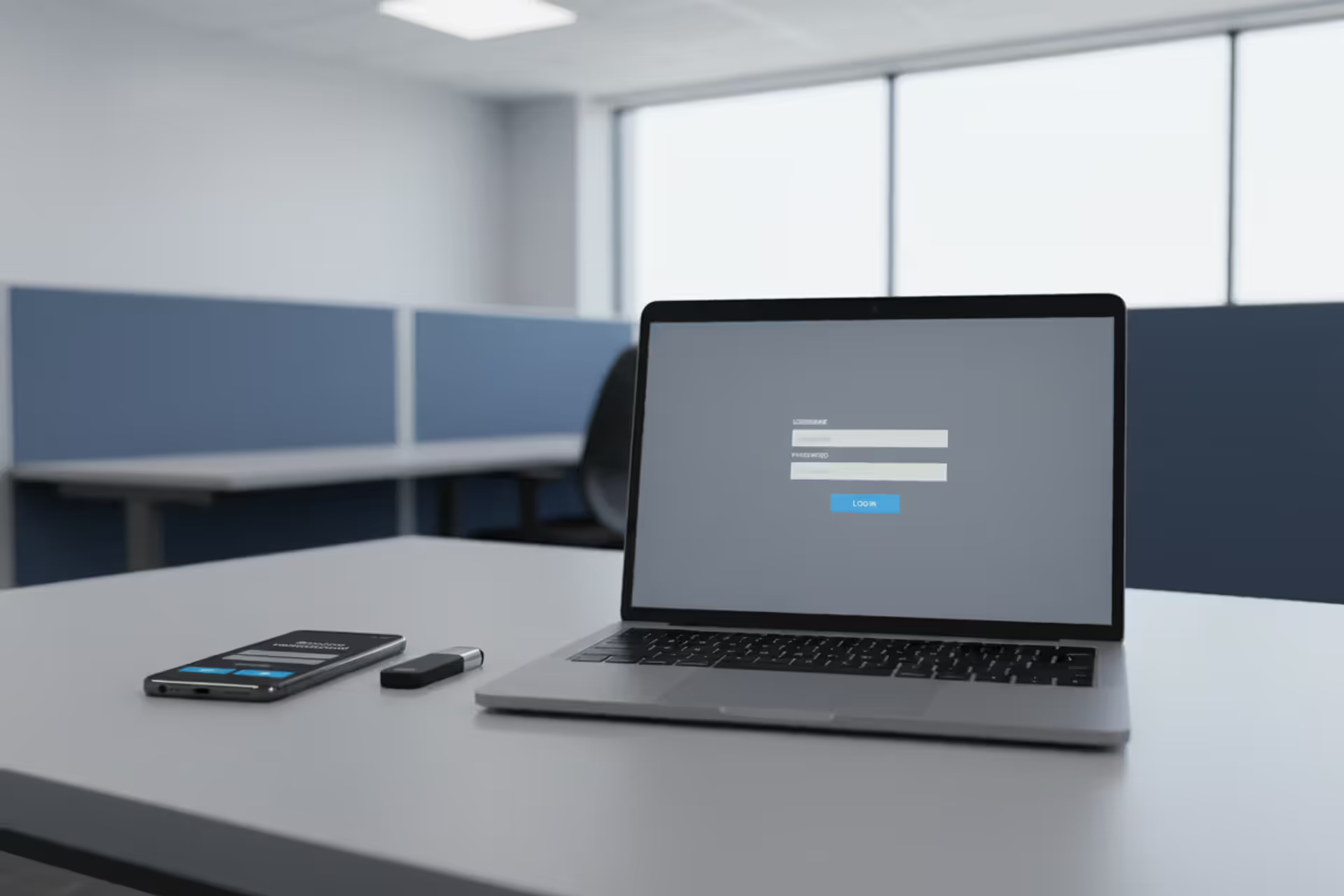
Multi-factor authentication concept with laptop, smartphone approval, and hardware security key
What Does MFA Stand for in Cyber Security?

Here's what MFA means: Multi-Factor Authentication. It's the security process that won't let you into a system with just your password—you'll need at least one more way to prove you're actually you.
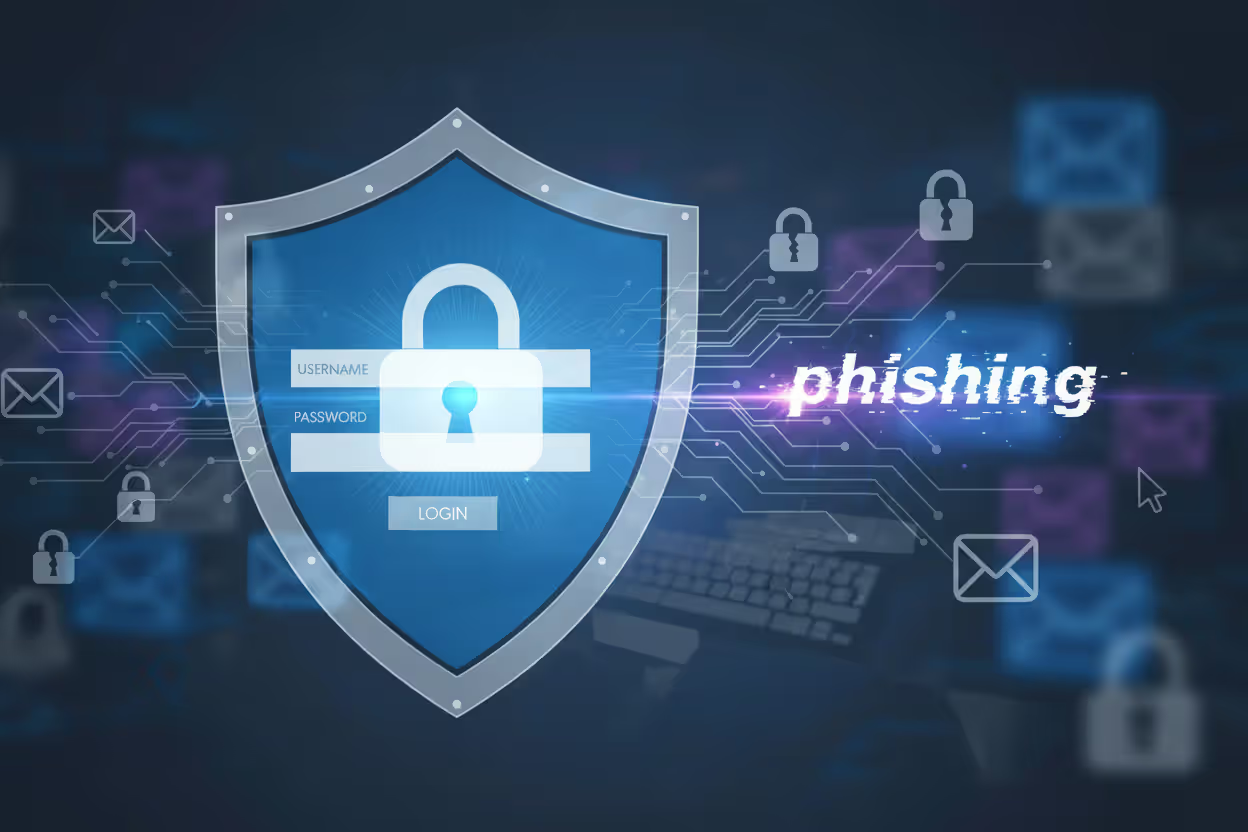
Think about your bank account. Password gets you to the door. Then your phone buzzes with a six-digit code. That's MFA in action. One credential isn't enough anymore, and there's a good reason for that: passwords leak constantly. They're stolen in breaches, guessed through phishing emails, and sold in bulk on forums you've never heard of.
The logic here? Breaking through one security layer is hard enough for attackers. Forcing them to crack two or three separate barriers simultaneously? That stops most threats cold. As credential theft continues driving the majority of successful breaches across every industry, this layered verification approach has shifted from "nice to have" to "you're gambling without it."
MFA Definition and Core Components
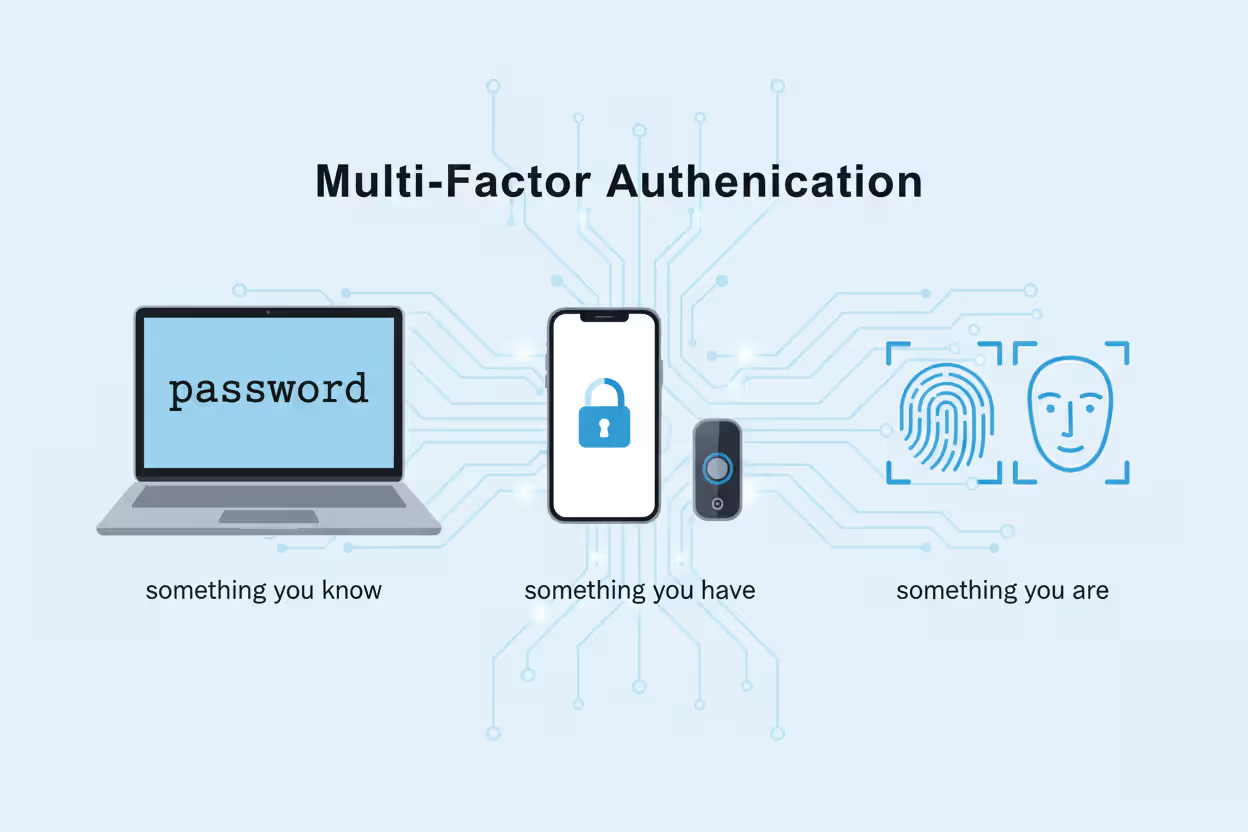
When we talk about the mfa definition in cyber security, we're really talking about three distinct buckets of proof. Authentic multi-factor authentication means pulling from at least two different buckets—not just piling up factors from the same category.
Something you know covers the mental stuff: your password, that PIN for your debit card, answers to security questions like your first pet's name. Everyone knows this category. It's also the weakest link. Why? Because knowledge can be transferred. Once someone phishes your password through a fake Microsoft login page, they know it just as well as you do. In 2026, automated tools can hammer login pages with millions of stolen username-password pairs in under an hour. A password by itself is basically a speed bump.
Author: Calvin Roderick;
Source: elegantimagerytv.com
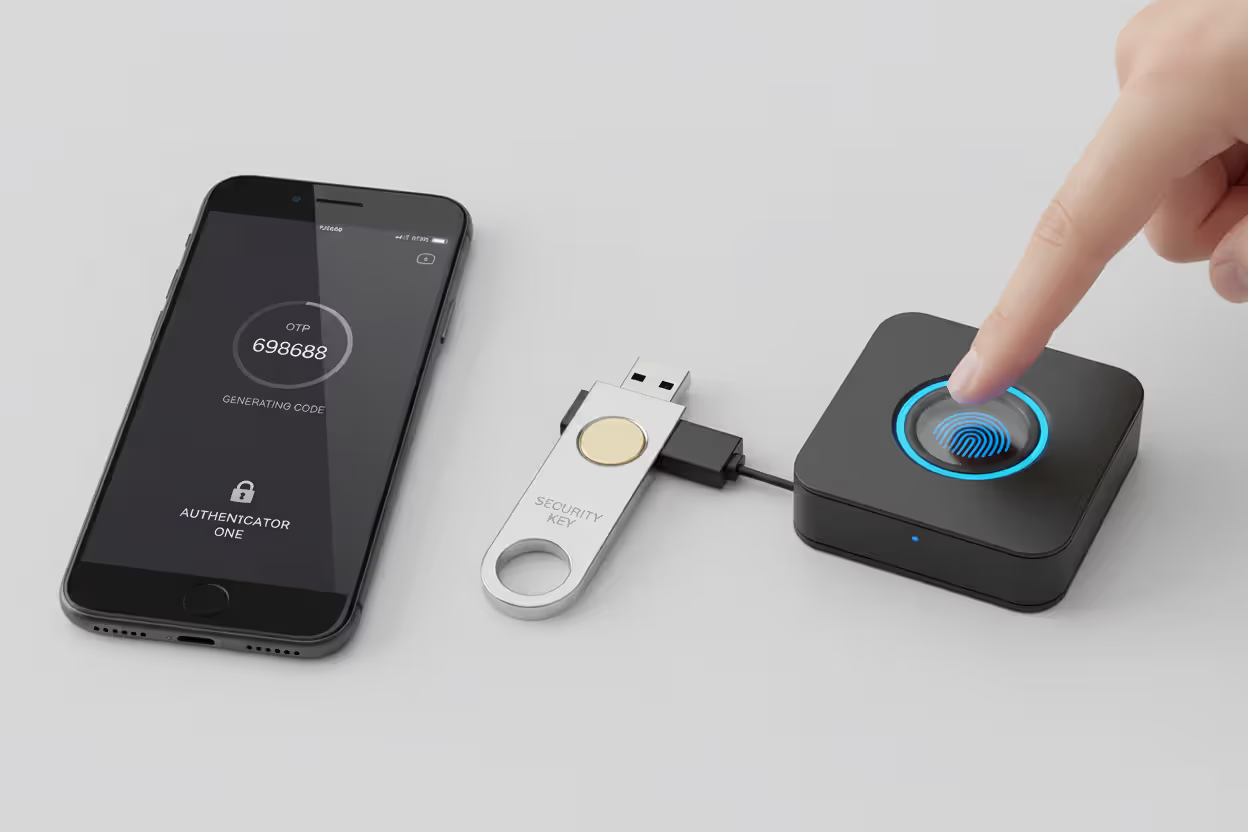
Something you have means a physical object or device you're carrying. Your smartphone qualifies. So does a USB security key hanging on your keychain, a smart card, or those little key fob devices that cycle through random numbers. The defensive thinking is straightforward: stealing your password from halfway around the world is easy, but also stealing your physical phone? Much harder. Apps like Google Authenticator generate fresh six-digit codes every 30 seconds using algorithms synchronized with the login server—giving attackers a constantly moving target.
Something you are is all about your body's unique characteristics. Fingerprint whorls and ridge patterns, the specific geometry of your face, iris patterns, even your voice's particular frequencies. Smartphones made biometric logins mainstream, though implementation quality swings wildly. A sophisticated facial recognition system using infrared depth mapping can't be fooled by holding up a photo. A cheap camera-based system absolutely can.
Understanding mfa meaning in cyber security requires catching this critical point: stacking two factors from the same category doesn't give you real protection. Using a password plus a security question is still just "something you know" twice. Effective implementations force attackers to compromise completely independent systems—like both your password database and your physical smartphone—before getting in.
How Multi-Factor Authentication Works in Practice
Let's walk through what actually happens when you log into a system protected by multi factor authentication basics. The technical flow tries to balance strong security against not making users want to throw their keyboards out the window.
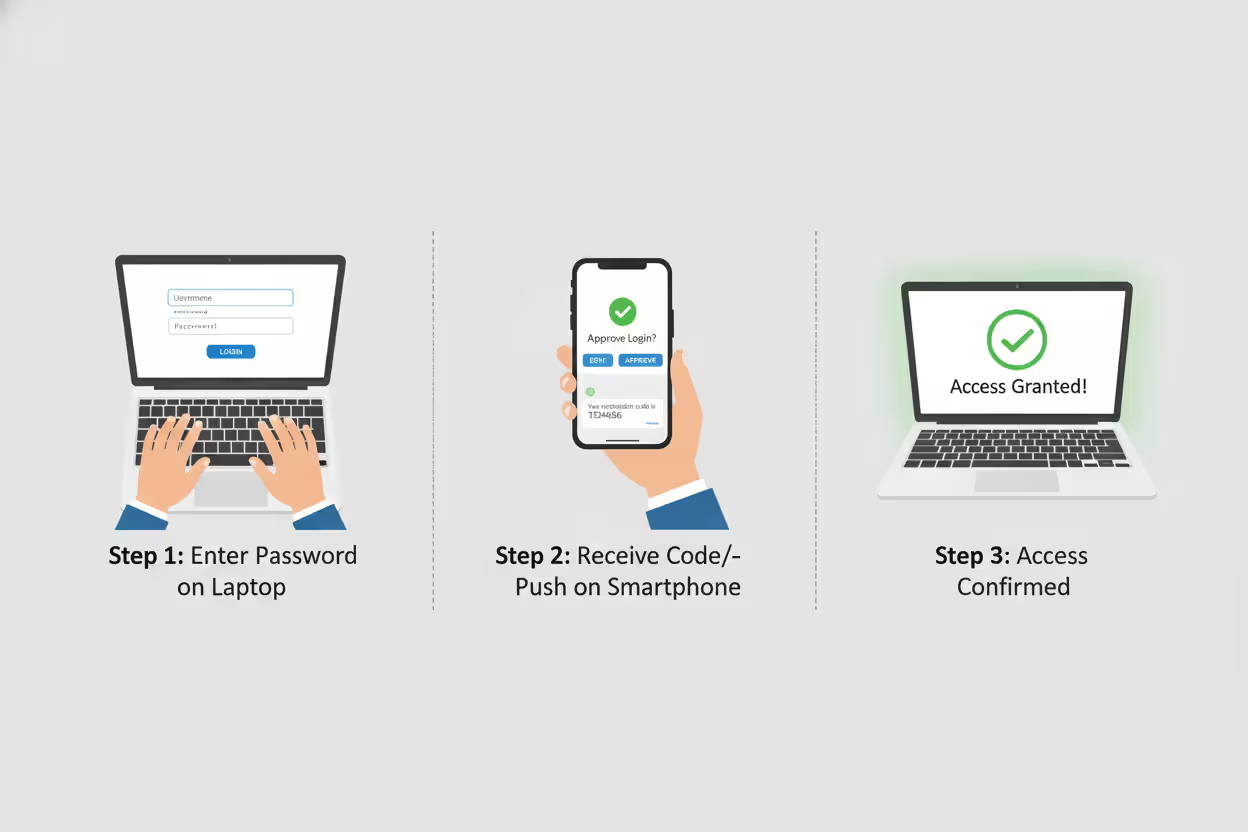
You start by typing your username and password. The authentication server checks those credentials against stored records. Match found? Great—but access denied. Instead of opening the gates, the system kicks off a second verification round.
What happens next depends on which MFA method you're using. With SMS codes, the server generates a random six-digit number and fires it off to whichever phone number is tied to your account. You've got maybe three to five minutes to type that code in before it expires. Authenticator apps work differently—they don't need the server to send anything. Your phone generates time-synchronized codes using a secret key that was shared during initial setup. The server knows what code your app should be displaying at any given moment. You enter it, the server confirms it matches expectations for that exact 30-second window, and you're in.
Author: Calvin Roderick;
Source: elegantimagerytv.com
Push notifications strip away even that friction. An authentication prompt pops up on your registered device—usually your phone. You tap "Approve" and that's it. No codes to type. The server needed confirmation you physically controlled the device, and you just provided it. This requires your device to be online and running the authentication app, which occasionally causes problems in areas with spotty connectivity.
Hardware tokens operate independently from networks entirely. These pocket-sized devices run algorithms that generate codes using internal clocks synchronized with the authentication server. More advanced USB security keys—YubiKey is the big name here—use cryptographic protocols called FIDO2 and WebAuthn. Instead of transmitting codes that could theoretically be intercepted, they perform a cryptographic handshake that verifies possession without exposing any secrets.
Biometric systems capture something about your body and convert it into a mathematical template for comparison. Fingerprint scanners don't store an image of your fingerprint—they measure specific ridge endings, bifurcations, and spacing between features, then hash that into a number. Facial recognition maps distances between your eyes, nose, and mouth. The captured measurement gets compared against the enrolled template stored during setup. Modern implementations store these templates as one-way cryptographic hashes, meaning even if hackers steal the database, they can't reverse-engineer your actual fingerprint or face from it.
Behind the scenes, the authentication server logs everything: successful logins, failed attempts, timestamps, IP addresses, device identifiers. When someone enters the right password but fails the second factor five times in a row, that triggers alerts. Security teams watching those logs can spot compromise attempts—or lock accounts automatically when patterns look suspicious.
Why MFA Matters in Cyber Security
Single-factor authentication in 2026 is like leaving your front door unlocked in a high-crime neighborhood. You might get lucky, but you're not making smart bets.
Credential theft has become an industrial operation. Phishing platforms sell subscriptions—attackers can launch convincing fake login pages without writing a line of code. Malware specifically designed to harvest saved passwords infects millions of devices. Massive databases containing billions of leaked credentials circulate freely on dark web marketplaces. Microsoft's security research found that accounts without MFA face 99.9% higher compromise rates compared to MFA-protected accounts. That number has held consistent even as attackers adapt their methods.
Passwords are fundamentally broken, and we keep breaking them worse. People reuse the same password across dozens of sites because remembering unique passwords for everything is genuinely difficult. They pick patterns like "Summer2026!" that feel random but are trivially easy for automated tools to guess. Even security-conscious users who generate strong, unique passwords for every service can't protect themselves once those passwords appear in a breach database. Attackers don't bother cracking passwords anymore—they just buy lists of working credentials for pennies.
Multi-factor authentication remains the single most effective control for preventing account takeover attacks. Organizations that implement MFA properly can block over 99% of automated attacks targeting user credentials
— Dr. Jen Easterly
Why mfa matters in cyber security extends into the legal and financial realm too. Compliance mandates have teeth now. The latest PCI DSS version—4.0—explicitly demands MFA for anyone accessing environments where cardholder data lives. HIPAA enforcement actions increasingly point to lack of MFA as a contributing factor when investigating healthcare data breaches. Cyber insurance underwriters calculate your premiums based partly on MFA implementation. Some insurers flatly refuse coverage to organizations that haven't deployed MFA on critical systems.
The economics make MFA a no-brainer. IBM's annual breach cost research puts the average price tag for breaches involving stolen credentials at $4.8 million per incident. Cloud-based MFA solutions typically run $3 to $10 per user annually. A single prevented breach pays for decades of MFA deployment across your entire organization.
Regulatory pressure keeps ratcheting up. Executive Order 14028 forced MFA adoption across all federal agencies, which created a cascade effect—anyone doing business with government entities needs MFA to stay in the game. State privacy laws like California's CPPA and Virginia's CDPA include security requirements that courts are interpreting to mean you need MFA protecting access to personal information, or you're not meeting the standard of care.
Author: Calvin Roderick;
Source: elegantimagerytv.com
Common MFA Implementation Methods
You've got several paths for implementing mfa in cyber security, each trading off security strength against user convenience and cost. The right choice depends on what you're protecting, who's using it, and what your budget looks like.
| MFA Method | Security Level | User Convenience | Cost | Best Use Case |
| SMS codes | Low to Medium | Very easy | Minimal | Consumer accounts with modest risk |
| Authenticator apps | Medium to High | Easy once set up | Nearly free | Standard business environments |
| Hardware tokens | Excellent | Moderate | $20-$70 per key | Admin access, compliance scenarios |
| Biometric | Strong | Seamless | Moderate | Mobile devices, physical entry points |
| Push notifications | Medium to High | Effortless | Low | Cloud apps, remote workforces |
SMS-based MFA texts one-time codes to your phone. Works on literally any phone capable of receiving text messages—no app downloads, no special hardware. That universal accessibility makes it the lowest barrier to entry. Security researchers have poked holes in it, though. SIM swapping attacks let criminals contact your carrier, impersonate you, and transfer your phone number to a device they control. Suddenly all your text messages—including MFA codes—route to them. SS7 protocol vulnerabilities let sophisticated attackers intercept texts in transit. Despite these flaws, SMS MFA still blocks unsophisticated attacks and beats nothing. Just don't use it for your most sensitive accounts.
Authenticator apps generate time-based one-time passwords using standardized algorithms (RFC 6238, if you're curious). After you scan a QR code during setup, these apps work completely offline—eliminating the interception risks that plague SMS. Google Authenticator, Microsoft Authenticator, Authy, and Duo are the major players. The main headache is device dependency. Lose your phone without backup codes saved somewhere? You're locked out. Some apps sync across multiple devices or back up to the cloud, though that trades a bit of security for much better convenience.
Hardware security keys deliver the strongest phishing resistance available. These USB, NFC, or Bluetooth devices use public-key cryptography to prove you possess the key without ever transmitting secrets that could be stolen. The FIDO2 protocol does something clever: it binds authentication to specific domains. Even if you enter your password on a phishing site, attackers can't replay the authentication because the cryptographic exchange only works with the legitimate domain. Keys cost $20 to $70 each—reasonable for IT admins and executives, potentially expensive when you're deploying to thousands of employees.
Biometric authentication reads fingerprints, scans faces, or analyzes iris patterns. Modern implementations don't transmit your raw biometric data anywhere. Instead, they store a mathematical template in a secure chip on your device and do all comparisons locally. This protects your privacy and prevents replay attacks. Accuracy has gotten seriously good—false acceptance rates below 1 in 50,000 for quality fingerprint sensors. The challenge is edge cases: injuries that change your fingerprints temporarily, eyeglasses interfering with facial recognition, accessibility concerns for users who can't provide certain biometric types.
Push notification MFA sends authentication requests straight to your registered device. You see contextual details—location, IP address, device type—then approve or deny with a single tap. User experience is excellent, but there's a vulnerability called MFA fatigue. Attackers spam users with authentication requests hoping they'll approve one just to make the notifications stop. It works more often than it should.
Strengths and Weaknesses of Each Method
SMS MFA works everywhere but security-conscious organizations are phasing it out for anything sensitive. The National Institute of Standards and Technology deprecated SMS authentication in its Digital Identity Guidelines—saying to use it only when nothing better is available.
Authenticator apps hit a sweet spot between security and practicality. They resist phishing better than SMS codes, though they're still vulnerable if attackers execute real-time phishing attacks where they immediately relay stolen credentials and codes to the legitimate site. The offline functionality means you're good even in areas with terrible cellular coverage.
Hardware tokens excel at stopping credential phishing because the cryptographic exchange verifies the domain's identity. An attacker running a fake site can't use your authentication because the hardware key checks that the domain is legitimate before responding. The physical nature creates logistical headaches—users must remember to carry the key, organizations need distribution procedures, lost keys need replacement workflows.
Biometric methods offer the smoothest user experience but privacy concerns are real. Some people refuse to provide biometric data over fears about misuse or database breaches. Technical limitations include false rejections that lock out legitimate users and false acceptances that let in the wrong person. Environmental factors screw with biometric capture—bright lighting, wet fingers, face masks all cause problems.
Push notifications balance security and convenience better than most options for typical business use, but you need rate limiting and anomaly detection to prevent MFA fatigue attacks. Users need training to actually look at authentication requests and deny ones they didn't initiate.
Author: Calvin Roderick;
Source: elegantimagerytv.com
MFA Deployment Mistakes Organizations Make
Implementing MFA doesn't guarantee security if you configure it poorly or leave policy gaps wide enough to drive a truck through. Let's look at where organizations shoot themselves in the foot.
Allowing SMS-only MFA for everyone creates an illusion of security without delivering the real thing. SMS MFA beats no MFA, absolutely. But organizations should mandate stronger methods for privileged accounts accessing sensitive systems. Your domain administrators, C-suite executives, and IT staff should be using hardware tokens or authenticator apps minimum. Some organizations tier their MFA policies: SMS for regular users, authenticator apps for managers, hardware keys for administrators.
Failing to provide backup authentication methods strands users when they inevitably lose their primary MFA device. You should issue multiple hardware keys, allow backup phone numbers, or provide admin-assisted recovery procedures. The backup method needs verification to prevent social engineering attacks where criminals impersonate users requesting MFA resets.
Inadequate user training breeds resistance and dangerous workarounds. Users who don't understand the actual threats view MFA as pointless friction imposed by IT. Training should explain real attack scenarios, demonstrate the authentication process hands-on, and provide clear instructions for common situations like device replacement. Sales teams traveling internationally need different guidance than office workers who never leave the building.
Inconsistent enforcement creates gaps attackers love. Some organizations implement MFA for VPN access but not for email, cloud storage, or financial systems. Attackers always target the weakest link. Comprehensive MFA policies need to cover all systems containing sensitive data, all remote access methods, and all privileged accounts regardless of where they're logging in from.
Ignoring MFA bypass techniques leaves you vulnerable to sophisticated attacks. Determined attackers have developed workarounds: session hijacking where they steal browser cookies after successful authentication, adversary-in-the-middle attacks that relay credentials in real-time, exploiting password reset flows that don't require MFA. Conditional access policies that evaluate device health, geographic location, and behavioral patterns add defensive layers beyond basic MFA.
Poor device management undermines mobile-based MFA. Organizations should require device encryption, remote wipe capabilities, and mobile device management enrollment for phones used for work authentication. A stolen unlocked phone with saved authenticator codes hands attackers everything on a silver platter.
Neglecting to monitor authentication logs means missing obvious warning signs. Failed MFA attempts from unusual locations, multiple rapid authentication requests, successful logins showing impossible travel (authenticated from New York then London 30 minutes later)—these signal compromise. Your SIEM tools should be configured to alert security teams when these patterns appear.
Frequently Asked Questions About MFA in Cyber Security
Multi-factor authentication has completed its journey from optional security enhancement to fundamental requirement for protecting digital identities and sensitive information. When you see the acronym MFA, you're looking at more than a technical control—it represents a security philosophy that single points of failure are unacceptable when defending against modern threats.
Organizations rolling out MFA should prioritize phishing-resistant methods like hardware security keys and authenticator apps over SMS codes, while ensuring comprehensive coverage across every system containing valuable data. User experience deserves attention, but security can't be sacrificed for convenience when breach costs dwarf the friction of proper authentication.
The threat landscape will keep evolving, but MFA's core principle remains solid: verifying identity through multiple independent factors creates barriers that stop the overwhelming majority of attacks. As passwords prove increasingly inadequate against sophisticated threats, MFA is transitioning from best practice to baseline expectation. Organizations and individuals delaying MFA adoption are accepting unnecessary risk in an environment where credential theft drives most successful breaches.
Successful MFA deployment needs more than technology—it demands clear policies, thorough user training, and continuous monitoring to catch bypass attempts. By understanding the strengths and limitations of different MFA methods, organizations can build authentication systems that balance security, usability, and cost while staying ahead of emerging threats.
Related Stories
Read more
Read more

The content on this website is provided for general informational and educational purposes only. It is intended to explain concepts related to cybersecurity awareness, online threats, phishing attacks, and data protection practices.
All information on this website, including articles, guides, and examples, is presented for general educational purposes. Cybersecurity risks and protection strategies may vary depending on individual behavior, technology usage, and threat environments.
This website does not provide professional cybersecurity, legal, or technical advice, and the information presented should not be used as a substitute for consultation with qualified cybersecurity professionals.
The website and its authors are not responsible for any errors or omissions, or for any outcomes resulting from decisions made based on the information provided on this website.