
Cybersecurity login screen targeted by automated credential stuffing attack
What Is Credential Stuffing in Cyber Security?

Content
Content
Password reuse—we all do it. That identical login you've been using since 2015 across Netflix, your bank, and that random shopping site? It's creating a security nightmare that hackers exploit every single day.
Here's what happens: criminals steal millions of usernames and passwords from one company's data breach (think of when Equifax or LinkedIn got hacked). Then they take those stolen credentials and try them everywhere else—Amazon, PayPal, your company's VPN. They're betting you've recycled that same password, and honestly? They're right about 0.1-2% of the time. Sounds small, but when you're testing 100 million credentials, that's 100,000 to 2 million successful break-ins.
This isn't some sophisticated hacking technique requiring genius-level coding skills. Credential stuffing runs on pure automation and volume. The tools are cheap, the stolen password lists are everywhere on dark web forums, and the potential payoff is massive. A single breach at a gaming forum suddenly becomes the skeleton key for thousands of bank accounts, streaming subscriptions, and corporate networks.
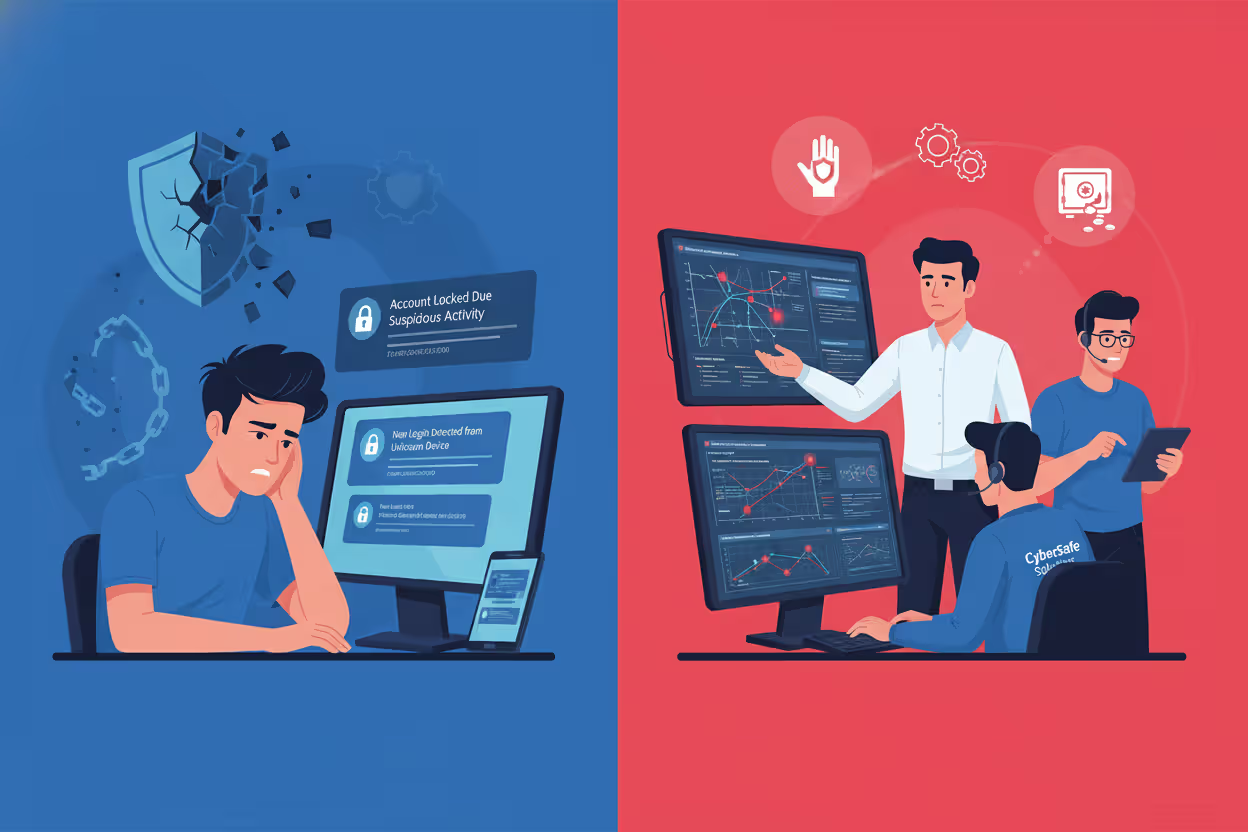
What makes this particularly nasty? Everyone loses. You get locked out of your account and possibly face identity theft. Companies hemorrhage money on fraud losses, customer service nightmares, and regulatory fines. Some businesses never fully recover their reputation after a major incident hits the news.
How Credential Stuffing Works
Let's walk through exactly how these attacks play out from start to finish.
First, attackers need ammunition—specifically, massive lists of stolen usernames and passwords. Where do these come from? Previous data breaches. Remember when Yahoo admitted that 3 billion accounts got compromised? Or when hackers dumped 773 million credentials in the "Collection #1" breach? Those username-password combinations (the industry calls them "combo lists") get packaged up and distributed across hacker forums. Sometimes they're sold for a few hundred dollars. Often they're just posted publicly for anyone to grab.
Author: Trevor Kingsland;
Source: elegantimagerytv.com
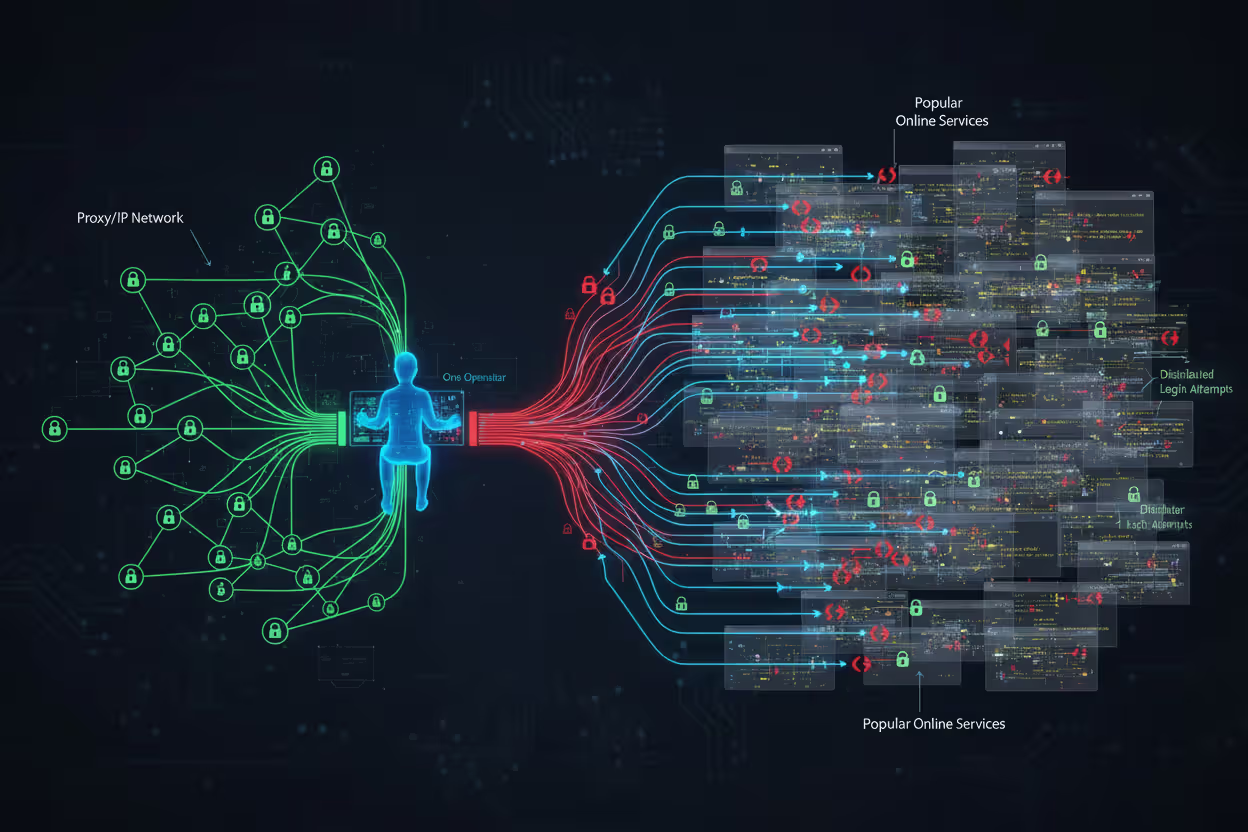
Once attackers have their combo lists, they fire up specialized software designed for one purpose: logging in everywhere. We're talking about tools with names like SNIPR, STORM, PrivateKeeper, and OpenBullet. These programs weren't built by security researchers in university labs—they're criminal software available through underground markets, some even offered as subscription services.
Here's where it gets interesting from a technical standpoint. These tools don't just hammer one website with login attempts. That would trigger every security alarm instantly. Instead, they distribute attacks across thousands of different IP addresses using proxy networks and botnets (networks of hacked computers). From the website's perspective, it looks like normal people from Dallas, Mumbai, Berlin, and São Paulo all trying to log in at the same time.
The software has gotten scary good at mimicking real human behavior. Early credential stuffing attacks used simple scripts that any decent security system could spot. Today's versions use browser automation frameworks like Selenium that actually open real Chrome or Firefox browsers. They move the mouse cursor around. They pause for realistic amounts of time between clicking "username" and "password" fields. Some even solve CAPTCHA challenges by routing them to services that pay real humans pennies to complete them.
When a username-password combination works—bingo. The attacker now controls that account. What happens next depends on what type of account it is. Banking credentials get sold to fraud specialists. Streaming service accounts (Netflix, Hulu, Disney+) get resold for $5-15 each. Loyalty program accounts get drained of points and miles. Corporate email accounts become entry points for deeper network infiltration.
Many attackers don't immediately ransack successful logins. They compile "valid" lists—credentials they've confirmed still work—and sell those at premium prices to other criminals who specialize in specific types of fraud.
Why Credential Stuffing Attacks Succeed
The uncomfortable truth? We're terrible at password hygiene, and cybercriminals know it.
Google and Harris Poll ran a study in 2024 that found 66% of Americans admit reusing passwords across multiple sites. But here's the kicker—when researchers actually analyzed password databases (not surveys where people lie), they found password reuse rates closer to 78%. People use the same credentials for their email, shopping accounts, work systems, and banking apps.
Think about your own passwords for a second. How many different ones do you actually use? Five? Ten? Now think about how many accounts you have. Most people maintain 80-100 online accounts. The math just doesn't work out unless you're reusing passwords extensively.
This creates what security folks call a "credential cascade." Your password for that hobby forum from 2018 is the same one you use for your primary email account. When the hobby forum gets breached (they never had serious security anyway), attackers suddenly have the keys to your entire digital life. Email access means password reset links for every other account you own.
The economics are absurdly favorable for attackers. Acquiring credential databases costs almost nothing. After major breaches, combo lists circulate freely on forums where hackers share resources. The 2023 "COMB" database I mentioned earlier? It contained 3.2 billion unique credential pairs and was available as a free torrent download. The automation software costs maybe $50-200 for good versions, and free tools exist too.

Author: Trevor Kingsland;
Source: elegantimagerytv.com
Compare that investment to the potential return. Successfully compromising even 0.5% of accounts targeted yields thousands of valid logins. Streaming accounts resell for $5-15. Bank account access sells for $50-300 depending on the balance. Cryptocurrency exchange credentials? Those can fetch $500-2,000 each. You can see why credential stuffing remains so popular among cybercriminals.
Traditional security measures struggle against these attacks. Username and password combinations are legitimate—they're real credentials, not guesses. When someone logs in with the correct password, how is the system supposed to know that person isn't the actual account owner? Rate limiting helps somewhat, but distributed botnets rotate through millions of IP addresses, keeping each one's request rate below detection thresholds.
Many companies prioritize "user experience" over security, avoiding friction-adding measures that would actually work. They worry that requiring multi-factor authentication will frustrate customers and reduce signups. This calculation might make business sense in the short term, but it's disastrous when a credential stuffing attack compromises 50,000 customer accounts overnight.
Author: Trevor Kingsland;
Source: elegantimagerytv.com
Real-World Credential Stuffing Examples
Reading about attacks in abstract terms doesn't hit the same way as seeing what actually happened to major companies. These four incidents show the real-world damage credential stuffing inflicts.
Disney+ Launch Attack (2019-2020)
Disney+ launched on November 12, 2019, with massive fanfare. Within hours, thousands of brand-new subscribers couldn't access their accounts. Attackers had moved faster than Disney's security team anticipated.
Here's what happened: people were creating Disney+ accounts using the same email-password combinations they'd used elsewhere for years. Attackers already had those credentials from previous breaches at completely unrelated services. They ran massive credential stuffing campaigns the moment Disney+ went live, testing millions of stolen credentials against the new streaming platform.
When credentials worked, attackers immediately changed the password and recovery email, locking out the legitimate subscriber. Then they posted account access for sale on dark web forums—$3 to $11 for someone else's Disney+ subscription. Some attackers sold access to the same account multiple times (a scam within a scam).
Disney initially downplayed the problem, suggesting only "a small percentage" of accounts were affected. Independent security researchers tracking dark web marketplaces counted at least 10,000 Disney+ credentials being actively sold within the first week. The actual number of compromised accounts was likely much higher, since many credential stuffing operators keep successful logins for personal use rather than reselling them.
The incident created a customer service disaster during Disney's critical launch window. Legitimate subscribers flooded support lines, posted angry social media complaints, and some canceled subscriptions entirely. Disney eventually implemented additional security measures and forced password resets, but the damage to their launch momentum was already done.
Dunkin' Credential Stuffing Campaign (2019)
Dunkin' (they dropped "Donuts" from the name in 2019) runs DD Perks, a loyalty program where customers accumulate points for free coffee and food. In late 2019, credential stuffing attacks targeted these accounts systematically.
Why would hackers want coffee shop loyalty points? Follow the money. DD Perks accounts often contained stored credit card information used for mobile ordering. Points themselves could be redeemed for gift cards. Some accounts had substantial balances—people who visited Dunkin' daily for years had accumulated hundreds of dollars worth of rewards.
Attackers used credentials from unrelated breaches to access DD Perks accounts, then either drained the rewards points or used the stored payment methods for fraudulent purchases. The company disclosed the breach after customers reported unauthorized account activity, though Dunkin' never released specific numbers on how many accounts were compromised.
Here's what made this particularly frustrating for victims: Dunkin' didn't require (or even strongly encourage) multi-factor authentication for accounts that stored credit card details. Setting up 2FA for stored payment credentials seems like security basics, but many companies still treat it as optional.
Dunkin' eventually reset passwords for affected accounts and implemented some additional fraud detection. They faced criticism for not proactively requiring stronger authentication before the attacks, not after.
Spotify Repeated Incidents (2020-2024)
Spotify has dealt with credential stuffing as a recurring problem for years, not a one-time incident. The worst wave hit in November 2020 when over 300,000 accounts were compromised in a coordinated attack.
The 2020 attack followed a familiar pattern. Attackers obtained a massive credential database from various previous breaches and tested those credentials against Spotify's login system. When they found matches, they modified account details—changing email addresses, display names, and passwords. Then they sold "lifetime Spotify Premium" access for $3-10 on forums and marketplace sites.
Legitimate subscribers discovered the compromise in various ways. Some got logged out suddenly when attackers changed their passwords. Others noticed their "Recently Played" lists filling up with music they'd never heard. Some received emails about account changes they never requested.
What's interesting about Spotify's response: they built a database of credentials known to appear in public breach compilations. When users log in with credentials that match this "compromised password database," Spotify automatically prompts them to change their password and explains why. It's proactive rather than reactive security.
Despite these measures, Spotify continues getting hit with credential stuffing attacks regularly. The company published a security advisory in March 2024 acknowledging ongoing attempts and urging users to enable two-factor authentication. The problem isn't Spotify's security necessarily—it's that millions of people still reuse passwords and ignore 2FA prompts.
Nintendo Account Breaches (2020)
In April 2020, Nintendo disclosed that approximately 160,000 Nintendo Network IDs (NNIDs) had been accessed without authorization through credential stuffing. The timing was particularly bad—this was peak pandemic lockdown when Nintendo Switch sales were exploding and Animal Crossing: New Horizons dominated gaming.
Attackers targeted the older NNID system that Nintendo had maintained for backward compatibility with 3DS and Wii U consoles. These accounts could be used to log into modern Nintendo Accounts, creating a security weak point. Once inside, attackers accessed personal information including birth dates, email addresses, and country of residence.
The financial impact hit hardest. Compromised accounts with stored payment methods were used to make unauthorized purchases through the Nintendo eShop and My Nintendo Store. Some victims reported charges of $100-300 for games and virtual currency they never bought.
Nintendo's response was more decisive than many companies. They completely discontinued the ability to sign into Nintendo Accounts using NNID credentials, eliminating that attack vector entirely. They forced password resets for all affected accounts and issued refunds for fraudulent purchases. The company also sent emails to all users strongly encouraging two-factor authentication setup—though they still didn't make it mandatory.
These four incidents share common elements: attackers leveraged credentials stolen from completely different services, automation enabled massive-scale testing, and companies faced both immediate costs (customer service, refunds, investigation) and long-term reputation damage.
Credential Stuffing vs. Brute Force Attacks
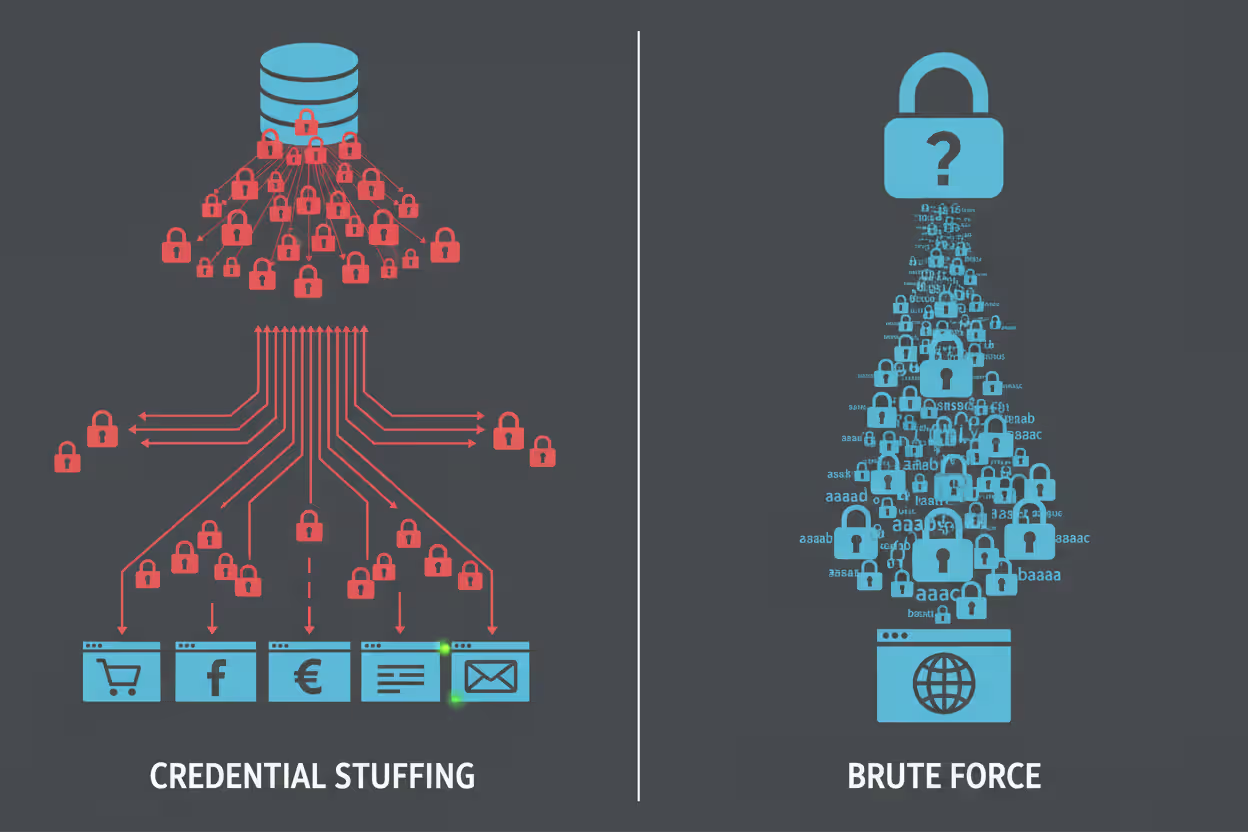
People often confuse credential stuffing with brute force attacks since both try to gain unauthorized access to accounts. But they're completely different approaches with different success rates and defense requirements.
Here's a comparison that breaks down the key differences:
| What You're Comparing | Credential Stuffing | Brute Force Attacks |
| The Basic Method | Takes actual username-password pairs stolen from other breaches and tests whether users recycled those credentials elsewhere | Systematically guesses password combinations without any prior knowledge—starting with common passwords, then trying every possible character combination |
| How Often It Works | 0.1% to 2% success rate, which sounds low until you're testing 50 million credentials—that's 50,000 to 1 million successful compromises | Less than 0.01% against any account with a decent password; effectively zero against strong passwords with good length and complexity |
| Attack Speed | Extremely fast—modern botnets can test thousands of credentials per second across distributed systems | Much slower—limited by computational power and how fast the target system processes login attempts |
| Can Security Teams Spot It? | Really difficult since each login attempt uses valid credentials and appears as normal user traffic spread across thousands of IP addresses | Easier to detect because it generates obvious patterns of repeated failures from similar sources |
| What Actually Stops It | Multi-factor authentication is the silver bullet; password uniqueness across sites eliminates the vulnerability entirely | Account lockouts after failed attempts; strong password requirements; rate limiting on login attempts |
Let's dig into why these differences matter.
Brute force attacks are the "guess every combination" approach. An attacker might start with the top 10,000 most common passwords—"password," "123456," "qwerty," and so on. If those don't work, they might try dictionary words with number substitutions ("p@ssw0rd"). Eventually, they'd attempt random character strings, working through every possible combination.
The problem with brute force? Modern password requirements make it computationally insane. Let's do quick math: a 12-character password using uppercase, lowercase, numbers, and symbols has about 72^12 possible combinations. That's 19,408,409,961,765,342,806,016 possibilities. Even if you could test one billion passwords per second (you can't—most systems rate-limit way before that), it would take over 600,000 years to try them all.
Credential stuffing bypasses this entire problem by using passwords that already worked somewhere. The attacker knows "jason.miller@email.com / Summer2019!" was a valid login credential at some point—it was stolen from an actual data breach. The only question is whether Jason reused those credentials at your bank, his work email, his Amazon account, or anywhere else.
This is why credential stuffing succeeds even against accounts with strong, complex passwords. "xK9#mL2$pQ7@wR5" is an excellent password from a complexity standpoint, but if you used it on both your email and a forum that got breached, credential stuffing will compromise your email account.
Detection challenges differ dramatically. Brute force creates noise. Hundreds or thousands of failed login attempts for the same account from the same source? That screams "attack" to any decent security system. Account lockouts and temporary IP bans shut down brute force pretty effectively.
Credential stuffing is stealthy. Each credential might get tested only once or twice at each target site. The attempts come from thousands of different IP addresses worldwide. Some succeed, some fail—exactly like normal user behavior when some people type their password correctly and others make typos. Security systems designed to catch brute force can completely miss credential stuffing.
The defense strategies need to match the threat. Rate limiting and account lockouts work great against brute force but barely slow down distributed credential stuffing campaigns. Multi-factor authentication, on the other hand, stops credential stuffing dead in its tracks regardless of how many valid passwords the attacker possesses.
Author: Trevor Kingsland;
Source: elegantimagerytv.com
Warning Signs of a Credential Stuffing Attack
If you're running a website or application with user accounts, certain patterns should immediately raise red flags. Catching these early means you can respond before thousands of accounts get compromised.
Login Attempts Suddenly Skyrocket
Your analytics show you normally process about 8,000 login attempts daily, with maybe 10,000 on busy weekends. Then Tuesday at 3 AM, you're suddenly seeing 400,000 attempts per hour. That's not organic growth or a successful marketing campaign—that's an attack.
Pay special attention to off-hours spikes. Attackers often launch campaigns during nighttime hours in your timezone, betting that security teams aren't actively monitoring. A normal e-commerce site might see heavy login traffic from 6 PM to 11 PM when people are shopping at home. Massive login volume at 2 AM? That's suspicious.
Failed Login Percentage Jumps Dramatically
Under normal circumstances, most login attempts succeed. People usually remember their passwords, or they use the "forgot password" link after one or two failures. Your typical failed login rate might hover around 5-8%.
During credential stuffing attacks, this percentage inverts. You might see 60-70% or even 80% failure rates. Why? Attackers are testing massive credential lists where most username-password combinations won't match your user database. They're playing a numbers game—throwing everything at the wall to see what sticks.
Set up automatic alerts when your failed login rate exceeds your baseline by, say, 300%. That kind of spike demands immediate investigation.
Login Traffic Comes From Weird Places
You run a US regional bank with branches only in Ohio, Pennsylvania, and West Virginia. Your legitimate users log in from those states, with maybe some occasional travel traffic from Florida or California. Suddenly you're seeing thousands of login attempts from Romania, Indonesia, Vietnam, and Kazakhstan—countries where you have exactly zero customers.
This geographic mismatch reveals the proxy networks attackers use to distribute their traffic. They're routing credential stuffing attempts through VPNs and proxy servers scattered globally. Individual users from unexpected countries? Not necessarily concerning. Thousands of login attempts from places where you have no user base? Definite red flag.
More subtle: someone whose account typically logs in from Seattle at 7 PM on weekdays suddenly has login attempts from Mumbai at 3 AM. That's not a business trip—that's compromise in progress.
Thousands of Different IP Addresses Each Making Just a Few Requests
Normal user traffic patterns show some concentration. Residential users all log in through their ISPs—Comcast, Verizon, AT&T, etc. You see the same IP addresses returning over time as people access their accounts from home or work.
Credential stuffing distributes attacks across massive proxy networks. Your logs might show 50,000 different IP addresses within a 4-hour window, with each IP making only 3-5 login attempts. This distributed pattern helps attackers stay under rate-limiting thresholds, but it creates a distinctive signature when you analyze the traffic holistically.
Security teams should monitor for unusual spikes in unique IP addresses attempting logins, especially when those IPs show no prior history with your system.
Account Lockout Complaints Flood Customer Service
If you've implemented account lockouts after several failed login attempts (and you should have), credential stuffing will trigger lockouts en masse. Attackers test invalid credentials against many accounts, causing legitimate users to find themselves locked out when they try to log in.
Your customer service team will notice. Instead of the usual trickle of account recovery requests, they're suddenly fielding hundreds per hour. Users calling to report unexpected lockouts or password reset emails they didn't request should trigger immediate escalation to your security team.
Accounts Start Behaving Strangely Right After Login
Successful credential stuffing attempts create distinctive behavioral patterns. The attacker logs in with stolen credentials, then immediately:
- Changes the email address to one they control
- Modifies the password to lock out the real owner
- Updates security questions and recovery options
- Attempts purchases or fund transfers
- Accesses premium content or downloads data
- Changes the account name or profile details
Monitor for accounts where the first action after a successful login is changing critical security settings. Real users occasionally update their email or password, but they don't typically do it within seconds of logging in. That's attacker behavior.
Users Report Unauthorized Account Activity
Sometimes you learn about compromises from victims themselves. Multiple users contacting support within a short timeframe to report:
- Purchases they didn't make
- Email notifications about account changes they didn't authorize
- Finding unfamiliar devices logged into their account
- Discovering their saved payment methods were used fraudulently
- Loyalty points or stored value mysteriously disappearing
When you see a cluster of these reports rather than isolated incidents, you're likely looking at the aftermath of successful credential stuffing.
How to Prevent Credential Stuffing
Fighting credential stuffing requires different approaches depending on whether you're protecting your personal accounts or defending an entire user base.
For Individual Users
Stop Reusing Passwords—Like, Actually Stop
I know you've heard this a thousand times. Everyone says "use unique passwords" and you think "yeah, yeah, eventually." But this is literally the entire ballgame. If every account has a different password, credential stuffing cannot touch you. Period.
When the forum you joined in 2017 gets breached and your credentials leak, who cares? That password doesn't open anything else. Attackers test it against your bank, your email, your work account—and it fails everywhere because you used different passwords.
The challenge is remembering dozens of unique complex passwords, which brings us to...
Actually Use a Password Manager (Not Just Your Browser)
Password managers like Bitwarden, 1Password, KeePassXC, or Dashlane generate random passwords for every account and remember them for you. You memorize one strong master password, and the software handles everything else.
Browser-based password saving (Chrome's built-in password manager, Safari Keychain) is better than nothing, but dedicated password managers offer stronger encryption, better cross-platform syncing, and additional security features like breach monitoring.
Yes, there's a learning curve. Yes, it costs $30-40 per year for the good ones (Bitwarden is free and excellent). But compare that cost to dealing with identity theft or fraud after your accounts get compromised.
Generate 16-20 character random passwords for everything. You'll never need to type them anyway—the password manager does that for you.
Turn On Multi-Factor Authentication for Everything Important
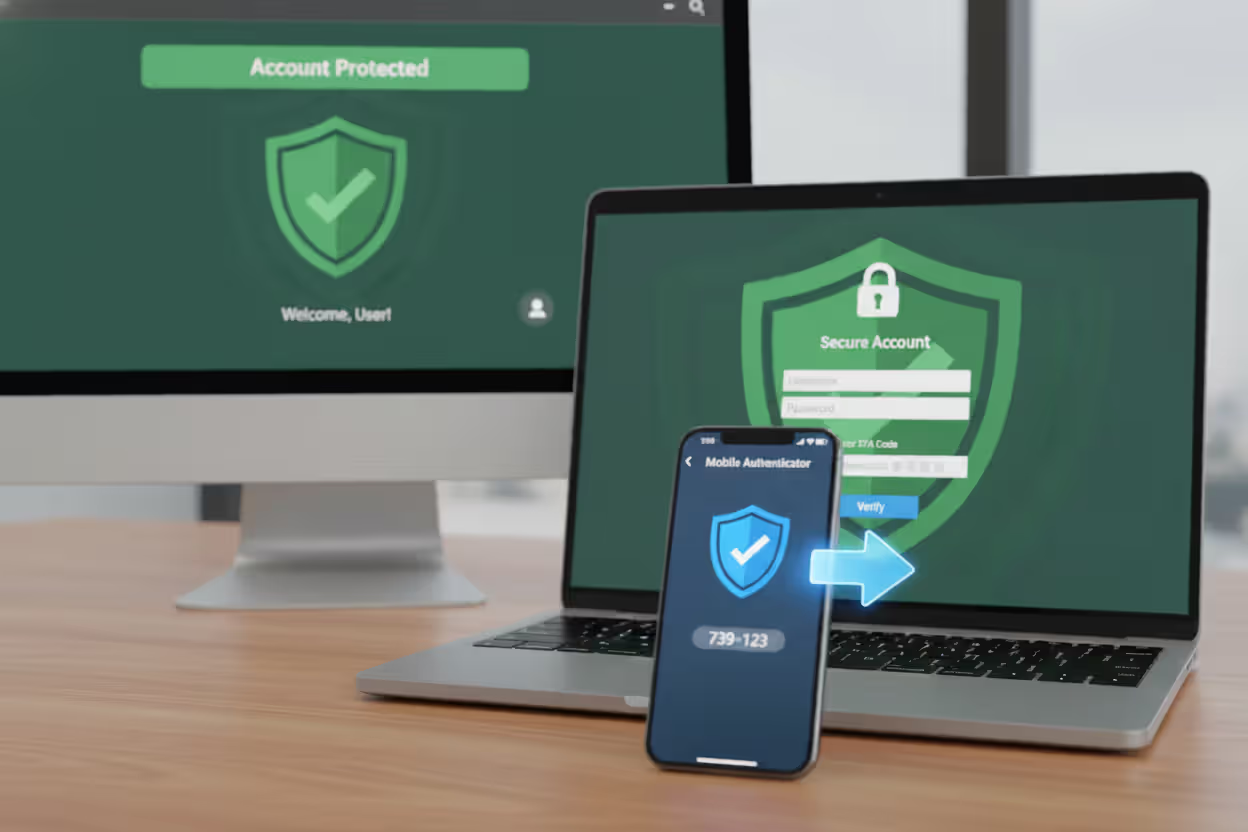
Multi-factor authentication (MFA, sometimes called 2FA) is your nuclear option against credential stuffing. Even when attackers have your correct username and password, they can't complete the login without your second factor—usually a six-digit code from an app on your phone.
Priority list for enabling MFA: 1. Email accounts (they're the keys to everything else via password resets) 2. Financial accounts (banking, investment, payment apps) 3. Work/corporate accounts 4. Social media accounts 5. Shopping sites with saved payment info 6. Anything with personal data you care about
Many sites bury the 2FA setting deep in security menus because they don't want to "scare" users. Take 20 minutes this weekend to enable it everywhere. Your future self will thank you.
Use Authenticator Apps, Not SMS If You Can Choose
When sites offer multiple 2FA options, choose authenticator apps (Google Authenticator, Authy, Microsoft Authenticator) over SMS text messages.
SMS has vulnerabilities. Attackers can perform SIM swap attacks, convincing your phone carrier to transfer your number to a SIM card they control. They can exploit weaknesses in the SS7 protocol that routes text messages. It's not super common, but it happens enough that security professionals don't trust SMS for high-value accounts.
Authenticator apps generate codes locally on your device using a shared secret key. There's nothing to intercept or hijack. Much more secure.
Hardware security keys (YubiKey, Titan) are even better if you want maximum security, though they cost money and require keeping track of a physical device.
Author: Trevor Kingsland;
Source: elegantimagerytv.com
Actually Check If Your Passwords Have Been Leaked
Have I Been Pwned (haveibeenpwned.com) maintains a searchable database of billions of credentials from known breaches. You can enter your email address to see which breaches exposed your information, and check specific passwords to see if they've leaked (the site uses clever cryptography to check passwords without you actually sending them the password).
When you find out your credentials appeared in a breach, change your password immediately on every site where you used that combination. This is why unique passwords matter—if you only used that password on the breached site, you only need to change one password.
Some password managers (1Password, Dashlane) integrate breach monitoring and automatically alert you when your credentials appear in new breach databases.
Review Your Account Activity Regularly
Most major platforms offer "recent login activity" or "account access history" features. Check these periodically—monthly for important accounts.
Look for: - Logins from locations you've never been - Unfamiliar devices (if it shows "Chrome on Windows" and you only use Mac, that's suspicious) - Access at times you were definitely not online - Failed login attempts in high volume
Set up email or push notifications for critical account events: password changes, email address modifications, new device authorizations, payment method updates. You want to know about these immediately, not discover them weeks later.
For Organizations and Businesses
Make Multi-Factor Authentication Mandatory, Not Optional
Stop treating MFA as an "advanced security option" that tech-savvy users can optionally enable. Require it for all accounts, especially any account that stores payment information, personal data, or can access sensitive systems.
Yes, some users will complain. Yes, you'll get support tickets from people who don't understand how to use authenticator apps. The security benefit vastly outweighs the customer service cost.
Implement adaptive or risk-based MFA if mandatory across-the-board feels too heavy-handed. This approach evaluates each login attempt based on risk factors:
- Recognized device? No extra authentication needed.
- New device from an unusual location? Require MFA.
- Failed attempts followed by successful login? Require MFA.
- Login from a country where you have no customers? Require MFA.
This balances security with user experience—minimal friction for normal activity, extra protection when things look suspicious.
Deploy Serious Bot Detection Beyond Basic CAPTCHA
Modern bot detection solutions analyze dozens of signals to distinguish automated credential stuffing tools from real humans:
- Mouse movement patterns (humans move in curves; bots move in straight lines)
- Typing rhythm and speed (humans have variable cadence; bots are mechanically consistent)
- Browser fingerprinting (checking for headless browsers, automation frameworks, and suspicious configurations)
- Behavioral biometrics (how users interact with forms and navigation)
- TLS fingerprinting (identifying the specific HTTP client making requests)
Services like DataDome, Kasada, PerimeterX, or Cloudflare Bot Management specialize in this kind of sophisticated detection. They're expensive compared to basic CAPTCHA, but they actually work against modern credential stuffing tools.
The goal isn't to block every bot (you want search engine crawlers and legitimate APIs to work). The goal is identifying and blocking malicious automation while letting real users through.
Build Real-Time Monitoring for Login Anomalies
Your security information and event management (SIEM) system should actively monitor authentication patterns and alert on deviations from baseline behavior.
Set up alerts for: - Login volume exceeding baseline by 200%+ - Failed login rate above 15-20% - More than X logins from a single IP in Y timeframe - Spike in unique IP addresses attempting logins - Geographic distribution changes (suddenly heavy traffic from countries where you have no users) - Multiple accounts accessed from the same IP - Account changes (email, password) immediately following login
Machine learning models can establish dynamic baselines that account for normal variation (Monday mornings have more logins than Saturday nights) while flagging genuine anomalies.
The key is automated alerting. A human can't sit watching login dashboards 24/7. Your systems need to automatically notify security teams when patterns indicate active attacks.
Implement Device Fingerprinting
Device fingerprinting creates unique identifiers for each computer or phone based on its configuration: operating system version, browser version, screen resolution, installed fonts, timezone, language settings, and dozens of other attributes.
When users log in from recognized devices, everything proceeds normally. Login attempts from never-before-seen devices trigger additional verification:
- Send email notification asking user to confirm the new device
- Require MFA even if not normally mandatory
- Temporarily limit account capabilities until device is verified
- Add human verification (CAPTCHA or similar)
This approach adds security without annoying users. Their personal laptop and phone are recognized and trusted. The credential stuffing bot trying to access 10,000 accounts from distributed proxies? Every attempt looks like a new, unrecognized device.
We observe more than 300 million fraudulent sign-in attempts against our cloud services daily. A substantial portion involves credential stuffing using passwords from previous breaches. Our data shows accounts with multi-factor authentication enabled are 99.9% less likely to suffer compromise compared to password-only accounts. That single number should drive every security decision organizations make about authentication
— Alex Weinert
Check Credentials Against Known Breach Databases
Services like Enzoic, SpyCloud, and Password Checkup API maintain constantly updated databases of credentials exposed in known breaches.
Integrate these checks at two points:
- Account creation: When users set a password, check it against breach databases. If it's been compromised elsewhere, reject it and require a different password.
- Login time: When users authenticate, check their credentials against breach databases. If their username-password combination appears in known breaches, force a password change after successful login.
This proactive approach prevents credential stuffing before attacks happen. If users can't create accounts with previously breached credentials, attackers have nothing to stuff.
The technical implementation uses cryptographic hashing to check passwords without exposing them to the breach database service. You send a hash of the password, not the password itself.
Educate Your Users (They're Not Going to Like It, But Do It Anyway)
User education won't solve credential stuffing alone, but it helps reduce the attack surface.
Send periodic security reminders covering: - Why password reuse creates vulnerability - How to use password managers - Setting up multi-factor authentication (include specific instructions for your platform) - Recognizing suspicious account activity
When major breaches hit services your users likely use (social media platforms, popular retailers), send proactive emails: "LinkedIn was breached. If you used the same password there as you use here, please change it immediately."
Make security information easily accessible. Most sites hide security best practices in buried help articles. Put it front and center: on your account dashboard, in confirmation emails after signup, in periodic newsletters.
Will everyone follow this advice? No. Probably only 10-20% will actually act on it. But that 10-20% reduction in vulnerable accounts still matters.
Implement Smart Rate Limiting
Rate limiting restricts how many login attempts can occur within specific timeframes. The challenge is balancing security with usability—you don't want to block legitimate users who mistype their password twice.
Implement rate limiting at multiple levels:
- Per IP address: Allow X failed attempts per hour from each IP
- Per account: Allow Y total failed attempts for each username
- Global: Monitor total authentication load to detect campaign-scale attacks
Use progressive delays rather than hard lockouts. After three failed attempts, add a 5-second delay before processing the next attempt. After five failed attempts, increase to 30 seconds. After ten, require CAPTCHA completion.
This approach increases attacker costs (they need way more time to test credentials) while avoiding denial-of-service scenarios where attackers intentionally lock out legitimate users.
Frequently Asked Questions About Credential Stuffing
Credential stuffing works because we've built digital life on a foundation of passwords we can't possibly manage properly. When you have 80 online accounts but only remember 5-6 passwords, reuse becomes inevitable. Attackers exploit this mathematical impossibility—and they're winning.
The attacks will intensify through 2026 and beyond. Every new data breach feeds additional credentials into the ecosystem. The automation tools grow more sophisticated, better at mimicking human behavior and evading detection. Dark web marketplaces make launching credential stuffing campaigns accessible to criminals with minimal technical skills.
But you're not helpless here. Individual users can completely eliminate their credential stuffing risk by following three rules: unique passwords everywhere (managed through password manager software), multi-factor authentication on every account that offers it, and immediate password changes when breaches expose your credentials.
Organizations need layered defenses recognizing that passwords alone cannot secure accounts anymore. Multi-factor authentication should be mandatory, not optional. Bot detection needs to evolve beyond simple CAPTCHA to sophisticated behavioral analysis. Monitoring systems must identify attack patterns in real-time and respond automatically. Checking credentials against breach databases prevents compromised passwords from working before attackers test them.
The economics currently favor attackers because executing credential stuffing costs almost nothing while the potential returns remain substantial. Changing this equation requires making attacks more expensive (through better detection and bot blocking) while reducing the available attack surface (through password uniqueness and MFA adoption).
We're stuck with passwords for now—despite years of predictions about their demise, they remain the primary authentication method across the internet. Since we can't eliminate passwords immediately, we need to use them correctly and protect them properly. That means different passwords everywhere, always adding a second authentication factor, and building systems that can distinguish automated credential testing from legitimate users.
The credentials exposed in yesterday's breach become weapons in tomorrow's attacks. The only question is whether your accounts will be vulnerable when attackers come testing.
Related Stories
Read more
Read more



The content on this website is provided for general informational and educational purposes only. It is intended to explain concepts related to cybersecurity awareness, online threats, phishing attacks, and data protection practices.
All information on this website, including articles, guides, and examples, is presented for general educational purposes. Cybersecurity risks and protection strategies may vary depending on individual behavior, technology usage, and threat environments.
This website does not provide professional cybersecurity, legal, or technical advice, and the information presented should not be used as a substitute for consultation with qualified cybersecurity professionals.
The website and its authors are not responsible for any errors or omissions, or for any outcomes resulting from decisions made based on the information provided on this website.