
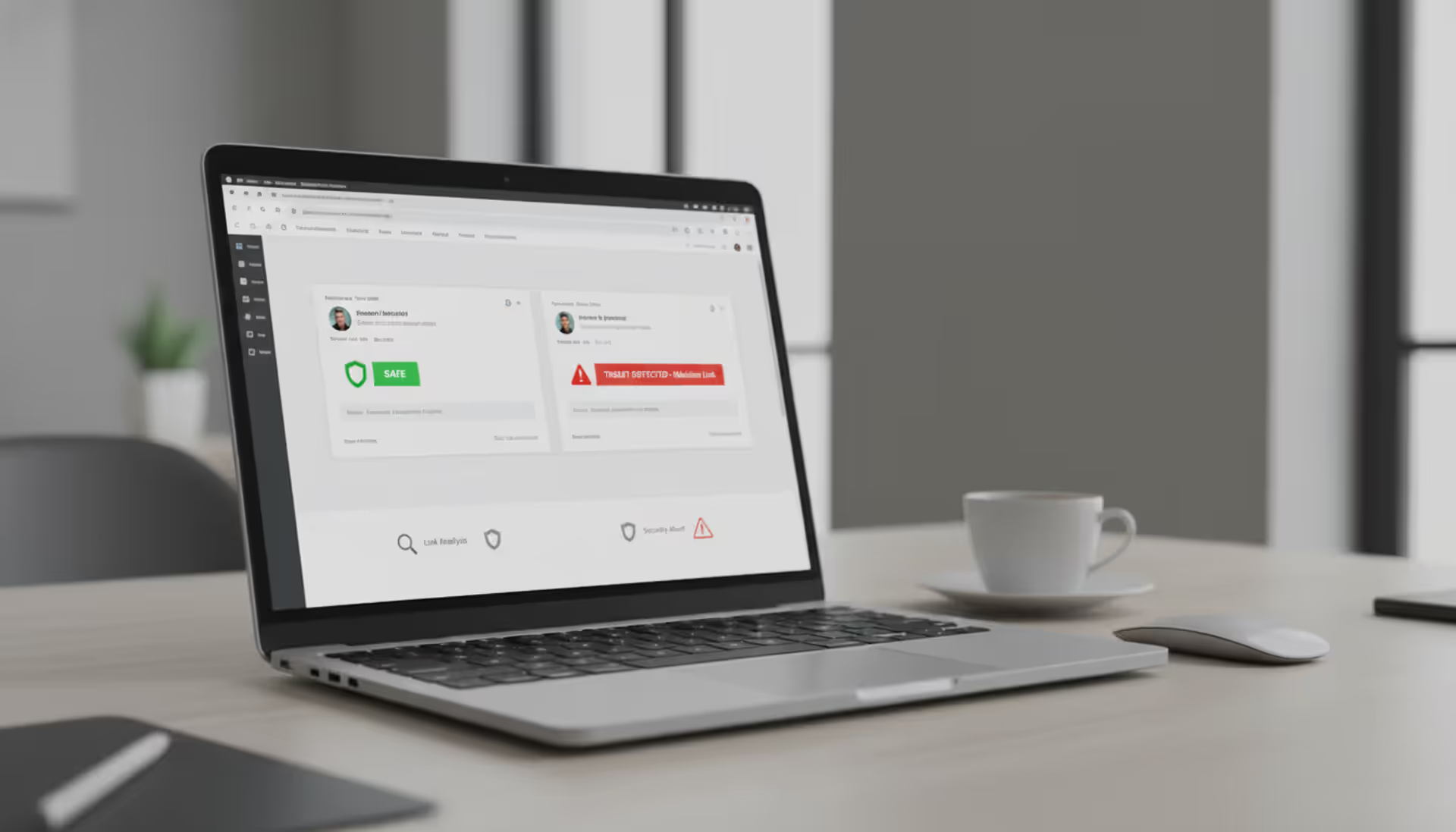
Cybersecurity concept showing clone phishing emails on a laptop screen
Clone Phishing Explained

Content
Content
Here's what makes clone phishing different from regular phishing scams: attackers don't start from scratch. Instead, they grab an email you've already received—maybe an invoice from your vendor or a document link from your colleague—and create an almost perfect copy. The catch? They swap out the original attachment or link with something malicious.
Think about it. You got an email last week from your supplier with an invoice attached. Everything checked out, you downloaded it, no problems. Now imagine that same supplier sends another email saying "Sorry, wrong attachment—here's the corrected invoice." You'd probably click without a second thought, right? That's exactly what attackers count on.
The whole operation starts when criminals get their hands on legitimate emails. Maybe they've hacked into someone's account. Or they've been quietly monitoring an email server for weeks. Sometimes they're buying access to previously compromised systems on dark web forums. However they do it, once they've captured a real message, they get to work copying every detail—the logo placement, the signature format, even the writing style.
What sets this apart from your typical phishing email? Traditional phishing has to build trust from nothing. You get an email claiming to be from your bank, but something feels off. The logo looks weird. The grammar's sketchy. Your instincts kick in. But when you've already seen the real version of an email? Your brain recognizes it. That recognition overrides your usual skepticism.
Attackers will go further than just copying and pasting. They'll register domains that look nearly identical to legitimate ones—swap an "m" for "rn" and suddenly "company.com" becomes "cornpany.com." They'll spoof the sender's address so it appears to come from the right person. Some will even time their fake email to arrive days after the original, making it seem like a natural follow-up.
The really sophisticated ones? They compromise the actual sender's account and send the clone from inside their system. At that point, every technical security check passes because, as far as the email infrastructure knows, this is a legitimate message from a legitimate source.
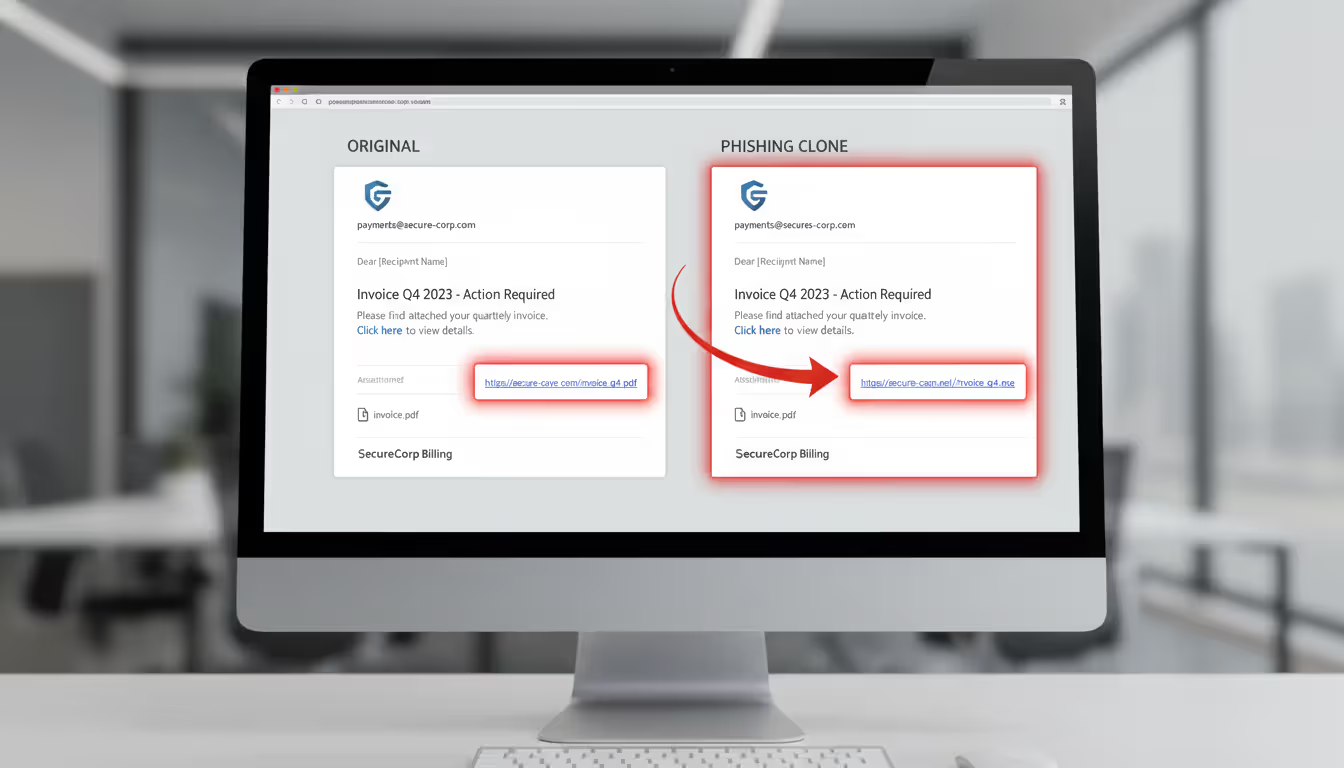
Author: Trevor Kingsland;
Source: elegantimagerytv.com
How Clone Phishing Works
The Anatomy of a Clone Phishing Attack
Picture this five-stage process. Stage one is surveillance. Attackers aren't rushing in blind—they're watching. They've either broken into someone's email account or they've bought access to a corporate network. Recent data from cybersecurity firms showed business email compromises jumped 34% in 2025, and many of those became springboards for clone phishing operations.
During stage two, they're shopping for the perfect email to duplicate. Not every message makes a good clone. They want invoices, contracts, password resets, or sharing links from DocuSign or Dropbox. Anything that normally requires clicking or downloading. They'll sift through months of correspondence looking for high-value targets.
Stage three gets technical. They build the clone, but here's where they make their move—swapping legitimate links for malicious ones. The link might take you to a credential-harvesting site designed to steal your login information. Or they'll replace a clean attachment with one loaded with malware. File names stay identical. Extensions match. Everything looks right because everything is right, except for the one poisoned element.
For stage four, deployment, timing matters more than you'd think. Send it too quickly after the original and people notice. Wait too long and the context disappears. Attackers typically wait a week or two, then hit send with a subject line like "Re: [Original Subject]" or "Updated attachment - please review." They might spoof the sender's email address, or better yet, they're sending from a compromised legitimate account.
Stage five is the payoff. You click the link or open the attachment. Maybe you're entering your credentials into what looks exactly like your company's login page. Maybe ransomware is installing silently in the background. Maybe attackers just gained backdoor access to your entire network. Whatever the payload, it's executing while you're none the wiser.
Why Clone Phishing Is Effective
Your brain is working against you here. Familiarity breeds trust—that's not just a saying, it's how our cognitive biases operate. See something once, recognize it the second time, and your critical thinking takes a back seat. Last week's legitimate invoice trains your brain to accept this week's cloned invoice without scrutiny.
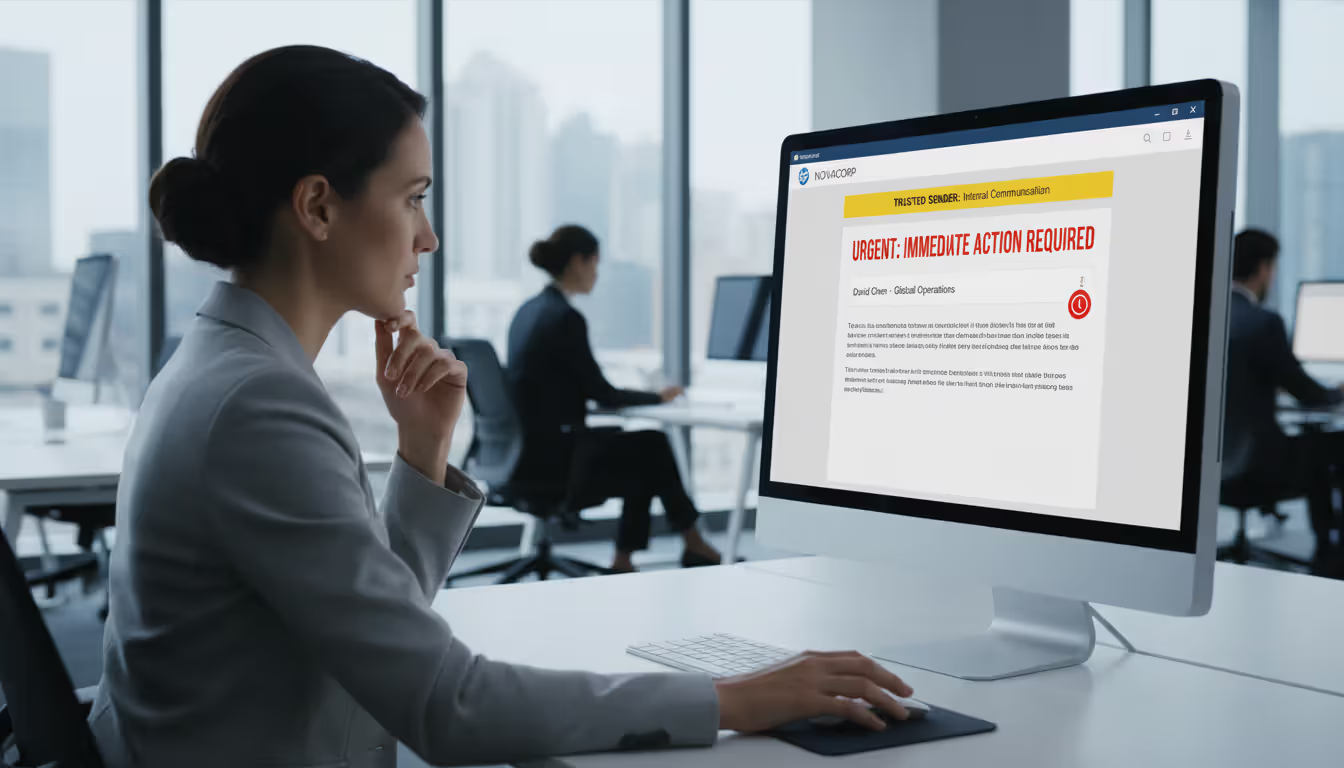
Authority plays a huge role too. When an email appears to come from your boss, your IT department, or a long-term business partner, you feel pressure to respond quickly. Attackers know this. They'll add urgency: "Account locks in 24 hours" or "Payment overdue—action required immediately." That combination of apparent authority plus manufactured urgency? It's surprisingly effective at bypassing common sense.
Email infrastructure itself isn't helping much. SPF, DKIM, and DMARC protocols (more on these later) do provide some protection, but they're not foolproof. When attackers compromise a legitimate account, they're sending from authenticated infrastructure. Every security check passes because technically, this is a "real" email from a "real" account.
Even good security training struggles against clone phishing. Most training teaches people to assume unknown emails are suspicious. But that assumption breaks down when the email isn't unknown—you've seen it before. The original was legitimate. Why would you question the follow-up?
Who gets targeted? Everyone, really. Finance departments see cloned invoices. HR teams receive fake resume attachments. Executives get cloned board communications. Regular employees encounter weaponized versions of routine operational emails. Small businesses face disproportionate risk because they lack robust security resources, but large enterprises aren't safe either—their bigger attack surface just means more entry points for that initial compromise.
Author: Trevor Kingsland;
Source: elegantimagerytv.com
Clone Phishing Examples and Real-World Cases
Business Email Compromise Leading to Wire Fraud
A manufacturing company's CFO opened what looked like a routine request from the CEO. The message asked for an urgent wire transfer to finalize an acquisition deal. Format? Perfect. Signature? Identical. Writing style? Matched previous communications exactly. Why wouldn't it? Attackers had cloned a real message from two months earlier.
The only change? Updated banking details, now pointing to an account the attackers controlled. The CFO authorized a $470,000 transfer. Three days passed before the real CEO mentioned something unrelated about company finances, and the fraud came to light. By then, the money had bounced through multiple international accounts. Recovery? Unlikely.
Invoice Fraud Targeting Accounts Payable
Healthcare providers deal with regular equipment supplier invoices. This particular hospital had a established relationship with their supplier—years of routine transactions. Attackers compromised the supplier's email system and spent time reviewing old correspondence, learning the patterns.
They duplicated a recent invoice, changing only the payment routing information. Subject line: "CORRECTED: Invoice #8847 - Updated Payment Details." It arrived three days after the legitimate invoice. The accounts payable clerk figured the supplier caught a banking error—happens all the time, right? She processed the duplicate payment without calling to verify. $83,000 gone.
Password Reset Scam Exploiting IT Communications
A financial services firm ran a legitimate security audit, and their IT team sent out notifications about mandatory password updates. Standard procedure. Attackers monitored one employee's email and cloned that notification perfectly—same formatting, same logos, same footer text with contact information.
The modified link? Led straight to a pixel-perfect replica of the company's authentication portal. Forty employees entered their credentials before the security team caught wind of the campaign. Attackers used those stolen credentials to access internal systems and exfiltrate customer data and financial records. The breach cost millions in regulatory fines alone.
Document Sharing Attack via Cloud Services
Law firms live on cloud document sharing. One attorney at a mid-size firm regularly sent confidential documents through their cloud platform. Attackers watched these transactions and cloned an automated document-sharing notification—the kind the cloud service itself generates.
Everything looked authentic because the template was authentic. The sender address appeared legitimate (spoofed to match the cloud service's domain). The branding was perfect. Three attorneys clicked the link, which took them to a credential-harvesting page designed to capture not just cloud service logins but the firm's single sign-on credentials. Result? Attackers gained access to privileged attorney-client communications and active case files.
How to Spot Clone Phishing Emails
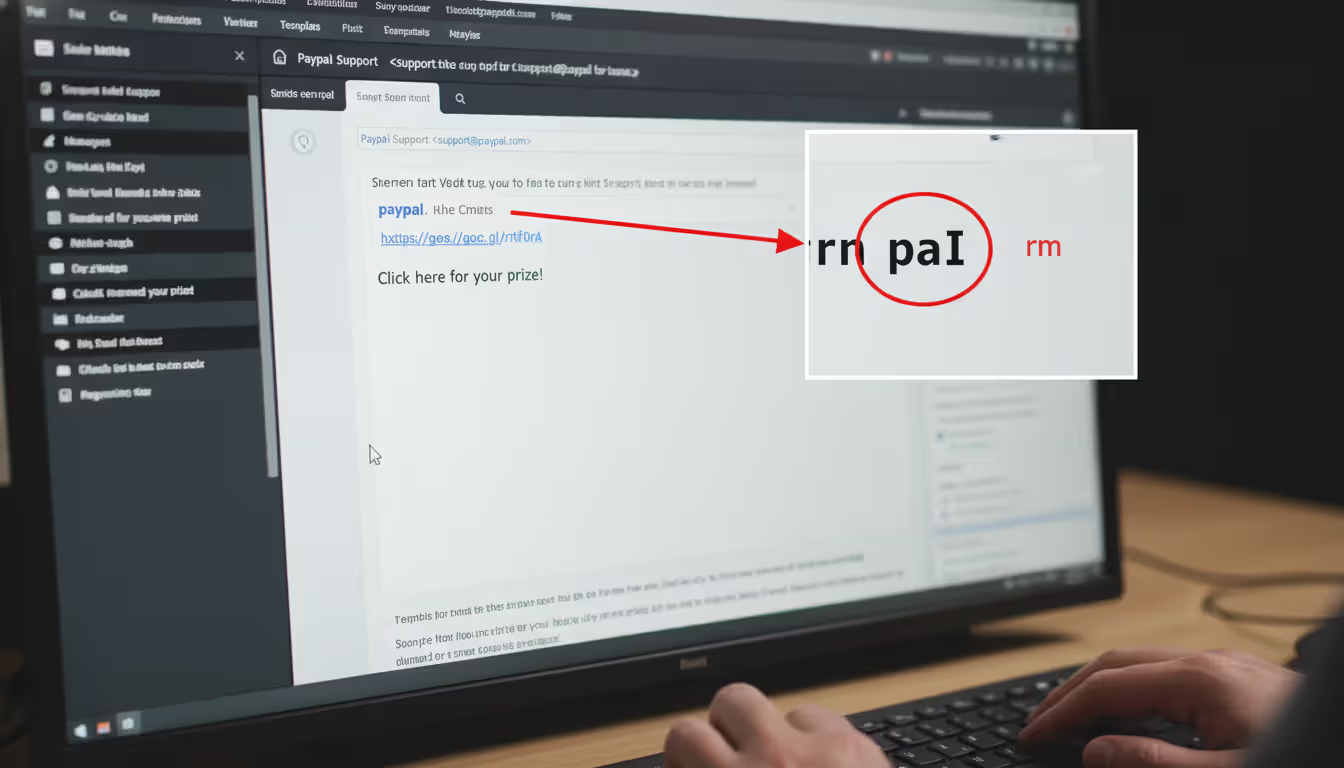
Start with the sender's email address, and don't just glance at it. Display names lie. Anyone can set their display name to "John Smith - Acme Corp." What matters is the actual email address. Most email clients let you hover over or click the sender name to reveal the full address. Check every single character. Attackers use clever tricks: replacing "m" with "rn" so "company.com" becomes "cornpany.com." Add an extra letter: "companyy.com." Use different top-level domains: "company.co" instead of "company.com."
Timing tells you a lot. Getting what appears to be a duplicate or "corrected" version of a recent email? Stop. Before you do anything else, verify through a different channel. Call the sender using a phone number you already have—not one listed in the email. Send a text. Start a fresh email thread (never just hit reply to the suspicious message). Real resends usually come with clear explanations, and the sender can confirm them in seconds.
Links need skeptical inspection. Hover your cursor over every link before clicking. Your email client will show you the actual destination URL, and it often won't match what the text says. Maybe the text says "Go to company.com" but the actual link points to "company-secure.xyz." Red flag. Compare URL structures to previous legitimate emails from the same sender. Watch for shortened links (bit.ly, tinyurl, etc.) in contexts where the sender doesn't normally use them.
Attachment analysis gets tricky because file names can be identical to legitimate documents. File size gives you clues, though. If you received a 2.4 MB document last week and the "updated" version is 4.8 MB, ask why it doubled in size. Be immediately suspicious of unexpected file types—particularly executables (.exe, .scr, .bat) or macro-enabled Office documents (.docm, .xlsm) when you typically get standard PDFs or .docx files.
Language and tone matter more than you'd think. Attackers might clone formatting perfectly but struggle with writing style. Does the greeting match what this person usually writes? They normally sign off with "Best regards" but this says "Regards"? Are there grammatical mistakes from someone who's usually precise? Does the urgency seem out of character?
For the technically inclined, email headers tell the real story. Most email clients let you view full message headers (usually in settings or message options). Headers show the email's journey through mail servers. Corporate emails should route through your company's known mail servers. Clone phishing messages often show routing through unfamiliar servers, cloud hosting providers, or geographic locations that don't match where the sender should be.
Author: Trevor Kingsland;
Source: elegantimagerytv.com
How to Prevent Clone Phishing Attacks
Multi-factor authentication isn't optional anymore. Implement it everywhere—email, business applications, financial systems. Clone phishing can capture passwords, sure, but MFA adds another barrier. Attackers need both your password and that second factor (usually a code from your phone or an authentication app). Configure your email filters beyond basic spam detection. Modern email security uses machine learning to spot anomalies in sender behavior, unusual message patterns, and suspicious link destinations.
Set up email authentication protocols if you haven't already. SPF lets you specify which mail servers are authorized to send email from your domain. DKIM adds digital signatures that verify a message hasn't been tampered with during transit. DMARC tells receiving servers what to do with messages that fail SPF or DKIM checks, plus it sends you reports about authentication attempts. Together, these make it significantly harder for attackers to successfully spoof your domain or deliver spoofed emails to your employees.
Training needs to evolve past generic "be careful with suspicious emails" advice. Run simulated clone phishing exercises using actual company communications. Your security team can send benign clones of real internal emails—invoices, IT notifications, executive announcements—and see who clicks. Make these realistic, not obvious. Then use the results to target additional training where it's needed most.
Establish verification rules for high-risk actions. Wire transfers? Require a phone call to a known number before authorizing. Password resets? Verify through a different channel. Changes to payment instructions? Confirmation call mandatory. It's simple: if an email requests money movement or credential updates, verify independently before acting.
Deploy link protection services that rewrite URLs in incoming emails, routing them through security scanning systems before users reach the destination. Use endpoint detection and response (EDR) tools that monitor for suspicious behavior even if malicious files slip past email filters. Consider restricting which applications can run on company systems—unauthorized executables won't launch even if someone accidentally downloads them.
Create clear policies for reporting suspicious emails. Set up a dedicated channel where employees can forward potential threats without worrying about being judged. Security teams should analyze reported messages quickly and communicate findings organization-wide. When you confirm a clone phishing attempt, immediately alert everyone who might have received it.
Network segmentation limits damage when prevention fails. Use the principle of least privilege—employees should only access systems and data they actually need for their jobs. This containment approach stops attackers who compromise one account from freely moving throughout your entire network.
Run security audits that specifically test for clone phishing vulnerabilities. Review email logs for suspicious patterns. Test whether authentication controls actually work. Evaluate if your policies effectively address this specific threat. Include social engineering components that specifically test defenses against cloned communications.

Author: Trevor Kingsland;
Source: elegantimagerytv.com
What to Do If You Fall Victim to Clone Phishing
First minutes matter most. Did you click a malicious link and enter credentials? Change your password right now. Not just for the compromised account—change passwords for any other accounts using the same or similar passwords. Attackers often exploit harvested credentials within hours.
Opened a suspicious attachment? Disconnect that device from your network immediately. Don't just close the application or restart. Pull the network cable. Turn off WiFi. Physical disconnection prevents malware from spreading to other systems or sending data back to attackers.
Contact your IT security team instantly. Give them complete information: when the email arrived, what actions you took, which links you clicked, what information you entered, whether you downloaded or opened anything. Don't hold back out of embarrassment. Security teams can't protect against threats they don't know about, and every minute of delay gives attackers more time to exploit compromised access.
Document everything while it's fresh in your mind. Screenshot the suspicious email if it's still accessible. Save a copy if possible. Note the exact time you interacted with it. This documentation helps investigators understand what happened and identify other potential victims.
Monitor your accounts for unauthorized activity. Check recent login history. Review sent items for messages you didn't write. Examine financial accounts that might have been accessible through compromised credentials. Turn on account alerts for unusual activity if you haven't already.
Report the incident to appropriate authorities. Clone phishing constitutes wire fraud and identity theft under federal law. File reports with the FBI's Internet Crime Complaint Center at ic3.gov and the Federal Trade Commission at identitytheft.gov. Business attacks should be reported to your cyber insurance provider immediately—policies often require prompt notification.
For financial fraud, contact your bank or payment processor right away to halt transactions and potentially recover funds. Banks have specialized fraud departments, but your chances of recovery drop dramatically after 24-48 hours as funds get laundered through multiple accounts.
After the immediate crisis passes, conduct a post-incident review. How did the attack succeed? Which controls failed? What changes could prevent this from happening again? This isn't about blame—it's about strengthening defenses. Share what you learned across your organization to improve everyone's security awareness.
What makes clone phishing particularly dangerous in 2026 is the convergence of AI-generated content and access to vast databases of legitimate communications from previous breaches. Attackers now use machine learning to identify the highest-value emails to clone and automatically generate convincing explanations for why a message is being resent. We're seeing clone phishing campaigns that adapt in real-time based on victim responses, creating dynamic attack chains that traditional security controls struggle to address. Organizations must shift from purely technical defenses to a verification culture where employees instinctively confirm high-risk requests through independent channels, regardless of how legitimate an email appears
— Dr. Sarah Chen
Frequently Asked Questions About Clone Phishing
Clone phishing exploits something traditional phishing can't—the trust you've already placed in a communication you received before. Rather than building deception from nothing, attackers weaponize authentic messages you've seen and potentially acted on. That foundation makes detection significantly harder than spotting generic phishing attempts.
Your defense needs multiple layers. Technical controls like email authentication protocols, threat detection systems, and multi-factor authentication provide baseline protection. Security awareness training and clear verification procedures address the human factors attackers exploit. When clone phishing succeeds despite these measures, rapid response and established escalation procedures minimize damage and prevent broader compromise.
The threat keeps evolving. Attackers continuously refine techniques and leverage emerging technologies to make their clones more convincing. Staying protected requires ongoing education, regular security assessments, and a workplace culture where questioning suspicious communications is encouraged, not discouraged. Understanding clone phishing's unique characteristics and implementing comprehensive prevention strategies significantly reduces vulnerability to this sophisticated attack method.
Related Stories
Read more
Read more

The content on this website is provided for general informational and educational purposes only. It is intended to explain concepts related to cybersecurity awareness, online threats, phishing attacks, and data protection practices.
All information on this website, including articles, guides, and examples, is presented for general educational purposes. Cybersecurity risks and protection strategies may vary depending on individual behavior, technology usage, and threat environments.
This website does not provide professional cybersecurity, legal, or technical advice, and the information presented should not be used as a substitute for consultation with qualified cybersecurity professionals.
The website and its authors are not responsible for any errors or omissions, or for any outcomes resulting from decisions made based on the information provided on this website.