
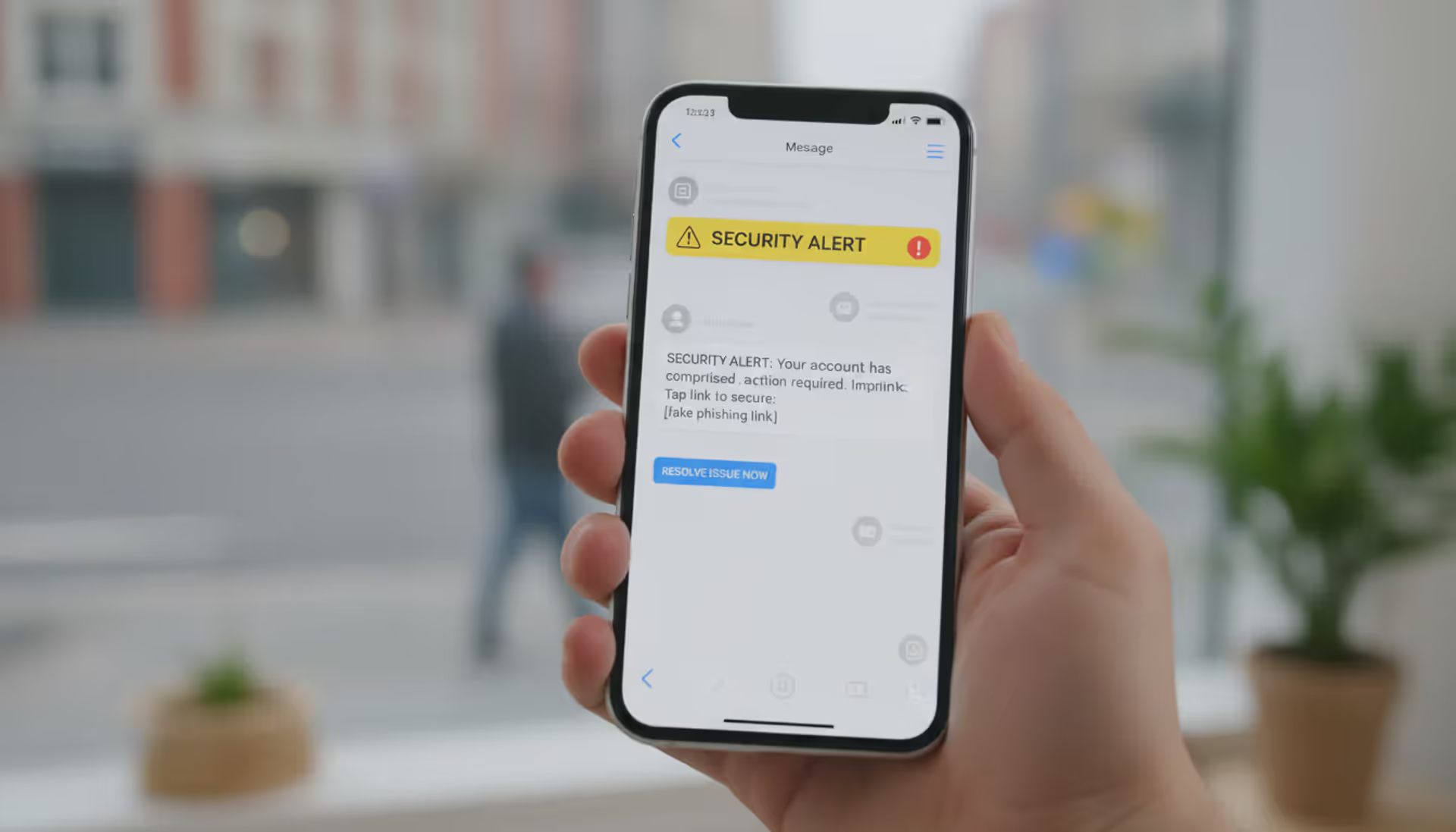
Smartphone showing suspicious phishing text messages in a real-life setting
Mobile Phishing Explained

Content
Content
Check your phone right now. How many unread messages do you have? Between 2024 and 2026, hackers sent over 3.4 billion phishing texts daily—and you've probably received dozens without realizing it. Your smartphone isn't just convenient; it's a vulnerability you carry everywhere.
Here's what makes mobile attacks so effective: you're reading this on a screen that hides half the URL. Tap a link? It opens instantly. No hovering your mouse to preview where it goes. No secondary screen to cross-check sender details. Just tap, trust, hope for the best.
That 87% surge in mobile-targeted attacks isn't random. Criminals know something important: people tap first and question later when using phones. Desktop users pause, scrutinize, verify. Phone users? They're standing in grocery lines, half-watching TV, or lying in bed at 11 PM when a "Your account will close in 2 hours" message hits differently.
What Is Mobile Phishing?
Mobile phishing happens when scammers use your smartphone's specific design features against you. They're not just sending desktop scams to your phone—they're crafting attacks that work because you're on a phone.
Think about how you use your device. Small screen means less information visible. Touch interface means accidental taps happen. App ecosystem means you jump between 40+ applications daily. Constant connectivity means messages reach you during your most distracted moments. Criminals exploit every single one of these characteristics.
The gap between mobile and desktop phishing? It's massive. Your computer shows complete URLs in the address bar. Your phone shows "amaz..." and assumes you'll trust it. Your computer makes clicking links slightly inconvenient. Your phone makes tapping frictionless. Your computer sits on a desk where you focus. Your phone lives in your pocket, interrupting you 96 times per day with notifications that demand immediate attention.
Why go after phones specifically? Follow the money. A 2025 cybersecurity analysis found phone users click malicious links at rates three times higher than desktop users. Not because phone users are less intelligent—they're just operating in an environment designed for speed over caution. You're checking messages while walking your dog. You're responding to texts at red lights. You're clearing notifications before bed. These split-second interactions skip the verification steps that protect desktop users.
Mobile operating systems ship with decent security features. iOS prevents many malware types. Android screens apps before allowing installation. But here's the problem: both platforms are helpless when you hand over your password. Technical protections vanish the moment someone convinces you to type your bank login into a fake webpage. The phone can't distinguish between you logging into Chase.com versus chase-security-verify.net—both look like you choosing to enter information.
This psychological targeting represents mobile phishing's real innovation. Attackers aren't exploiting software bugs anymore. They're exploiting human behavior patterns that smartphones amplify.

Author: Monica Ellery;
Source: elegantimagerytv.com
How Mobile Phishing Works
Criminals have refined mobile attack methods into several highly effective channels. Understanding each helps you recognize danger before clicking.
Common Attack Channels
SMS phishing—called "smishing" by security folks—dominates the mobile threat landscape. Unlike emails that pass through spam filters, texts arrive directly. Your carrier's number verification? Spoofable. That "FedEx" text about your package? Could be from anyone, anywhere.
Recent smishing campaigns follow predictable patterns. Package delivery failures requiring immediate response. Bank accounts locked due to "suspicious activity." Prizes you've won but need to claim today. Tax refunds awaiting your confirmation. Every message includes a link and urgency—click now or lose something valuable.
The URLs themselves reveal sophistication. Instead of obvious misspellings, attackers register domains like "amazon-customerservice.com" or "paypal-accountsecurity.net." These aren't typos—they're legitimate domains purchased specifically for fraud. Your phone's browser displays just enough to seem real: "amazon-custom..." Looks fine at a glance, doesn't it?
Malicious apps have penetrated even Apple's famously strict App Store. During 2025, official stores removed 2,300+ fraudulent applications after millions of downloads occurred. These weren't obscure apps either—some impersonated major banking institutions, cryptocurrency wallets, and video streaming services.
The dangerous apps typically function partially as advertised. A fake banking app might show your actual balance (pulled from the real bank after you log in) while secretly recording your credentials. A bogus VPN might provide basic connection services while monitoring everything you do online. This partial functionality prevents immediate detection—people assume working apps are legitimate apps.
Mobile-optimized phishing websites exploit responsive design principles. Criminals build sites that automatically adapt to smartphone screens, ensuring perfect display on any device. These aren't desktop sites crammed onto small screens—they're professionally designed mobile interfaces specifically crafted for deception.
Browser URL bars present another challenge. On desktop computers, you see the complete web address constantly. On phones, browsers hide most URL details to save screen space. You might see just the domain name, sometimes truncated to fit. Attackers understand this limitation and design URLs that look legitimate in shortened form. "secure-bankofamerica..." appears trustworthy until you tap the address bar and see the full "secure-bankofamerica-verify[.]net" scam domain.
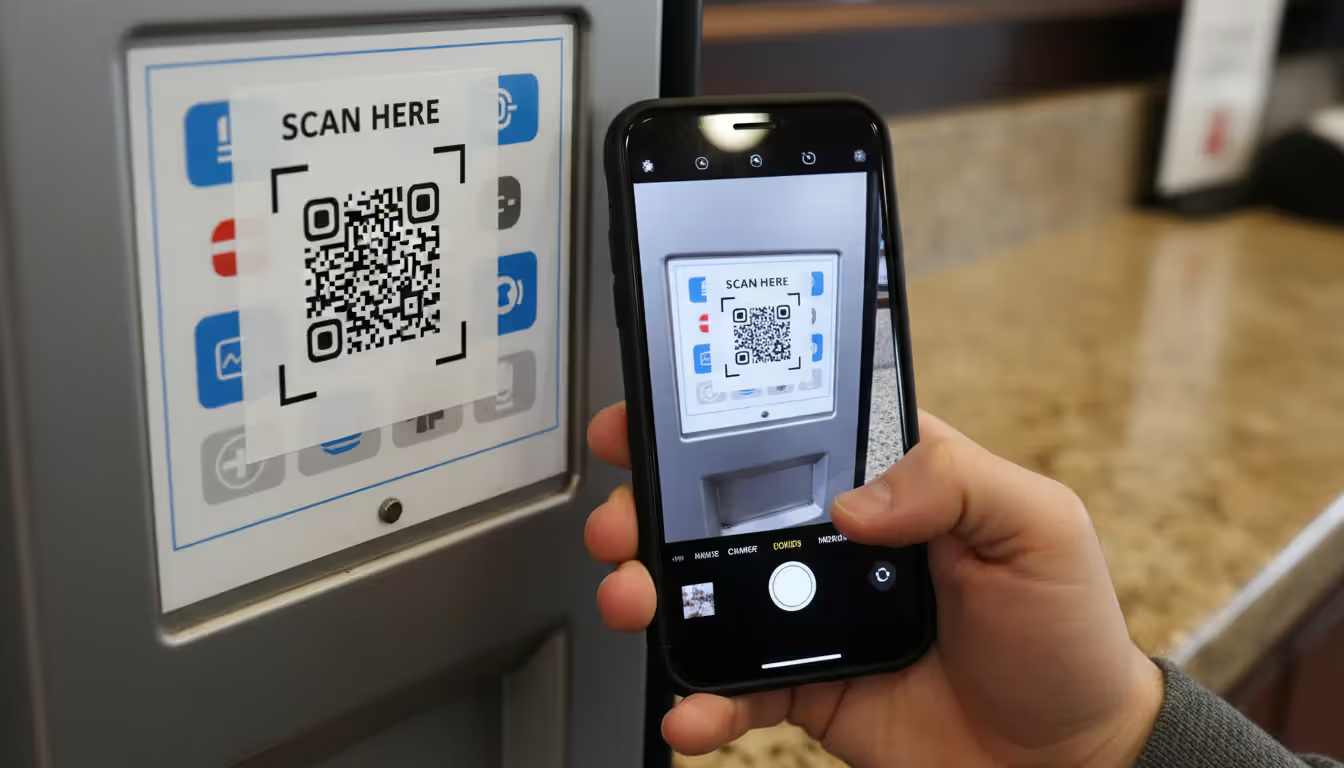
QR code attacks emerged as a serious threat starting in late 2024. Criminals place stickers containing malicious QR codes over legitimate ones on parking meters, restaurant tables, promotional posters, and payment terminals. You scan what you think is the restaurant's menu; you're actually visiting a phishing site designed to steal credit card information.
Here's why QR codes work so well: they're inherently unreadable to humans. You cannot examine a QR code and determine where it leads. You must scan it first, which means the attack is already halfway successful before you realize anything's wrong. Some advanced schemes use dynamic QR codes—scanning the same code twice might lead to different destinations depending on your device type, location, or time of day.
Author: Monica Ellery;
Source: elegantimagerytv.com
Voice phishing (vishing) adapted for mobile users combines traditional phone scams with modern technology. Criminals spoof caller IDs to display your bank's real phone number. They call claiming fraud on your account. While you're talking, they text you a link to "verify recent transactions." The multi-channel approach—voice plus text plus email arriving simultaneously—overwhelms your skepticism through coordinated assault.
These voice attacks increasingly use AI-generated speech that sounds natural. No more robotic voices or thick accents that signal scams. Modern vishing employs realistic American accents, appropriate emotional tones, and conversational pacing that mimics legitimate customer service representatives.
The Psychology Behind Mobile Phishing
Mobile phishing succeeds because attackers understand when and why you use your phone.
Consider your daily phone interactions. You check it immediately after waking. During breakfast while coffee brews. On the commute between home and work. During bathroom breaks. While walking between meetings. In bed before sleep. These aren't moments of careful, focused attention—they're transitional seconds between activities.
Attackers specifically target these vulnerable windows. That 11 PM text about account suspension hits when you're tired, guard lowered, eager to resolve problems quickly so you can sleep. The morning message about package delivery catches you during rushed preparation for work—no time to verify, just tap the link and move on.
Notifications weaponize your phone's design against you. When a banner appears claiming "URGENT: Verify account or lose access," your brain releases stress hormones triggering fight-or-flight responses. You tap the notification—which opens the malicious link directly—before conscious thought intervenes. This notification-to-action pipeline bypasses the careful URL inspection you might perform if manually opening a browser and encountering the same link.
Mobile interfaces reward speed over security. Typing on touchscreens ranges from annoying to painful depending on finger size and screen dimensions. Given the choice between manually typing "bankofamerica.com" into your browser or tapping a provided link, which would you choose? Attackers bet on you choosing convenience. They're usually right.
Your phone occupies a unique psychological space. It's personal in ways computers never were. You keep it within arm's reach 24/7. It contains your most intimate communications, private photos, financial accounts, and health information. This intimacy creates false trust—messages arriving on this personal device feel more trustworthy than identical messages arriving via email. There's no logical basis for this trust, but emotion rarely follows logic.
The final psychological factor? Overconfidence in technology. Many smartphone users believe their devices possess built-in protections that desktop computers lack. "iPhones can't get viruses" remains a common misconception. This misplaced confidence reduces vigilance precisely when heightened awareness is most critical.
Mobile Phishing Examples and Real-World Cases
Package delivery scams represent the most frequently encountered mobile phishing variant. You receive a text: "USPS attempted delivery. Your package is being returned. Reschedule delivery here" The message includes a realistic tracking number. Panic sets in—you are expecting a package. You tap the link.
The destination perfectly replicates USPS mobile website design. It requests a $2.95 "redelivery fee" via credit card. Seems reasonable—you just need that package. You enter card details. Within minutes, criminals charge your card for thousands in fraudulent purchases. The tracking number? Randomly generated. The package? Nonexistent.
Variations use FedEx, UPS, Amazon, and DHL branding. Some add sophistication by actually checking whether you recently made online purchases (using data from previous breaches) before sending delivery scam texts. This targeting increases success rates significantly—you're more likely to fall for a delivery scam when you genuinely ordered something yesterday.
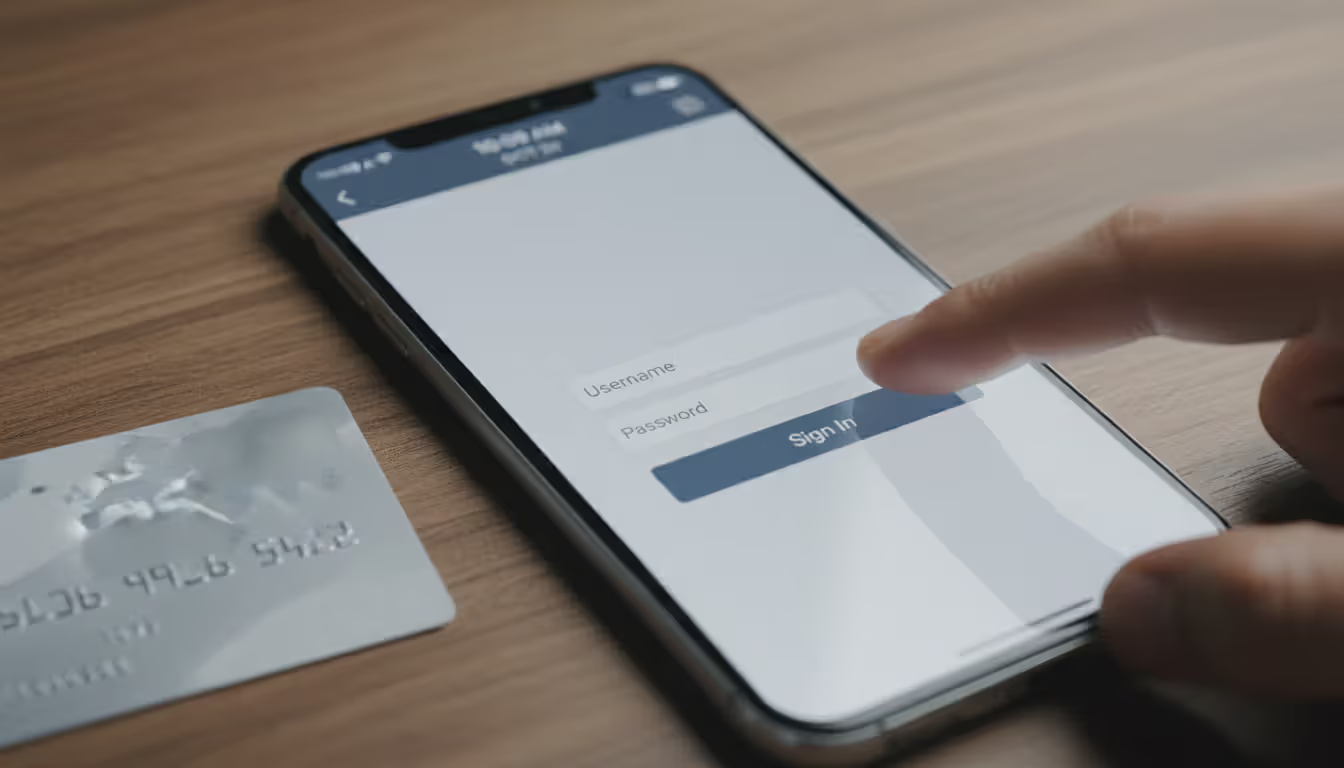
Banking alert schemes exploit financial anxiety ruthlessly. A text arrives appearing from your bank's official number (spoofed): "Wells Fargo Fraud Alert: $847.32 charge to AMAZON WA declined. Confirm legitimate:" You don't remember making this purchase. Concerned, you tap the link immediately.
The fake mobile banking portal captures your username and password as you "log in to verify." It then displays a generic error message: "System temporarily unavailable. Please try again later." You're redirected to the real Wells Fargo site. Everything seems fine—just a technical glitch, right?
Author: Monica Ellery;
Source: elegantimagerytv.com
Wrong. Criminals now possess your banking credentials. They test them immediately, often while you sleep. By morning, your account is drained through ACH transfers, Zelle payments, or wire transfers. You discover the theft when legitimate transactions start declining.
Tax-related phishing intensifies between January and April annually. Early 2026 saw widespread campaigns targeting mobile users with IRS-branded messages: "IRS Notice: You qualify for $2,847 refund. Claim here before ." The mobile-optimized fake IRS portal requests Social Security numbers, birth dates, addresses, and banking information for "direct deposit."
Victims enter their most sensitive identity information willingly. Criminals use stolen data for tax refund fraud, but also medical identity theft, credit card fraud, loan applications, and comprehensive identity theft. One victim spent 18 months and $12,000 in legal fees resolving fraudulent accounts opened in her name.
The IRS prominently states it never initiates contact via text, email, or social media. Only traditional mail. Yet thousands fall for these scams annually because the messages arrive during tax season when people actively think about refunds and deadlines.
Social media verification scams weaponize people's online identities. You receive an Instagram DM or text: "Your account violated Instagram Community Guidelines. Your account will be deleted in 24 hours unless you verify ownership here:." An attached image shows supposed violations—maybe a copyright claim or "impersonation" allegation.
Fear of losing years of photos, followers, and connections drives immediate action. The fake Instagram login page captures your credentials. Attackers immediately change your password, locking you out. They then send the same phishing message to all your followers using your compromised account, exponentially spreading the attack through trusted connections.
Recovery often proves impossible. Instagram's account recovery processes struggle with hijacked accounts, especially when attackers enable two-factor authentication using their own phone numbers. You've lost not just access but potentially years of memories and social connections.
Cryptocurrency wallet phishing has drained millions from mobile users. Attackers send texts claiming unusual activity on MetaMask, Coinbase Wallet, or Trust Wallet: "Unauthorized transaction detected. Secure your wallet immediately." The fake security page requests your 12-word recovery phrase—the master key to cryptocurrency holdings.
Most crypto users understand never to share recovery phrases. But when a convincing message arrives at 2 AM claiming your wallet is being drained right now, panic overrides training. You enter the phrase hoping to secure your funds. Instead, you've handed complete wallet access to thieves. They drain balances within seconds—cryptocurrency transactions are irreversible.
A March 2025 campaign targeting MetaMask mobile users stole $4.2 million across three weeks. Victims included both cryptocurrency novices and experienced traders who knew better but succumbed to urgency and fear.
Employment scams target job seekers' vulnerability and hope. A text arrives: "Saw your LinkedIn profile. We're hiring remote customer service representatives, $35/hour, flexible schedule. Interested? Reply YES for details." You're actively job hunting. This seems perfect.
The "employer" requests personal information for "background checks": Social Security number, driver's license, bank details for "direct deposit setup." They might ask you to purchase specific equipment through their "preferred vendor"—which you'll pay for but never receive. Some variants involve receiving packages and reshipping them (making you an unwitting accomplice to money laundering using stolen credit cards).
Job seekers checking phones constantly for responses become prime targets. The emotional combination of hope, need, and urgency makes careful verification difficult. By the time you realize it's fraudulent, identity theft is already underway.
How to Spot Mobile Phishing Attempts
Detecting mobile phishing requires recognizing patterns legitimate organizations never follow and catching inconsistencies that expose fraud.
Author: Monica Ellery;
Source: elegantimagerytv.com
Red Flags in Text Messages
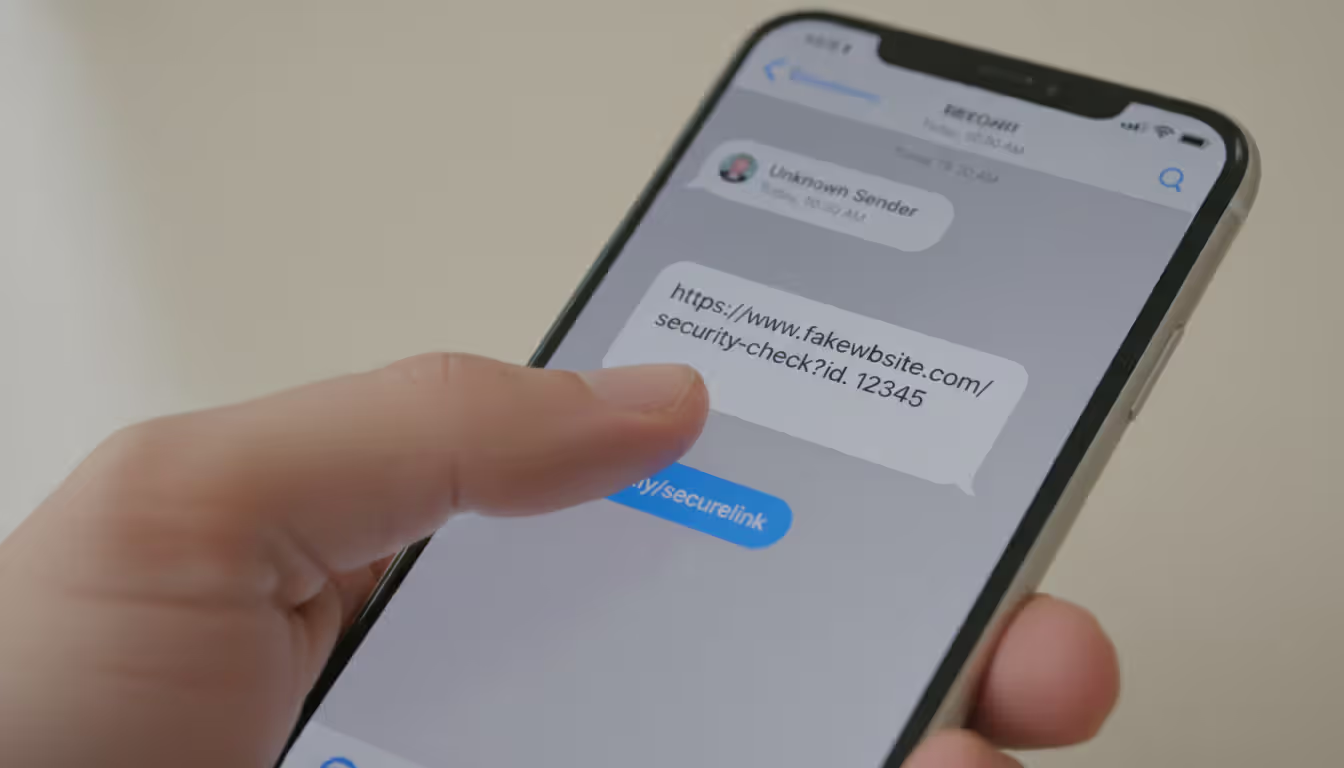
Real companies rarely initiate urgent account matters via unsolicited texts containing links. When you receive such messages, open your browser independently, navigate to the company's official website manually, and contact them using phone numbers or chat services listed there—not contact information from the suspicious message itself.
Scrutinize sender numbers carefully. Five or six-digit short codes belong to legitimate businesses, but criminals can spoof these. Full ten-digit numbers from unusual area codes or international prefixes suggest scams. Increasingly, attackers spoof legitimate numbers, making sender identity alone insufficient for verification. You need multiple confirmation points.
Language patterns expose fraud consistently. Legitimate organizations maintain consistent branding and professional communication standards. Phishing messages often contain awkward phrasing suggesting non-native English speakers: "Your account has been put on hold due to suspicious activities." Real companies say "suspended" not "put on hold."
Generic greetings reveal mass campaigns: "Dear Customer" or "Valued Member" instead of your actual name. Legitimate services addressing you individually use your name because their systems know it. Phishers don't have your name—just your phone number from purchased lists.
Excessive urgency signals manipulation: "Act within 1 hour or lose your account permanently." Real companies provide reasonable timeframes and multiple contact methods. They understand emergencies happen and people need time to respond. Only scammers demand instant action.
Links deserve maximum suspicion. Instead of immediately tapping, press and hold any link until a preview appears showing the full destination URL. Examine it carefully for misspellings (amaz0n.com, paypa1.com), extra words (secure-paypal-verify.com), or wrong domain extensions (.net when you expect .com, or unfamiliar country codes like .ru or .tk). Legitimate companies use clean, recognizable domains directly matching their brand.
Requests for sensitive information via text are fraudulent. Period. Banks, government agencies, and reputable companies never request passwords, PINs, Social Security numbers, credit card CVV codes, or authentication codes through SMS. If a message requests such information regardless of how official it appears, it's a scam. Delete it.
Red Flags in Mobile Apps and Websites
Applications requesting excessive permissions reveal malicious intent. Why does a flashlight app need access to your contacts, text messages, and location? It doesn't. Review permission requests carefully before granting them. Ask whether the request makes sense given the app's stated purpose. Would a calculator app legitimately need microphone access? No.
Navigate to Settings regularly and audit what permissions you've granted previously. Apps you installed years ago might have permissions that seemed reasonable then but aren't necessary now. Revoke access liberally—apps will request again if they legitimately need something.
Fake mobile websites often contain subtle visual differences from authentic sites. Low-resolution logos, inconsistent fonts, misaligned layout elements, or slightly wrong color schemes indicate hastily created phishing sites. Legitimate companies invest heavily in mobile user experience because it affects their bottom line. Sloppy design suggests fraudulent replication.
URL verification remains your strongest defense despite mobile browsers hiding most address bar content. Tap the address bar to display the complete URL. Look for HTTPS (the padlock icon), but remember modern phishing sites increasingly use SSL certificates, making HTTPS alone inadequate for verification. Examine the exact domain spelling and watch for subdomains adding words before the main domain: "secure.bankofamerica.verify.com" is completely different from "bankofamerica.com" even though it contains those words.
Login screens appearing unexpectedly indicate possible overlay attacks. Some mobile malware displays fake login screens positioned over legitimate apps, capturing credentials before passing them through to the real app (so everything appears normal). If you're suddenly logged out of an app you recently used, or a login screen appears with unusual timing, completely close the app and manually reopen it rather than immediately entering credentials.
Pop-ups claiming device infection or prize winnings are always scams—no exceptions. Legitimate security warnings originate from your operating system or installed security software, never from websites. These pop-ups employ scare tactics ("13 viruses detected!") and countdown timers ("Act within 5 minutes!") pressuring immediate action. Close them without interaction—don't even tap "Cancel" as that button might trigger the scam. Close the browser tab or app entirely.
How to Prevent Mobile Phishing Attacks
Verify through independent channels before trusting any unexpected communication. Receive a text about account problems? Don't use contact information from that message. Instead, open your browser, manually type the company's official website address, and use contact methods listed there. For apps, launch them directly from your home screen rather than tapping links in messages. This separation between notification and action defeats nearly all phishing attempts by breaking the attack chain.
Implement multi-factor authentication everywhere it's available. Authenticator applications like Google Authenticator, Microsoft Authenticator, or Authy provide stronger security than SMS-based codes (which criminals can intercept through SIM swapping). Hardware security keys offer maximum protection for critical accounts—email, banking, cryptocurrency, and brokerage accounts. While MFA won't prevent phishing attempts from reaching you, it dramatically reduces damage when credentials are compromised because attackers need that second factor to access your account.
Maintain updated software across your mobile ecosystem. Security patches address vulnerabilities criminals actively exploit. Enable automatic updates for your operating system and essential applications. Many successful attacks exploit known vulnerabilities in outdated software versions that patches already fixed. The inconvenience of occasional updates and restarts pales compared to identity theft recovery.
Install mobile security software from established companies. Modern mobile security applications provide phishing protection, malicious website blocking, and app scanning. Choose products from recognized security vendors—Norton, McAfee, Bitdefender, Kaspersky—not random "Mobile Antivirus Pro" apps from unknown developers that might be malware themselves. Quality security apps add meaningful protection layers by blocking access to known phishing sites even when you click malicious links.
Audit app permissions quarterly. Navigate to your device's security settings and examine what each installed application can access. Revoke unnecessary permissions, especially for apps you rarely use or don't remember installing. Pay particular attention to permissions for contacts, messages, location, camera, and microphone—these provide valuable data for criminals and surveillance.
Create compartmentalized email addresses for different purposes. Use one email exclusively for financial accounts, another for social media, a third for shopping and subscriptions, and a fourth for throwaway registrations. This segmentation limits damage from compromised accounts. It also simplifies phishing detection—when your shopping email receives a banking alert, you know it's fraudulent immediately because banks contact you at a different address.
Avoid sensitive activities on public Wi-Fi entirely. Public networks are often unencrypted, allowing monitoring by anyone with basic tools. If you must use public Wi-Fi, connect through a VPN to encrypt your connection. Never access banking, healthcare, investment, or cryptocurrency accounts over public networks. Cellular data, while not perfectly secure, offers substantially better protection than open Wi-Fi hotspots.
Configure baseline security settings properly. Enable screen locks using strong PINs (avoid 1234, 0000, or birthdates) or biometric authentication (fingerprint or face recognition). Set automatic locking after 30-60 seconds of inactivity. Enable "Find My Device" features allowing remote location tracking and data wiping if your phone is lost or stolen. Disable automatic connection to known Wi-Fi networks—criminals create fake access points mimicking common network names (Starbucks WiFi, Hotel Guest, Airport Free WiFi) to intercept data.
Stay informed about evolving scam tactics. Phishing methods change constantly as attackers develop new approaches and abandon techniques that stop working. Follow security news sources, subscribe to fraud alerts from your bank and credit card issuers, and pay attention to warnings from friends and family. Understanding current attack campaigns helps you recognize new variations when they target you.
Author: Monica Ellery;
Source: elegantimagerytv.com
What to Do If You Fall Victim to Mobile Phishing
Disconnect your phone from all networks immediately. The moment you realize you've entered credentials into a phishing site or downloaded suspicious software, enable airplane mode or power off your device completely. This prevents malware from transmitting stolen data or receiving additional commands from attackers. Don't delay hoping to "fix it later"—seconds matter when dealing with active compromise.
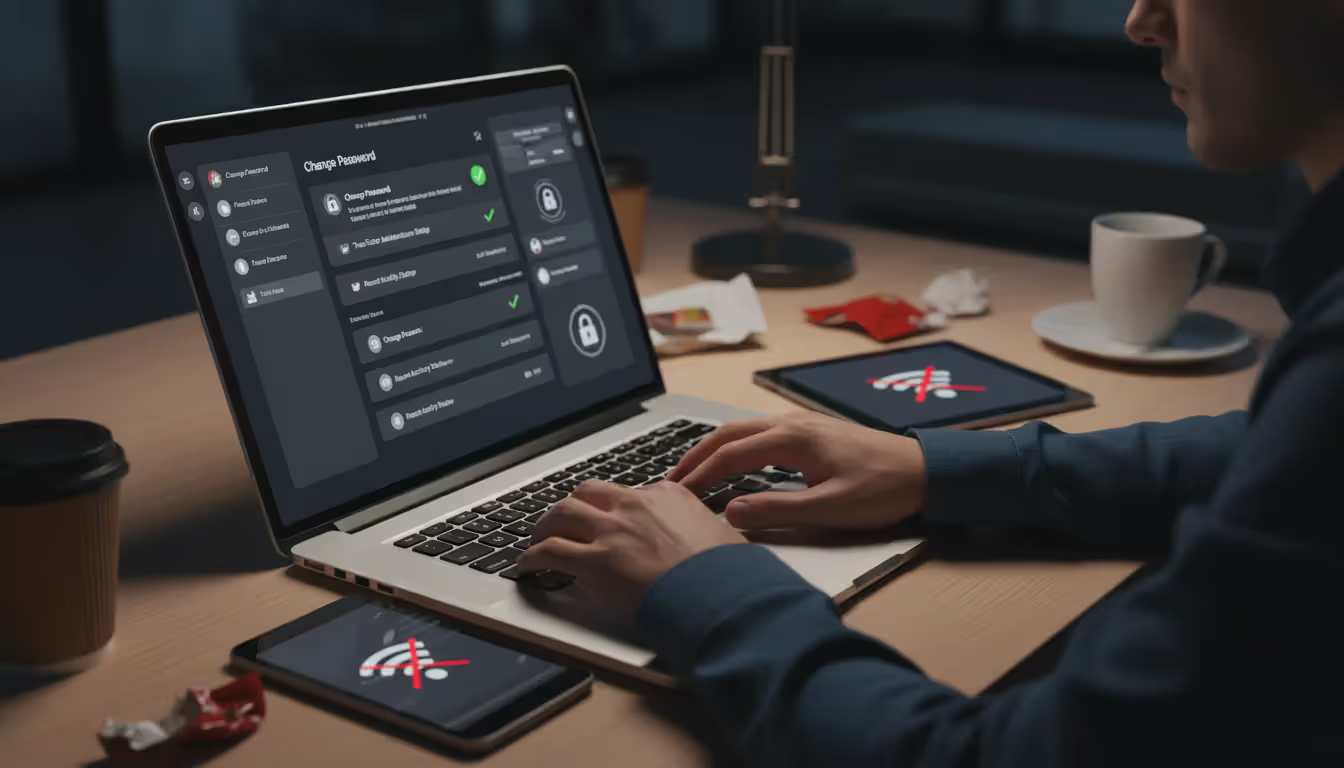
Change passwords using a different, uncompromised device. Use a computer, tablet, or borrowed phone—not the potentially compromised device—to change passwords for any accounts where you entered credentials. Start with email (which criminals use for password resets on other accounts), then banking and financial accounts, then everything else. If you reused passwords across multiple sites (which you shouldn't but many people do), change all instances. Going forward, use unique, strong passwords for each account with a password manager.
Alert your financial institutions immediately. Call your bank and credit card companies using the phone number on the back of your card or from official websites—not numbers from potentially compromised email or messages. Explain what happened. They can monitor for fraudulent transactions, issue new cards with different numbers, and potentially reverse unauthorized charges if caught quickly enough. Many institutions maintain dedicated fraud departments that can implement additional account monitoring.
Create documentation of everything related to the incident. Take screenshots of phishing messages, write down URLs you visited, and record times and dates. This documentation helps law enforcement investigations and proves useful for fraud claims or credit disputes. Save any emails or texts related to the incident before you delete them from devices (forward them to a secure email address for archiving).
Report the incident to appropriate authorities. File reports with the Federal Trade Commission at reportfraud.ftc.gov, the FBI's Internet Crime Complaint Center at ic3.gov, and the Anti-Phishing Working Group via email to reportphishing@apwg.org. Report smishing by forwarding suspicious texts to 7726 (which spells SPAM on most keyboards)—this alerts your mobile carrier. While individual cases rarely result in immediate prosecution, aggregate reporting data helps authorities identify large-scale operations and shut them down.
Monitor accounts and credit reports intensively for months following the incident. Check bank statements, credit card transactions, and credit reports weekly rather than monthly. Consider placing fraud alerts (free, lasts one year) or credit freezes (free, permanent until you lift them) with major credit bureaus—Equifax, Experian, and TransUnion. Configure account alerts for unusual activity so you're notified immediately about suspicious transactions rather than discovering them weeks later.
Remove malicious software through factory reset if necessary. If you downloaded an app or tapped a link that might have installed malware, consider factory resetting your device after backing up important data to cloud storage. Before restoring from backup, ensure the backup predates the phishing incident—otherwise you're restoring the infection. For less severe cases, mobile security software can scan for and remove known malware, though a clean reinstall provides greater certainty you've eliminated threats.
Learn from what made you vulnerable. Analyze objectively what made you susceptible—urgency, stress, distraction, insufficient awareness? Understanding your specific vulnerability helps prevent repeat incidents. Consider this an expensive learning opportunity rather than a personal failure. Even cybersecurity professionals occasionally fall for sophisticated attacks designed specifically to exploit momentary lapses in judgment.
We're witnessing a fundamental shift in the threat landscape because mobile phishing attacks people during psychologically vulnerable moments—when they're distracted, exhausted, or juggling multiple tasks simultaneously.The combination of compressed screens, notification-driven urgency, and the personal trust individuals place in their smartphones creates ideal conditions for attackers. What concerns me most heading into 2026 is the integration of AI-generated content enabling hyper-personalized phishing attacks based on social media data harvesting. We're observing attacks that reference recent purchases, locations visited, or even specific conversations—all designed to overcome skepticism through impossible-to-ignore relevance. The only effective defense is a fundamental shift in how we interact with our devices: treating every unexpected message as potentially malicious until independently verified through separate channels
— Dr. Sarah Chen
Frequently Asked Questions About Mobile Phishing
Mobile phishing represents one of the fastest-growing cybersecurity threats because it exploits the intersection of technology convenience and human psychology. Smartphones have become so thoroughly integrated into daily routines that people interact with them almost unconsciously—clearing notifications automatically, tapping links reflexively, and trusting the personal device in their pocket more than any rational security assessment justifies.
Attacks will continue evolving in sophistication. Artificial intelligence enables attackers to create hyper-personalized messages incorporating details from social media and data breaches. Deepfake technology makes voice and video phishing increasingly believable. As financial services, healthcare, and government services shift toward mobile-first platforms, the attack surface expands continuously.
Protection doesn't require technical expertise or expensive tools. It requires changing how you interact with your phone. Treat every unexpected message as suspicious until proven otherwise through independent verification. Verify through separate channels rather than trusting what appears on your screen. Take the extra thirty seconds to manually navigate to websites rather than reflexively clicking links. Enable security features already built into your device. These simple behavioral changes provide more protection than any security software could deliver alone.
The goal isn't paranoia but appropriate caution proportional to risk. Your smartphone contains access to your finances, personal communications, work information, health records, and identity documents. It deserves the same careful attention you'd give to a physical wallet containing cash, credit cards, and identification. Attackers count on convenience overriding caution; your defense is making verification a habit rather than an afterthought reserved for "suspicious" messages.
Mobile phishing succeeds because it's specifically designed to exploit moments of vulnerability—when you're distracted, rushed, exhausted, or emotionally manipulated. Recognizing those vulnerable moments and consciously slowing down your response to unexpected messages breaks the attack pattern. The few seconds spent verifying a message's legitimacy could save you months recovering from identity theft, financial fraud, or compromised accounts.
Your smartphone simultaneously serves as one of your most valuable tools and one of your greatest vulnerabilities. How you use it determines which characteristic dominates your experience.
Related Stories
Read more
Read more

The content on this website is provided for general informational and educational purposes only. It is intended to explain concepts related to cybersecurity awareness, online threats, phishing attacks, and data protection practices.
All information on this website, including articles, guides, and examples, is presented for general educational purposes. Cybersecurity risks and protection strategies may vary depending on individual behavior, technology usage, and threat environments.
This website does not provide professional cybersecurity, legal, or technical advice, and the information presented should not be used as a substitute for consultation with qualified cybersecurity professionals.
The website and its authors are not responsible for any errors or omissions, or for any outcomes resulting from decisions made based on the information provided on this website.