
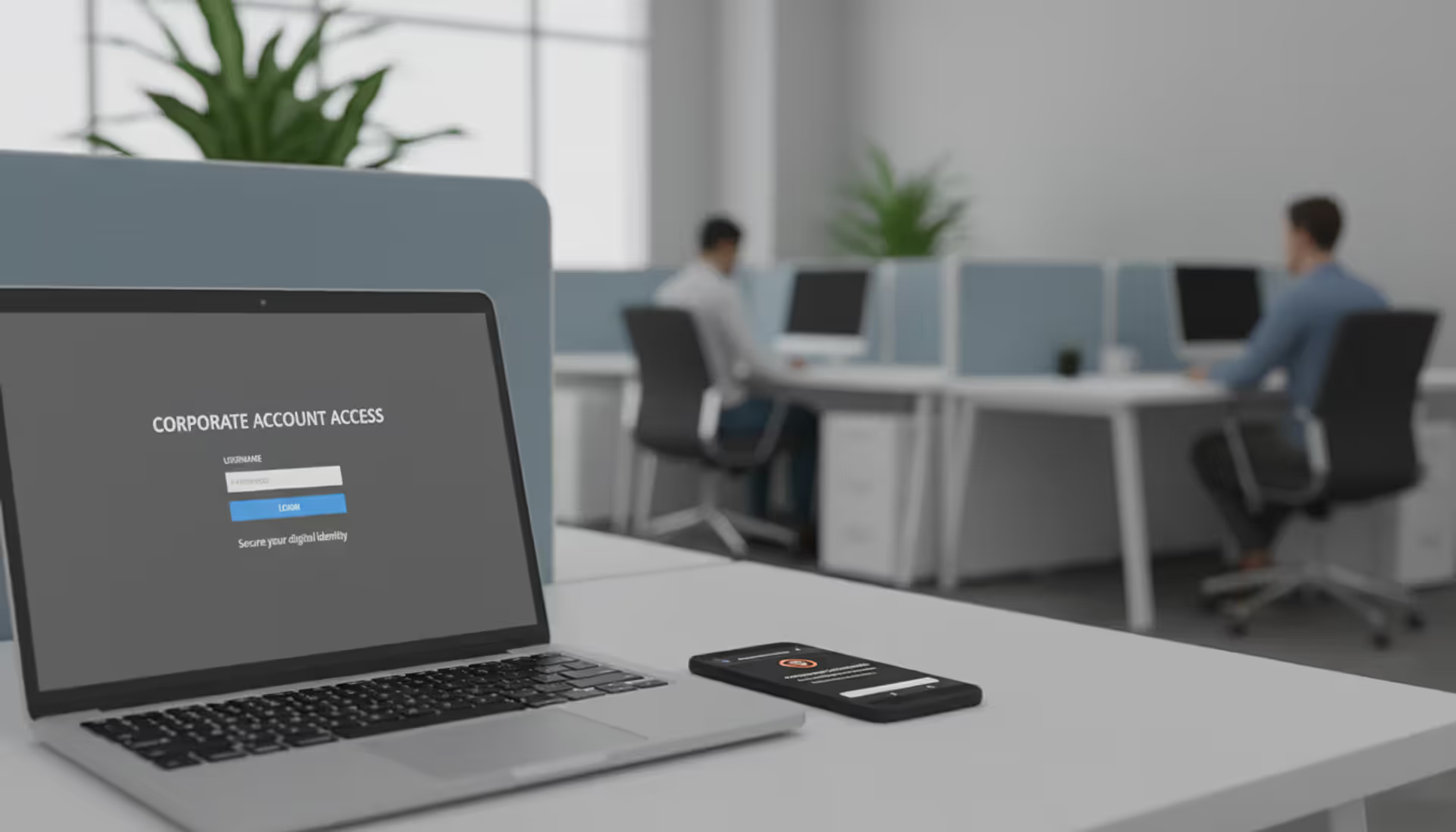
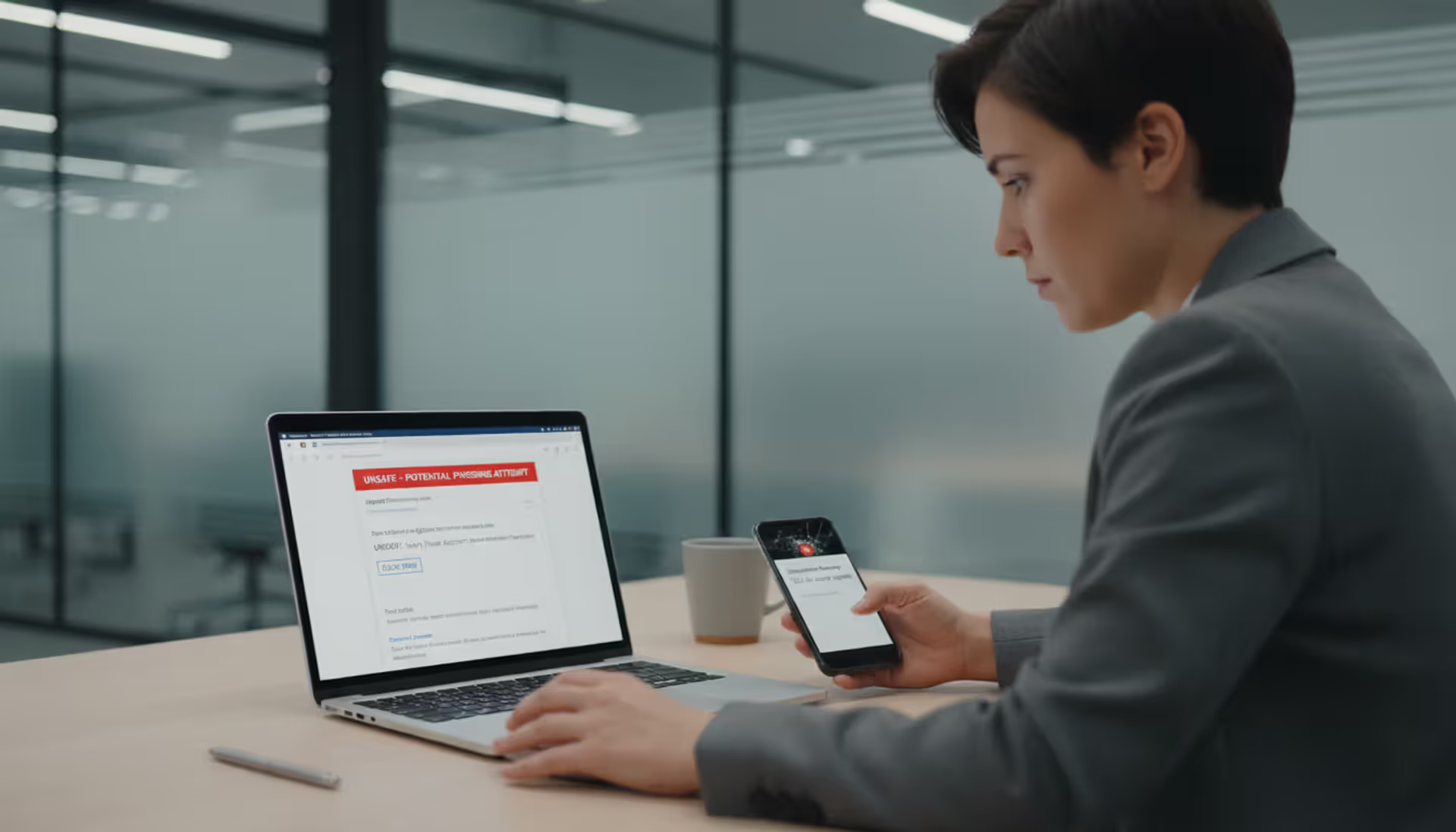
Employee workstation with laptop login screen and suspicious mobile message
Credential Phishing Explained

Last Tuesday, my neighbor clicked a link in what looked like a routine Microsoft email. By Wednesday morning, someone in Romania was inside his company's file server.
Sound dramatic? It happens about 300,000 times per day in the U.S. alone.
Cybercriminals figured out something crucial: breaking into networks through technical exploits takes serious skills. Tricking someone into typing their password into a fake login page? That's easy. And it works disturbingly well.
These attacks don't rely on sophisticated malware or zero-day vulnerabilities. They work because that "Google" login screen looks exactly like the real thing—same fonts, same button placement, same reassuring padlock icon in your browser. You enter your credentials, hit submit, and somewhere across the globe, an attacker just got everything they need to access your accounts.
The worst part? You won't know anything happened. The fake page even redirects you to the real site afterward, so your login appears to work normally.
What Is Credential Phishing?
Think of credential phishing as a digital con game focused entirely on stealing usernames and passwords.
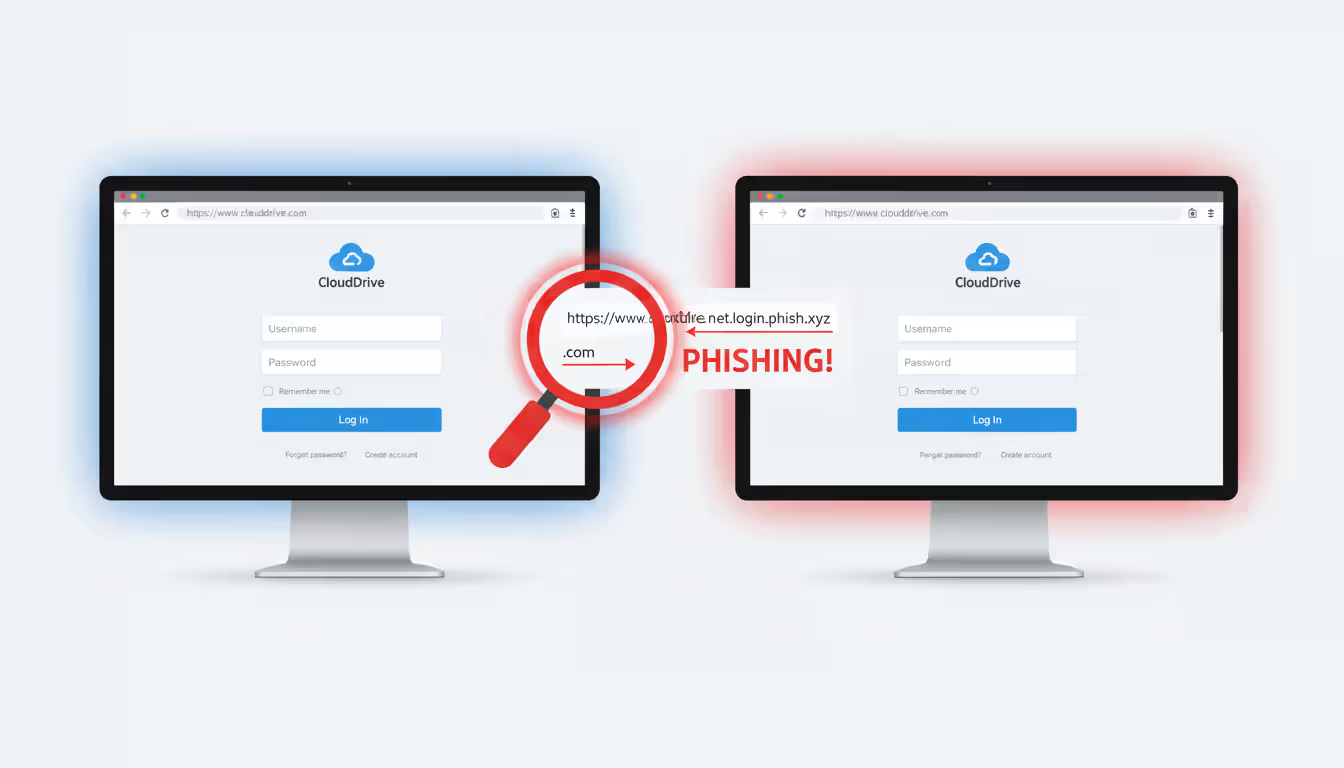
Attackers build fake copies of login pages you use constantly. Your Gmail inbox. The Office 365 portal where you check work email. Your bank's website. The VPN screen you click through every morning. They make these fakes look identical to the originals—down to the favicon, the copyright notice at the bottom, even seasonal graphics like holiday themes.
Then they send you there. Usually through email ("Your password expires tomorrow, click here to update it"), sometimes via text message, occasionally through a phone call from someone pretending to be IT support.
You land on their fake page. It looks right, feels right, even has that secure HTTPS connection your browser trained you to look for. You type in your email and password. Maybe you enter a 2FA code if prompted.
Author: Alyssa Norwood;
Source: elegantimagerytv.com
Behind that convincing interface, their system captures everything in real-time.
Standard phishing casts a wide net—criminals will take credit card numbers, social security details, whatever personal information they can grab. Credential phishing has one specific target: the keys to your accounts.
Why focus there? Because passwords unlock everything else.
Get into one employee's email, and you can potentially access internal documents, customer lists, financial records. Compromise an admin account, and you might control the entire network. Last year, the FBI tracked 21,832 business email compromise incidents stemming from credential theft—total losses exceeded $2.9 billion.
A March 2025 Verizon analysis found that 68% of breaches involved a human element, with credential phishing representing the leading initial attack method. Average cost per incident when these attacks succeed? Companies report spending between $1.4 million and $6.7 million on recovery, legal fees, notification requirements, and regulatory penalties.
One password. Millions in damages.
How Credential Phishing Attacks Work
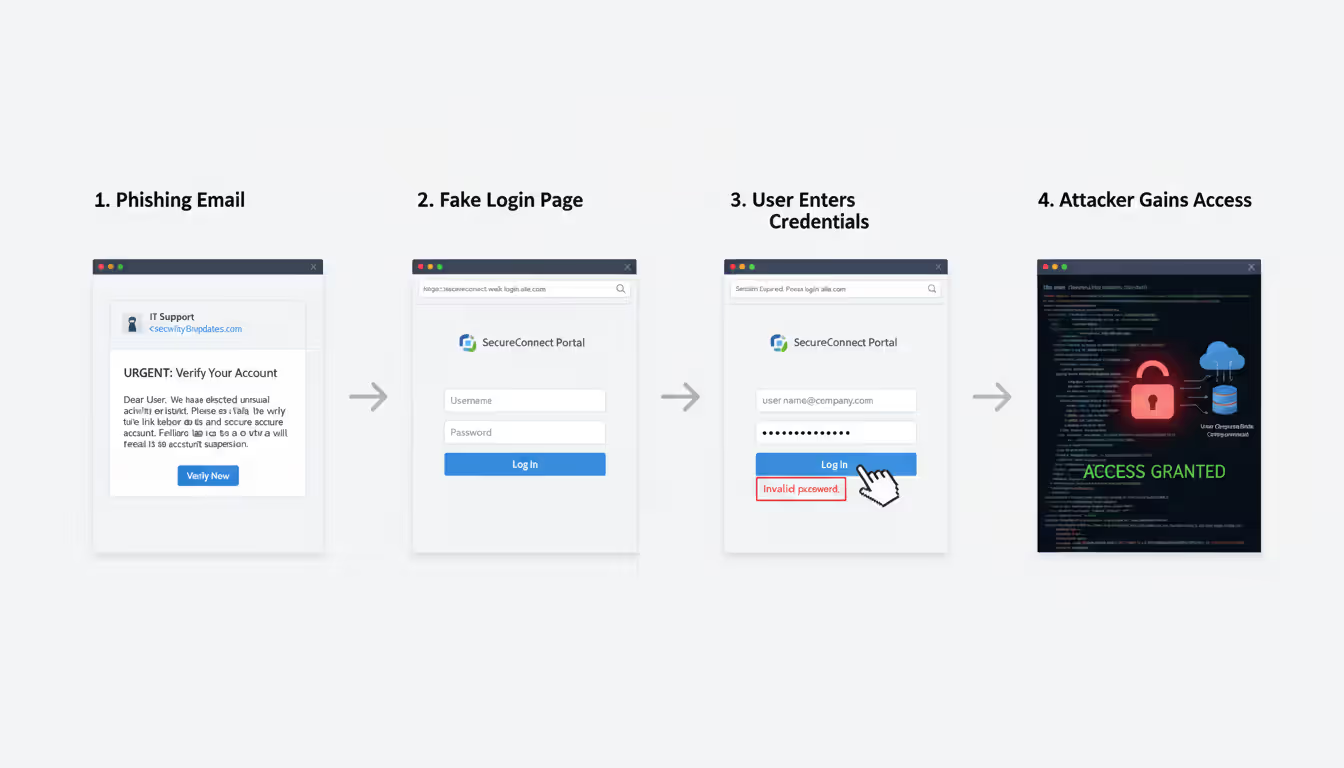
Let me walk you through how these operations actually unfold:
Research phase: Attackers don't just blast out random emails hoping someone bites. They study targets carefully. For a corporate attack, they'll scan LinkedIn to identify employees, job roles, reporting structures. They'll examine your company website to figure out which cloud services you use—are your email addresses @company.com through Google Workspace? That tells them which login page to fake. They'll browse social media for communication styles and internal terminology. Investment in reconnaissance separates sophisticated campaigns from amateur attempts.
Building the fake site: Modern phishing toolkits sold on dark web marketplaces (typically $75-$400 depending on features) let criminals clone login pages in under an hour. They'll grab visual elements directly from legitimate sites—logos, color schemes, layout structures. Domain registration comes next, and here's where it gets sneaky. They might use microsft.com with a zero instead of the letter 'o'. Or accounts-verification-microsoft.com. Sometimes they compromise a small business website that hasn't updated security in years, then hide their phishing page at businessname.com/wp-content/plugins/cache/microsoft/ where the site owner will never look.
Sending the bait: Your phone buzzes with a text. "Your package delivery failed. Reschedule here:" with a link. Or an email lands in your inbox: "Security Alert: Unusual sign-in activity from an unrecognized device in Vietnam. Review this activity immediately." Maybe you get an actual phone call—caller ID shows your bank's name—and a professional-sounding person explains they've detected fraud and need you to verify your identity through their secure portal. Every message engineers urgency. Every message includes a path to their fake login page.
You authenticate: The interface loads instantly, looks pixel-perfect. Logo positioned exactly where it should be. Same blue they always use. URL looks roughly correct if you glance quickly (and most people do glance, not scrutinize). You type your username. Then your password. Click "Sign In."
They grab everything: Basic phishing sites dump your credentials into a database. More advanced setups do something far more dangerous—they function as a proxy. Your credentials get relayed to the real Microsoft/Google/banking site in real-time. You successfully log in (to the genuine service), so everything seems fine from your perspective. Meanwhile, the attacker captured both your password AND the active session token, letting them access your account even if you have certain security measures enabled.
Immediate exploitation: Speed matters to attackers. Some begin accessing compromised accounts within 15-30 minutes. They'll set up email forwarding rules so copies of future emails route to their addresses automatically. They'll download contacts, documents, anything valuable. They'll probe for connected systems—what else can this account access? That single stolen password becomes the foothold for accessing your company's customer database, financial systems, or administrative controls.
A Houston-based law firm got hit with this exact sequence in January 2026. Paralegal clicked what appeared to be a DocuSign request at 2:17 PM. By 3:45 PM, attackers had accessed 23 client files and exfiltrated 4GB of privileged communications. Total incident response cost: $890,000.
Author: Alyssa Norwood;
Source: elegantimagerytv.com
Common Credential Phishing Examples
Real attacks look like stuff you encounter daily:
Email-Based Credential Phishing
Email remains the preferred delivery method because we're drowning in it. Security experts call it "attention fatigue"—when you're processing 150 emails per day, catching subtle red flags becomes exponentially harder.
The Office 365 urgency play: Message hits your inbox appearing to come from IT. Subject line reads: "ACTION REQUIRED: Mailbox Storage Limit Exceeded." Body text uses your company's email signature format, mentions your actual IT director by name (scraped from LinkedIn), and warns that you'll lose access to email within 6 hours unless you verify your account. The embedded link even shows up in your email client as "company-portal.microsoft.com" when you hover over it—except the actual underlying URL (visible only if you right-click and inspect) points somewhere completely different. You click through. The landing page displays Microsoft's current authentication design with your company logo at the top. Everything looks legitimate because they've customized it specifically for your organization. You enter credentials. The page shows a loading spinner, then redirects you to the real Office 365 portal (now authenticated with your just-entered credentials). From your perspective, you successfully logged in. Except you didn't—you handed everything to someone now reading your email. St. Louis-based manufacturer Apex Industrial lost 94 employee accounts through this precise technique in December 2025.
Google Drive document trap: "Sarah Thompson shared 'Q1_Financial_Report.pdf' with you." The notification matches legitimate Google Drive sharing emails perfectly—identical blue header, same formatting, proper Google branding. You click the blue "Open in Drive" button. Google's login screen appears requesting sign-in. Seems normal if you'd been logged out or if you're accessing from a device where you don't maintain persistent sessions. Sophisticated versions display a blurred thumbnail preview of what looks like a real PDF document to reinforce authenticity. You type your Gmail address and password. Attackers now control your entire Google Workspace environment—Drive files, Gmail history, Calendar appointments, Contacts database.
Banking portal replicas: "Alert: We've detected a login attempt from an unrecognized device in Chicago, Illinois." The message from Chase (or Wells Fargo, or Bank of America—attackers customize based on your geographic region) triggers immediate concern. You click "Review Account Activity" and land on what appears to be your bank's login page. Color scheme matches exactly. Navigation menu looks correct. Security badges display at the bottom (frequently copied directly from the real site). The URL shows something like chase-security-alert.com or secure-chase-verify.net—suspicious if you examine it closely, but most people don't. Advanced operations employ geotargeting, automatically displaying the appropriate regional bank branding based on your IP address location. Rural areas might see local credit union branding. Major cities get major national banks.
VPN credential harvesting: Remote work explosion made VPN access a prime target. Distributed employees receive emails about mandatory client updates, expiring certificates, or new security patches. "Your Cisco AnyConnect client requires immediate update to maintain compliance. Download and authenticate here." The fake VPN login page captures domain credentials that often work across multiple internal systems—email, file servers, HR portals, financial databases. A single compromised VPN login can give attackers direct access to your entire corporate network as if they were sitting in your office.
SMS and Voice Phishing (Smishing and Vishing)
Text and phone-based attacks work differently because people trust these channels more than email.
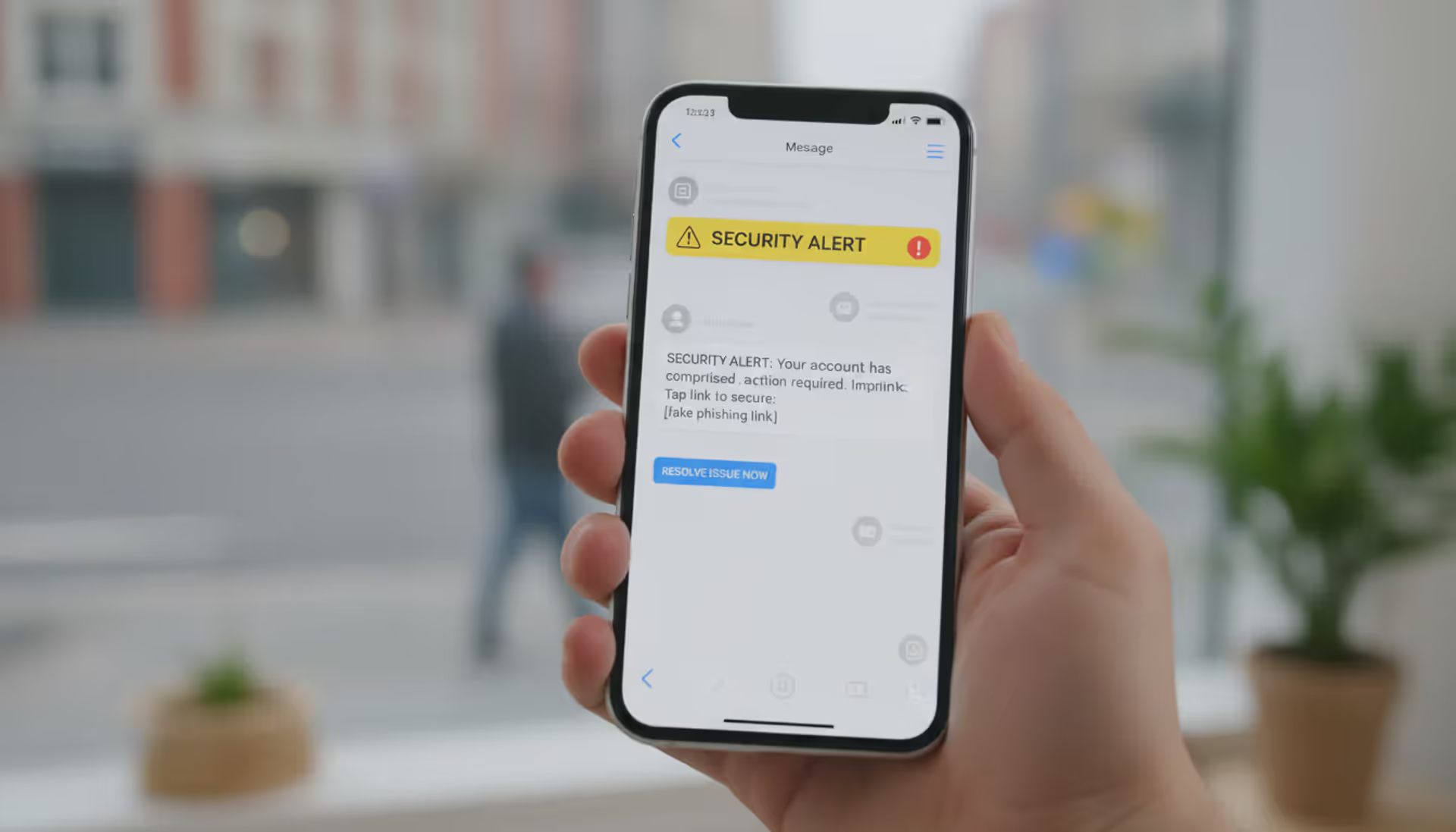
Smishing hits your phone with messages that seem to come from FedEx, Amazon, your bank, Netflix. "Your package requires additional delivery information—update address here." "Suspicious activity detected on your account ending in 4782—verify now." "Payment method declined, update billing to avoid service interruption." Links route to mobile-optimized phishing pages. Smaller smartphone screens hide full URLs, making suspicious domains harder to spot. Mobile users tap faster and think less—you're probably doing three other things when that text arrives. April 2026 campaign targeting T-Mobile customers sent fake billing alerts. Over 12,000 people clicked through in the first 48 hours. Mobile interface meant most never noticed the URL was t-mobile-billing-alert.net instead of t-mobile.com.
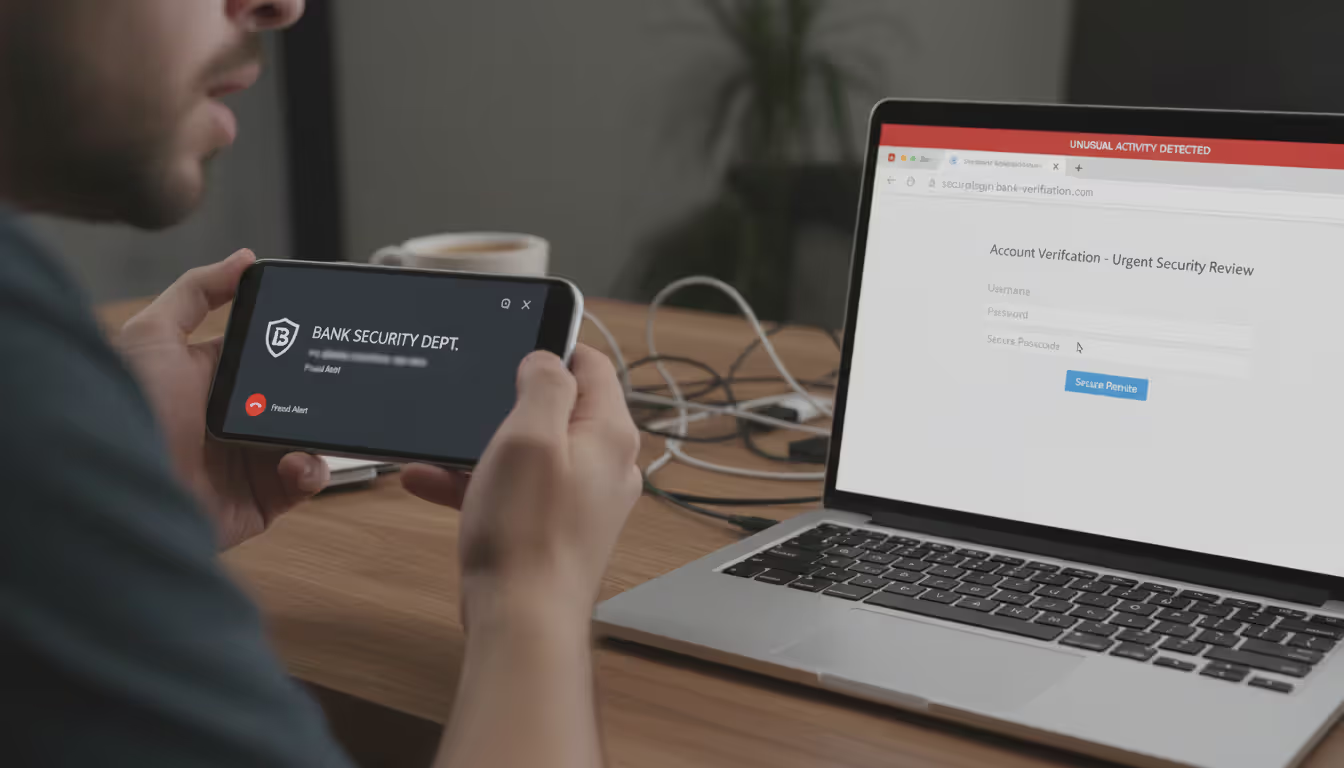
Vishing adds human interaction to the deception. Your phone rings. Caller ID displays "Chase Fraud Department" (trivial to spoof using VoIP services). Professional-sounding person mentions a specific transaction—"We're showing a $347.82 charge at Best Buy in Denver. Did you authorize this purchase?" Amount sounds plausible, location you've never visited raises concern. They explain they need to verify your identity. "Go to our secure verification portal—I'll walk you through it. Just enter your online banking username so our system can pull up your account." You're on the phone with them, having a conversation, building that human connection. Makes you less suspicious, more compliant. Meanwhile, they're entering your credentials into the real Chase website in real-time, bypassing fraud detection systems because the bank sees the login attempt coming from YOUR geographic location with timing patterns that match someone on a support call.
The newest evolution? AI voice synthesis. Attackers extract voice samples from YouTube videos, podcast appearances, conference presentations. Then they generate convincing audio of your CEO, CFO, or IT director. Denver tech startup received calls in February 2026 from what sounded exactly like their CTO requesting urgent password resets for "emergency server maintenance." Voice matched perfectly—same slight accent, same speech patterns. Five employees complied before someone confirmed the CTO was actually on vacation in Costa Rica with no cell service.
Author: Alyssa Norwood;
Source: elegantimagerytv.com
How to Spot Credential Phishing Attempts
Training yourself to catch these fakes requires developing specific observation habits:
Examine URLs like your job security depends on it—because sometimes it does. Before typing credentials anywhere, inspect the address bar with genuine attention. Is it precisely accounts.google.com? Or is it accounts-google.verification-secure.com? Attackers use subtle variations that work surprisingly well: replacing the letter 'l' with numeral '1', inserting hyphens ("micro-soft.com"), adding descriptive words that sound official ("secure-login-microsoft.com"), or using completely different domains with authoritative-sounding names ("global-authentication-services.com"). On mobile, long-press links to preview destinations before tapping. Better approach: never click email links for authentication. Manually type known URLs or use bookmarks you created yourself when you know you're on the legitimate site.
That padlock icon doesn't mean legitimate. Security awareness training spent years teaching people to look for HTTPS and the padlock, so attackers adapted. They purchase SSL certificates for their phishing domains. Modern fake sites routinely display padlocks. What matters is which specific domain name the certificate validates—not whether encryption exists. Click the padlock icon and examine certificate details. Does it say "microsoft.com" or does it say "microsoft-account-verify.com"?
Question unexpected authentication requests. Already logged into Gmail? Why is it suddenly asking you to sign in again? Didn't request a password reset? Why did this notification arrive? Haven't visited this site in weeks? Why the urgent security alert? Attackers count on you reacting automatically without thinking. Pause. Did YOU initiate whatever action this message claims needs addressing? If not, verify through independent channels before clicking anything.
Urgency signals manipulation. "Account will be closed in 24 hours!" "Unusual activity detected—immediate action required!" "Verify now or permanently lose access!" "Limited time to confirm identity before account suspension!" Legitimate companies rarely threaten instant shutdowns. They send multiple warnings through verified channels over days or weeks. Manufacturing urgency represents psychological pressure designed to bypass your analytical thinking and trigger panic responses.
Check sender details carefully. Email addresses that don't match expectations—microsoft-support@gmail.com, security@account-services-team.net instead of actual @microsoft.com addresses. Display names saying "Google Security" while the actual email address reveals something completely unrelated. Reply-to addresses different from the sender field. Legitimate organizations send from their own domains consistently.
Look for quality inconsistencies. Sophisticated operations produce flawless fakes, but plenty still show telltale mistakes. Outdated logos from 3-4 years ago. Brand colors slightly wrong (light blue instead of the correct darker shade). Inconsistent spacing or alignment. "Sign-in" versus "Sign in" variations that don't match the company's actual style. Footer copyright showing "© 2023" when it's currently 2026. Hyperlinks that display one destination when you hover but redirect elsewhere when clicked.
Generic greetings sometimes indicate danger. "Dear Customer" when the real service always uses your name. "Valued Member" instead of "Hi Jennifer." However—don't rely exclusively on this. Targeted spear-phishing incorporates your actual name, job title, recent work activities, whatever intelligence they've gathered from breached databases or social media reconnaissance.
If something feels off—even if you can't articulate exactly why—verify through independent channels before proceeding. Call the company using a number from their official website (not from the suspicious email). Check your account by typing the URL yourself. Ask a coworker or IT contact if they've seen similar messages.
How to Prevent Credential Phishing
Strong defense requires multiple layers because no single protection stops everything:
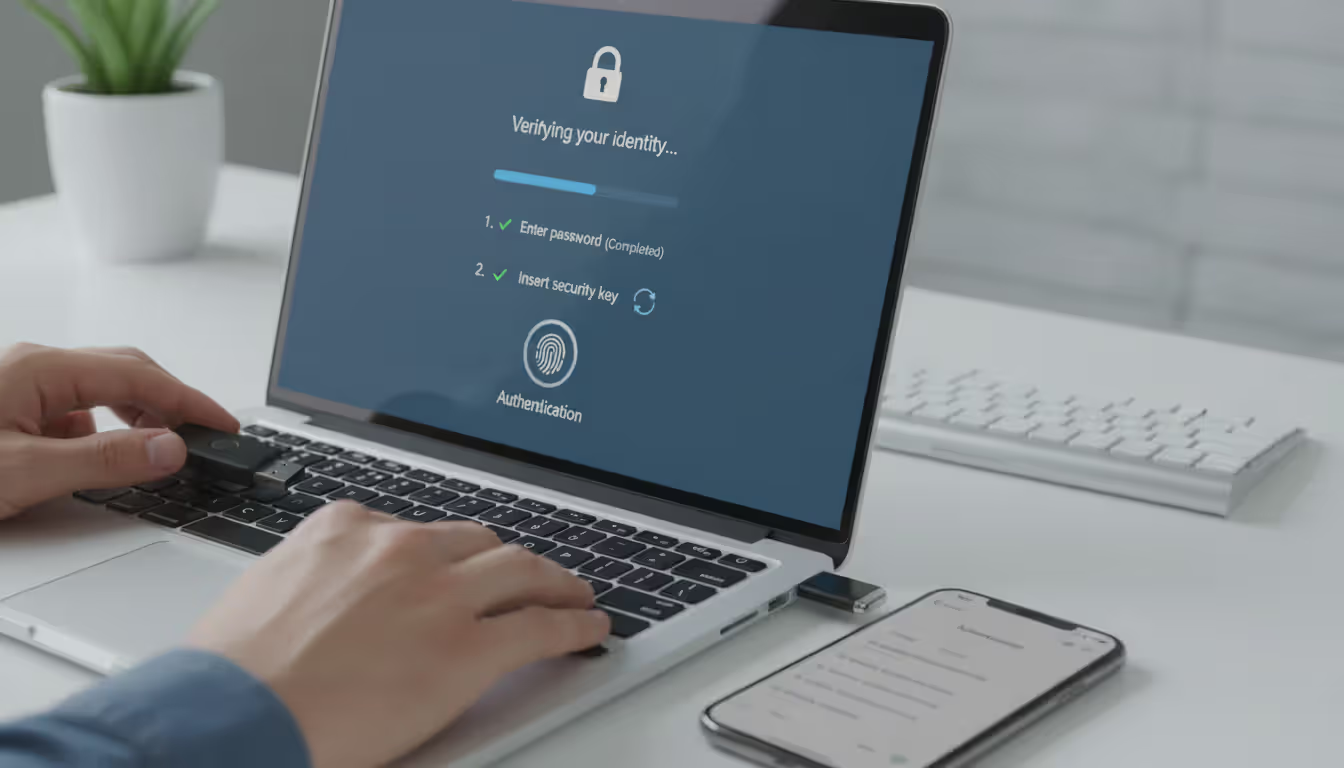
Multi-factor authentication matters more than anything else in this list. Enable it on every platform that offers it—work email, personal email, banking, social media, cloud storage, everything. MFA requires secondary proof beyond your password: verification codes from authenticator apps (Microsoft Authenticator, Authy, Google Authenticator), physical security keys (YubiKey, Titan Security Key), or biometric confirmation. An attacker who successfully phishes your password still can't access accounts protected by properly configured MFA (some bypass methods exist—I'll address those in the FAQ—but they're complex enough that most attackers move to easier targets).
Physical security keys provide the strongest available protection. They use cryptographic verification to confirm the exact domain you're visiting and refuse to authenticate on phishing sites regardless of how visually perfect the fake appears. Organizations should mandate MFA for all employees, especially anyone with administrative privileges or access to sensitive systems. No exceptions, no "I'll do it later," no special accommodations for executives who find it inconvenient.
Verify URLs obsessively before entering passwords. Make this an automatic habit you can't break. Look at the address bar every single time, without exception. Does it show the precise domain you expected? When you're uncertain, don't use the link. Open a new browser tab, manually type the URL, or navigate via a bookmark you created previously when you knew you were on the legitimate site.
Use a password manager as standard practice. Services like 1Password, Bitwarden, LastPass, or Dashlane store unique passwords for every account and auto-fill ONLY on matching domains. If you navigate to what you think is the Bank of America login page but your password manager doesn't offer to fill credentials, that's a warning signal—the URL doesn't match the legitimate domain you saved. Password manager won't auto-fill on phishing sites because the domain doesn't match, giving you an automatic red flag before you manually type anything.
Bonus benefit: password managers generate random complex passwords impossible for humans to remember, preventing you from reusing the same password across multiple platforms. Credential stuffing attacks (where criminals try previously breached passwords across hundreds of sites) fail when every account has a different password.
Implement ongoing security education in workplace settings. Annual training sessions don't work anymore. Monthly micro-learning modules—10 minutes examining one realistic scenario—show much better retention. Include simulated phishing tests, but emphasize learning rather than punishment when employees click. Organizations running quarterly simulations plus monthly awareness content experience 64% fewer successful credential compromises compared to those doing only annual training, according to a 2025 KnowBe4 study.
Deploy email filtering and anti-phishing tools. Modern email security uses machine learning to identify phishing based on sender reputation, content patterns, and link analysis. Browser extensions like Microsoft Defender SmartScreen or Netcraft alert users about known malicious sites. These technologies block most common attacks, though sophisticated targeted operations sometimes slip through filters.
Establish verification processes for sensitive requests. Create policies requiring independent confirmation before taking certain actions. Email from the CFO asking you to log into an unfamiliar system? Call them using a known phone number to verify. IT requesting password confirmation? Contact them through official support channels, not by replying to the suspicious email. Wire transfer request? Verbal confirmation required through pre-established phone numbers.
Monitor for credential exposure. Services like Have I Been Pwned notify you when your credentials appear in data breaches. Organizations should monitor dark web marketplaces where employee credentials get bought and sold. Troy Hunt's service has documented over 12.5 billion compromised accounts across various breaches.
Apply least-privilege access principles. Limit account permissions to only what each person needs for their specific role. When credentials get compromised, damage stays contained—an attacker controlling a limited-privilege account can't access executive communications or financial systems just because they control one employee's inbox.
Author: Alyssa Norwood;
Source: elegantimagerytv.com
What to Do If You've Been Targeted
Entered credentials on a suspicious site? Move quickly:
Change that password immediately on the compromised account plus everywhere else you've used identical or similar passwords (this is exactly why password reuse creates danger). Make the new password completely different—strong, unique, never used before anywhere. Can't log in because they already changed your password? Use account recovery options and contact customer support for emergency assistance.
Check account activity and settings thoroughly. Review login history for unfamiliar locations or devices. Examine security settings for changes: new recovery email addresses added, phone numbers modified, security questions altered. Check email rules—attackers often create forwarding rules that silently send copies of your messages to their addresses. Look at sent folders for emails you didn't compose. Review recently accessed files in cloud storage.
Enable or reset multi-factor authentication. Wasn't previously turned on? Activate it right now. Already configured? Review enrolled devices and remove any you don't recognize. Attackers sometimes add their own authentication devices to maintain access after you change passwords.
Notify your IT or security team immediately if work accounts are involved. Fast disclosure lets them contain damage, monitor for lateral movement across systems, and protect other employees. Don't hide the mistake from embarrassment—transparency helps everyone. Most organizations have incident response protocols that activate the moment someone reports credential compromise. Security teams would rather know immediately than discover weeks later when attackers have established persistent access.
Report the phishing operation to the impersonated organization and relevant authorities. Most platforms provide easy reporting: forward suspicious messages to abuse@[company].com or use built-in reporting buttons. File reports with the Anti-Phishing Working Group (reportphishing@apwg.org) and FTC (spam@uce.gov). Your report helps track campaigns and take down attacker infrastructure. Google Safe Browsing and Microsoft SmartScreen incorporate these reports to protect other users.
Watch for identity theft signs. If the compromised account contained financial information or personal details, monitor credit reports for unusual activity. Unexpected credit applications, accounts you didn't open, or unfamiliar transactions require immediate attention. Consider placing fraud alerts with credit bureaus if significant exposure occurred. Services like Credit Karma let you check for free weekly.
Document everything. Record when the phishing happened, what information you disclosed, which accounts were affected, and what remediation steps you've taken. Documentation becomes valuable if you need to file police reports, insurance claims, or legal proceedings later. Screenshots help—capture the phishing email, the fake website (if still accessible), any confirmation of remediation steps.
Credential phishing sidesteps technical defenses entirely, which makes it devastatingly effective. Organizations can spend millions on firewalls, intrusion detection, and endpoint protection, but when an employee enters their password into a convincing fake page, those investments become completely irrelevant. The human element represents both our weakest vulnerability and our strongest potential defense—which explains why awareness ultimately matters more than technology alone
— Dr. Sarah Chen
Frequently Asked Questions About Credential Phishing
Credential phishing works by weaponizing trust against you. We trust familiar brand logos. We trust urgent messages from apparent authorities. We trust our own perception when we see what looks like the login screen we've used a hundred times.
Attackers understand these psychological triggers intimately and manipulate them with increasing sophistication. Your strongest defense? Cultivated skepticism combined with verification habits that become reflexive—checking URLs before submitting passwords, questioning unexpected authentication demands, using MFA to create safety margins when attention slips.
Organizations need environments where employees can report suspicious messages without fearing blame, where security tools provide real protection without creating friction that encourages workarounds, and where training reflects actual sophisticated attacks rather than obvious examples nobody would realistically fall for.
This threat keeps evolving. Attackers adopt AI voice synthesis, refine social engineering tactics, and target whatever platforms gain popularity. Staying protected requires continuous vigilance: verify before trusting, pause when you feel pressured, and respond immediately if compromise occurs.
Those extra ten seconds verifying a URL? They might prevent months of remediation and potentially catastrophic financial losses.
Related Stories
Read more
Read more

The content on this website is provided for general informational and educational purposes only. It is intended to explain concepts related to cybersecurity awareness, online threats, phishing attacks, and data protection practices.
All information on this website, including articles, guides, and examples, is presented for general educational purposes. Cybersecurity risks and protection strategies may vary depending on individual behavior, technology usage, and threat environments.
This website does not provide professional cybersecurity, legal, or technical advice, and the information presented should not be used as a substitute for consultation with qualified cybersecurity professionals.
The website and its authors are not responsible for any errors or omissions, or for any outcomes resulting from decisions made based on the information provided on this website.