

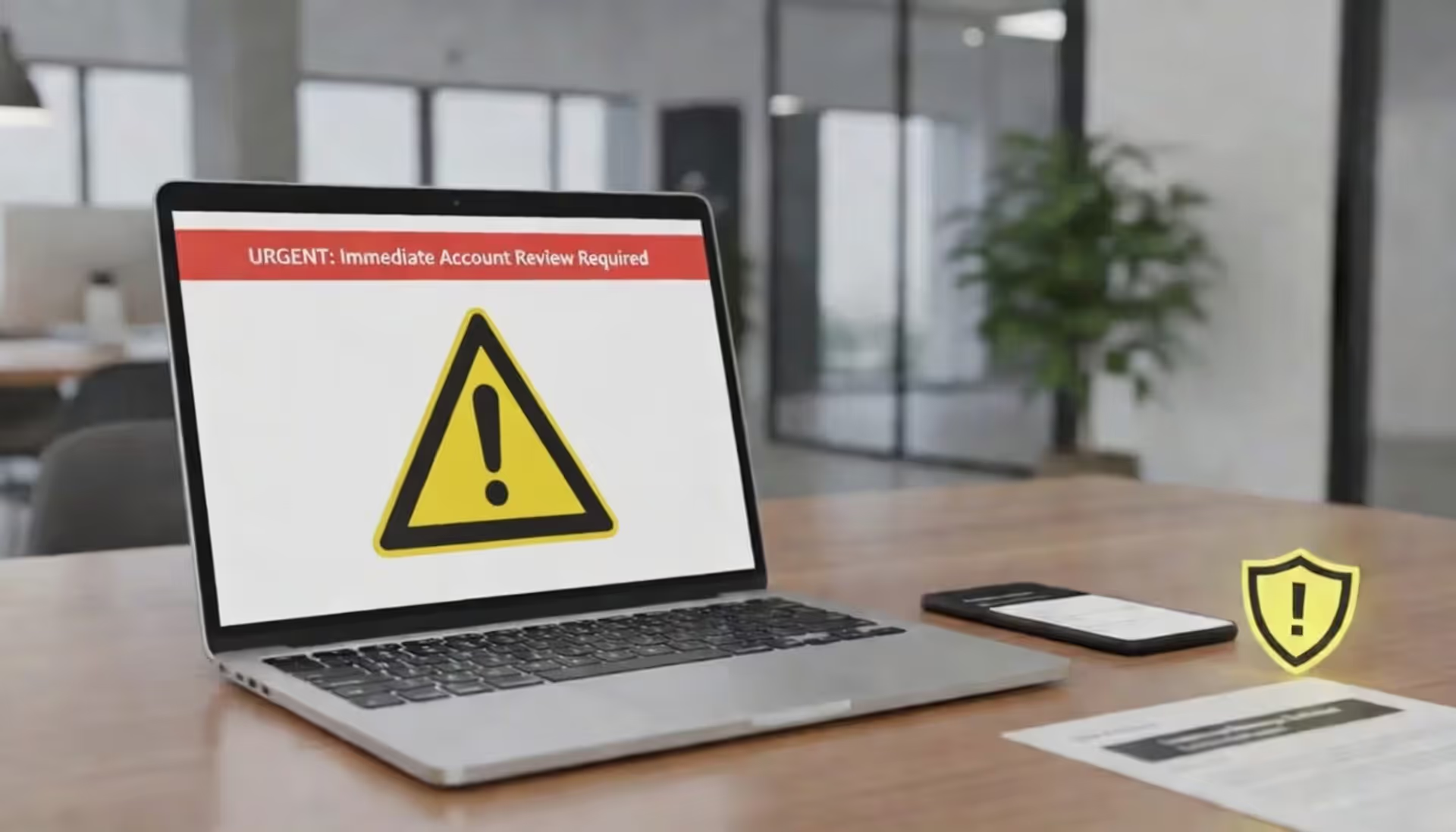
Office employee reading a suspicious business email on a laptop in a modern workplace
What Is AI Phishing?

Here's what happened at a marketing firm in Austin last month: Their creative director got an email from the CEO about a vendor payment. Nothing seemed off—the message included a joke about last week's client meeting and referenced an actual project by its internal codename. The director approved the $340,000 transfer. Three days later, during a hallway conversation, the CEO mentioned he'd never sent that email.
That's AI phishing in action. We're not talking about those hilariously bad "Nigerian prince" emails anymore. Criminals feed artificial intelligence tools massive amounts of data—your LinkedIn posts, company press releases, interviews, social media updates. The AI studies how you write, when you typically send emails, which projects you're working on. Then it generates messages that sound exactly like you or your boss.
The scary part? These systems learn from responses. Send back a "can you clarify?" and the AI adjusts its approach on the fly, maintaining the conversation naturally while pushing toward its goal—usually stealing money or credentials.
Last year, the FBI's Internet Crime Complaint Center tracked $12.5 billion in business losses from AI-powered phishing across the United States. That's 340% higher than what traditional phishing cost companies just three years ago. The reason? These attacks feel completely legitimate. Every detail checks out. Your gut says "trust this," which is exactly the problem.
How AI Phishing Differs from Traditional Phishing Attacks
Remember those spam emails with subject lines like "Urgnt: Accout Verificaton Requird"? Traditional phishing relied on volume over quality. Send 100,000 identical emails, maybe 3,000 people click. The messages screamed "scam" to anyone paying attention—generic greetings, broken English, suspicious links.
When we talk about how AI phishing works, we're describing something fundamentally different. Machine learning models now scrape your entire digital presence. They analyze LinkedIn connections, read your published articles, study how you structure sentences. Do you use em dashes frequently? Start emails with "Hope you're well" or jump straight to business? The AI captures these patterns.

Author: Calvin Roderick;
Source: elegantimagerytv.com
Here's how AI phishing explained breaks down technically: Natural language processing engines dissect communication styles. Generative adversarial networks clone voices from brief audio clips. Computer vision creates video that passes casual inspection. These components work together, testing different tactics and refining approaches without human involvement.
The results speak for themselves. Old-school phishing might trick 5% of recipients who weren't paying attention. AI-generated campaigns regularly exceed 60% engagement rates—even at companies with security training programs. One financial services firm in Boston reported 73% of their accounting team clicked a link in an AI-crafted email that perfectly mimicked their CFO's communication style, down to his habit of sending updates at 6:47 AM with a coffee emoji.
Preparation time collapsed too. Researching a target and crafting personalized phishing used to take days. AI handles it in under an hour. Cost dropped simultaneously—you can launch sophisticated campaigns for a few hundred dollars instead of several thousand.
| Factor | Traditional Phishing | AI Phishing |
| Detection Difficulty | Relatively easy—obvious red flags | Extremely challenging—mimics legitimate communication |
| Personalization Level | Generic templates, basic customization | Hyper-specific details and authentic voice |
| Success Rate | 3-8% engagement | 45-70% engagement |
| Preparation Time | Days or weeks of research | Minutes to several hours |
| Cost to Execute | $100-$500 per campaign | $50-$200 per campaign |
| Common Targets | Mass consumer email lists | Carefully selected high-value individuals |
Common Types of AI Phishing Attacks
Deepfake Voice and Video Scams
Voice cloning hit mainstream viability around 2023. By 2026? Any teenager with internet access can clone your voice using a three-second audio sample. That YouTube video where you introduced your product? That earnings call recording? Perfect source material.
A manufacturing company controller in Denver learned this the hard way. She received what sounded exactly like her CFO calling from his cell phone. Same slight drawl. Same way he said "appreciate you" before ending calls. Same background office noise. She wired $470,000 based on that five-minute conversation. The CFO was actually on vacation in Montana with spotty cell service—hadn't made any calls that afternoon.
Video deepfakes evolved beyond those weird glitchy clips from a few years back. Current generation? Crystal clear HD footage with perfect lip-syncing. The technology replicates how someone blinks, their micro-expressions, even how they gesture while talking. Attackers stage video calls where the "CEO" appears in their actual office (background pulled from previous legitimate calls), discusses real projects, and requests sensitive actions. Your brain sees familiar visual cues and turns off the skepticism filter.

Author: Calvin Roderick;
Source: elegantimagerytv.com
AI-Generated Email Phishing
Email remains the workhorse attack vector, just vastly more effective now. These systems don't simply copy your writing—they understand your thought process. An AI might ingest six months of a manager's sent folder, learning they always use Oxford commas, prefer "Thanks" over "Thank you," and typically request budget approvals on Tuesday afternoons between 2-4 PM.
The phishing email arrives Tuesday at 2:47 PM. Formatting matches exactly. It references Project Nighthawk (that internal codename nobody outside your team knows). The urgency feels appropriate, not manufactured. Links point to a replica portal with a legitimate SSL certificate and a URL that differs by one character from your real domain.
Some AI systems conduct entire conversations. You reply asking for clarification? The AI responds intelligently, adjusting its tactics based on your skepticism level. It maintains the exchange for days if needed, building trust before making its actual request.
Chatbot and Messaging Impersonation
Your company Slack channel might be training an attacker's AI right now. Once someone compromises even a low-level account, they can deploy a chatbot that studies your team's communication patterns. It learns your inside jokes, understands project hierarchies, uses the same GIFs people typically share. The bot gradually increases request privileges while sounding completely natural.
Customer service platforms face different exposure. Criminals create AI assistants impersonating your bank's support, tech company help desks, government agencies. These bots handle preliminary conversations better than actual human support sometimes—they're infinitely patient, immediately knowledgeable, and slowly guide victims toward credential-harvesting sites using completely reasonable-sounding justifications.
Real-World AI Phishing Examples and Case Studies
March 2025: A Hong Kong multinational's finance department joined what they believed was a standard video conference. The CFO was there. So were three colleagues from Singapore and London offices. They discussed routine business for thirty minutes before the CFO requested authorization for several wire transfers totaling $25.6 million. The finance worker, seeing familiar faces agreeing through the discussion, approved everything.
Every single participant was AI-generated. Attackers had studied months of previous video meetings, capturing not just faces and voices but group dynamics, decision-making patterns, who typically agrees with whom. The fraud went undetected for three days until an in-person hallway conversation revealed the CFO never attended that meeting—he'd been in client meetings across town.
A New Jersey pharmaceutical company experienced what investigators called "the most sophisticated spear phishing campaign on record." Attackers used AI to infiltrate their email system, then watched for three weeks. The AI studied communication patterns without taking any action—just learning. When it finally struck, messages came from the CEO's actual compromised account, using his precise communication style to request "security audit" credential updates. Seventeen executives complied within four hours. The company spent $8.4 million responding to the incident and lost proprietary research data valued around $340 million.
Smaller operations aren't protected by obscurity. A Seattle accounting firm wired $89,000 after receiving a voice message from a client they'd worked with for two decades. The voice was cloned from the client's outgoing voicemail greeting. The firm lacked verification protocols because that relationship had never presented issues before—why would they doubt a 20-year client's voice?
We're witnessing an asymmetric arms race where defensive measures lag 18-24 months behind offensive capabilities. The democratization of AI tools means sophisticated attacks no longer require nation-state resources—a moderately skilled criminal with $200 and an internet connection can launch campaigns that would have required elite hacking teams just three years ago
— Dr. Emily Rothstein
How to Spot AI Phishing Attempts
Forget everything you learned about spotting phishing from old security training. Perfect grammar? That's suspicious now, not reassuring. Professional formatting? Means nothing. The old tells vanished.
Focus on verification instead of detection. Email requests an action? Don't reply to that email. Don't use contact information provided in the message. Pull up your contacts or the company directory and call that number. This single step defeats most attacks because AI can't yet intercept phone calls to numbers it doesn't control.
Watch for artificial urgency combined with procedural shortcuts. "Wire this payment in the next hour" or "update credentials immediately before system lockout" creates decision pressure. Legitimate emergencies typically involve multiple communication channels. Your CEO doesn't drop a critical wire transfer request via email only—there'd be a text, a Slack message, maybe a phone call.
Context matters more than style now. An AI might perfectly replicate your VP of Sales' writing voice but reveal ignorance about organizational structure. Messages referencing projects using slightly wrong terminology, or requests that don't align with someone's actual responsibilities, indicate something's off.
Technical checks still provide value. Hover over links before clicking—watch for domains using character substitutions (rn instead of m, or .co instead of .com). Check email routing headers for anomalies. Verify video call participants can perform AI-challenging actions: show something specific from their current physical location, reference details from earlier in-person conversations that weren't documented anywhere.
Audio deepfakes occasionally show artifacts: unnatural breathing patterns between sentences, slight robotic quality during sustained vowels, inability to naturally interrupt themselves mid-thought. Video deepfakes sometimes struggle with rapid head movements, complex hand gestures near faces, unusual lighting. These tells shrink monthly as technology improves, making procedural verification increasingly critical.
Implement pre-agreed challenge questions for high-stakes requests. Not security questions AI could research—"What's your mother's maiden name?" is useless. Personal details from shared experiences work better. "What did we argue about during the Chicago trip?" Something only the real person could answer.
How to Prevent AI Phishing in Your Organization
You need layered defenses. Technology alone won't cut it. Procedures alone won't cut it. You need both, reinforced by culture change.
Establish verification protocols for every sensitive action. Wire transfers above $10,000 require voice confirmation using pre-registered phone numbers. Credential changes need in-person approval or video verification with challenge questions. Access grants get reviewed through separate communication channels. Yes, these procedures feel cumbersome. They're supposed to—that friction stops six-figure losses.

Author: Calvin Roderick;
Source: elegantimagerytv.com
Implement strict sender verification at the technical level. DMARC, SPF, and DKIM email authentication prevent domain spoofing but fail against compromised accounts. Add prominent banner warnings for external emails, even from known contacts. Some organizations use color-coding: internal emails get blue backgrounds, external ones yellow. Creates instant visual differentiation.
Limit publicly available information. Every LinkedIn post, conference presentation, press release feeds AI training data. Audit what employees share publicly at least quarterly. Create clear guidelines about discussing internal projects, organizational structure, or communication patterns on social media.
Technology Solutions and Security Tools
Fight fire with fire—use AI-powered defense systems. Next-generation email security platforms deploy machine learning to detect communication pattern anomalies. If your CFO suddenly starts phrasing payment requests differently, the system flags it regardless of technical legitimacy.
Tools that track behavioral analytics create baselines showing what's standard for each user. When an account suddenly accesses systems at 2 AM from a different location, or requests information outside typical patterns, automated alerts trigger. These systems continuously adapt, learning individualized normal behavior rather than applying generic rules across everyone.
Endpoint detection and response solutions watch for credential harvesting attempts. If someone suddenly accesses twelve systems they rarely use, or tries exporting large datasets, the EDR can automatically suspend that account pending verification.
Consider passwordless authentication. Hardware security keys, biometric verification, certificate-based authentication can't be phished—there's no credential to steal. Even if an attacker socially engineers someone into "approving" access, the physical key requirement creates a forcing function for verification.
Employee Training and Awareness Programs
Annual security training doesn't work against AI threats. Run quarterly simulated phishing campaigns using AI-generated attacks for realistic practice. Employees who fall for simulations get immediate, contextual training right then—not generic videos six months later.
Create a "security champion" program. Designate employees in each department who receive advanced training and serve as first-line resources. When someone receives a suspicious message, they can quickly consult their champion rather than navigating formal IT channels that feel intimidating.
Foster a culture where verification feels normal, not insulting. Employees should feel comfortable calling the CEO to confirm an unusual email without worrying they're questioning authority. Frame security procedures as protecting everyone rather than implying distrust between colleagues.
Share real examples from your specific industry. Generic warnings about phishing feel abstract. Case studies showing how competitors lost millions to AI attacks make the threat concrete and immediately relevant to everyone's daily work.
What to Do If You Fall Victim to AI Phishing
Speed determines whether you face minor inconvenience or catastrophic loss. Move fast, even if your actions aren't perfectly executed.
Disconnect the affected device from your network immediately. Clicked a link? Downloaded an attachment? Assume compromise. Disconnect Wi-Fi, unplug ethernet cables, prevent that device from communicating before IT assesses the situation. This contains potential malware spread and prevents attackers from pivoting to additional systems.

Author: Calvin Roderick;
Source: elegantimagerytv.com
Switch to a known-clean device and reset credentials immediately. Don't use the potentially compromised machine to change passwords. Update passwords for the affected account and any others using identical or similar credentials. Turn on multi-factor authentication if you haven't already enabled it.
Contact your IT security team and notify relevant financial institutions. Authorized a wire transfer? Call your bank immediately. Some institutions can recall transfers if caught within hours. Provided credentials? IT needs to audit what the attacker accessed and revoke permissions.
Document everything meticulously: the original message, your responses, actions taken, complete timeline. Take screenshots, save email headers, write detailed notes. This documentation becomes crucial for incident response, law enforcement investigations, and potential insurance claims.
Report to appropriate authorities. File an IC3 complaint with the FBI at ic3.gov. Business email compromise cases should go to the Secret Service too. Many state attorneys general run dedicated cybercrime units. These reports help law enforcement track patterns and potentially recover funds through coordinated action.
Notify affected parties as required. Compromised customer data triggers disclosure requirements that vary by state but generally mandate notification within specific timeframes. Consult legal counsel to guide these communications ensuring compliance while managing liability exposure.
Conduct a thorough post-incident review. How did the attack succeed? Which procedures failed? What could have stopped it? Use the incident as a forcing function for security improvements rather than simply blaming whoever clicked the link.
Frequently Asked Questions About AI Phishing
AI phishing fundamentally changed the threat landscape. Attacks succeed not because victims are careless—they succeed because AI eliminated the traditional warning signs security training taught us to recognize. Perfect grammar, personalized content, contextually appropriate requests no longer indicate legitimacy. Sometimes they indicate the opposite.
Defense requires accepting that verification feels awkward and redundant. That's precisely the point. When an email perfectly matches your expectations, that's exactly when independent confirmation matters most. The friction of calling to verify wire transfers, the inconvenience of challenge questions, the formality of multi-channel authorization—these procedures exist because AI made convenience the enemy of security.
Organizations adapting their security culture to treat verification as normal rather than exceptional will weather this threat. Those relying primarily on technical controls without changing human behavior will continue experiencing costly breaches. The technology will keep improving, but the fundamental principle remains unchanged: trust, then verify, through independent channels the attacker can't control.
Related Stories
Read more
Read more



The content on this website is provided for general informational and educational purposes only. It is intended to explain concepts related to cybersecurity awareness, online threats, phishing attacks, and data protection practices.
All information on this website, including articles, guides, and examples, is presented for general educational purposes. Cybersecurity risks and protection strategies may vary depending on individual behavior, technology usage, and threat environments.
This website does not provide professional cybersecurity, legal, or technical advice, and the information presented should not be used as a substitute for consultation with qualified cybersecurity professionals.
The website and its authors are not responsible for any errors or omissions, or for any outcomes resulting from decisions made based on the information provided on this website.