
Abstract cover showing envelope, digital network, and hacker silhouette, symbolizing email security threats
What to Do If a Scammer Has Your Email Address?

Found out a scammer grabbed your email address? Here's what that actually means for you. Your email isn't just another account—it's the master key to your digital life. Banking apps, social networks, Amazon orders, medical portals, work systems—they all tie back to that one address.
When criminals get hold of it, they haven't broken into your house yet. But they're standing on your porch, trying different keys. The question isn't whether they'll attempt something. It's how fast you can lock them out before they succeed.
Here's the thing most people miss: there's a massive difference between someone knowing your email address and someone controlling your email account. One's a threat. The other's a crisis. Figuring out which situation you're facing shapes everything you do next.
How Scammers Use Your Email Address
Criminals don't just send spam when they get your email. They deploy it across multiple attack strategies, each escalating in severity.
Phishing campaigns top the list. Fraudsters craft messages that mimic your bank, favorite retailers, or government offices. These messages push you toward counterfeit websites—carbon copies of real login screens—where anything you type flows directly to the scammers. The FTC logged phishing as the source of 36% of fraud reports in 2025, with victims losing an average of $1,200 each.
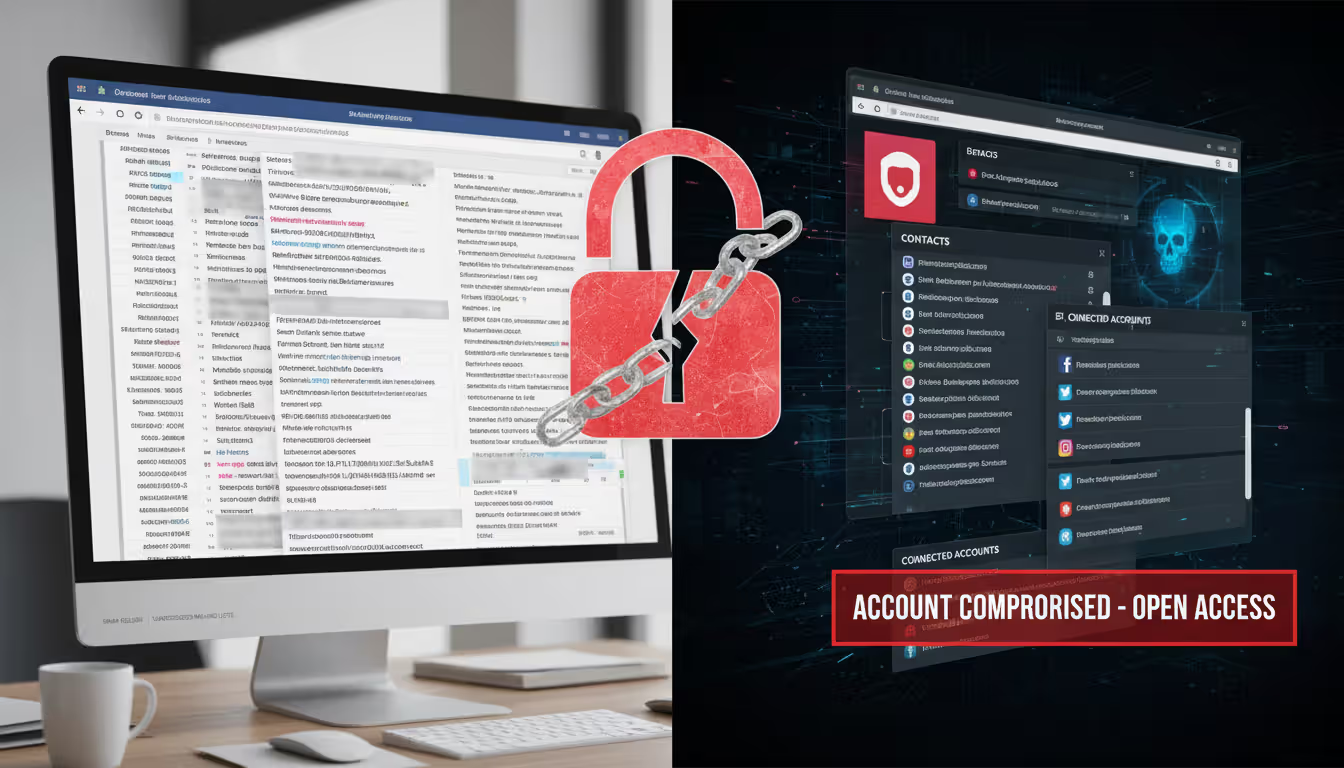
Account takeover attempts follow a formula. Criminals fire off password reset requests to Netflix, Amazon, PayPal, and dozens of other services. They're gambling that you've recycled passwords or set up weak security questions. Breaking into just one account often reveals clues—saved payment details, answers to security prompts, or linked services—that unlock others.
Author: Monica Ellery;
Source: elegantimagerytv.com
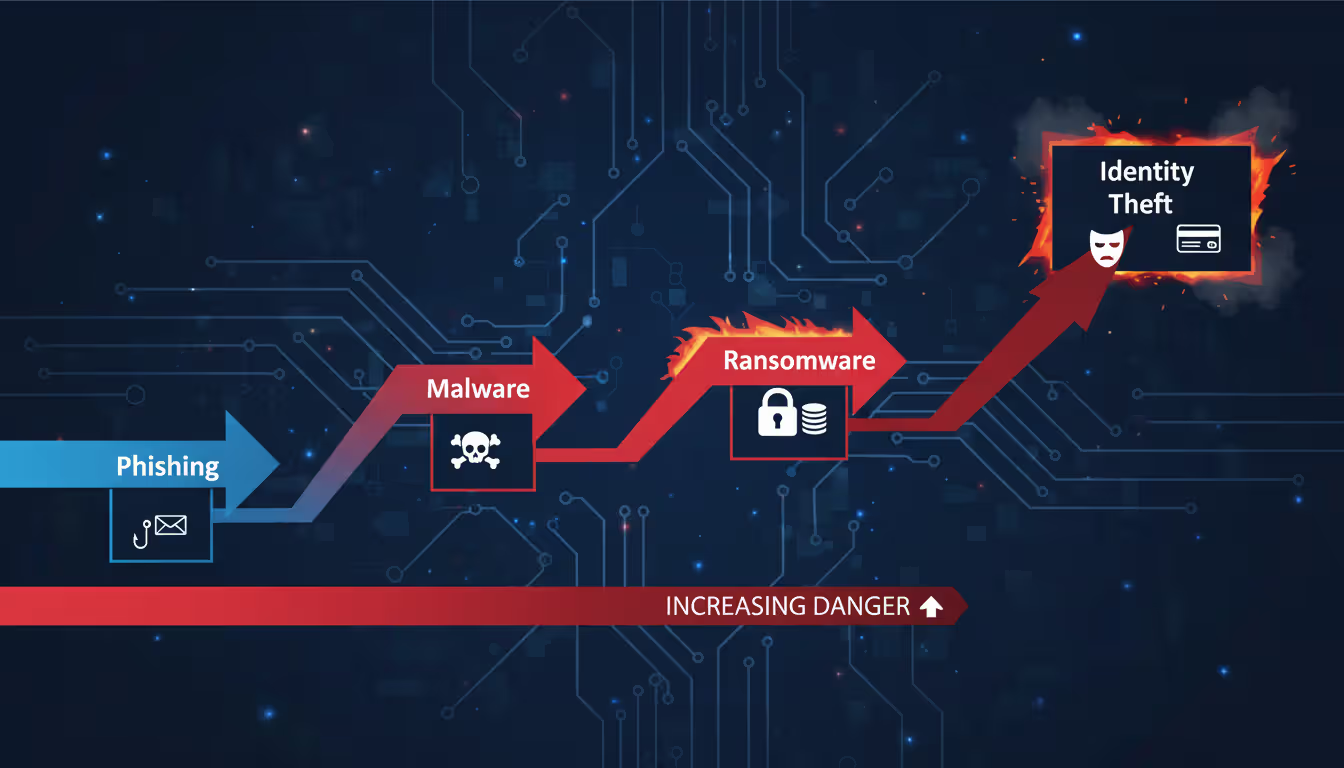
Identity theft schemes play the long game. Scammers purchase additional leaked data—your phone number, address, birthdate—from dark web marketplaces. They merge it with your email to build complete fake identities. These composite profiles let them open credit cards, file tax returns, or secure loans under your name. The scary part? This damage can surface months after the initial email exposure.
Spam distribution networks buy and sell email lists constantly. Your address gets traded to bulk mailers who blast your inbox with garbage—scam offers, malware attachments, fake prizes. Annoying? Absolutely. But this ranks as the lowest actual threat since it doesn't directly compromise your accounts.
Social engineering attacks on contacts exploit your relationships. Scammers impersonate you in messages to friends and family, requesting money or sensitive details. These cons work because people trust messages appearing to come from you. Classic example: "Stuck overseas, wallet stolen, need $500 wired immediately."
The progression matters. Email exposure typically comes first, then account compromise, eventually escalating to full identity theft. Catching it early stops the chain reaction.
Immediate Steps to Take When a Scammer Has Your Email
How fast you move determines how bad this gets. These scammer email recovery steps create your firewall.
Secure Your Email Account First
Password change comes first—but most people do it wrong. Slapping "2026!" onto your old password accomplishes nothing. You need 16+ characters minimum, mixing uppercase, lowercase, numbers, and symbols into something actually random.
Tools like Bitwarden or 1Password handle this grunt work, creating and remembering passwords you'd never come up with yourself. What doesn't work: recycling passwords from other accounts, using your birthday or pet's name, or just incrementing last year's password by one.
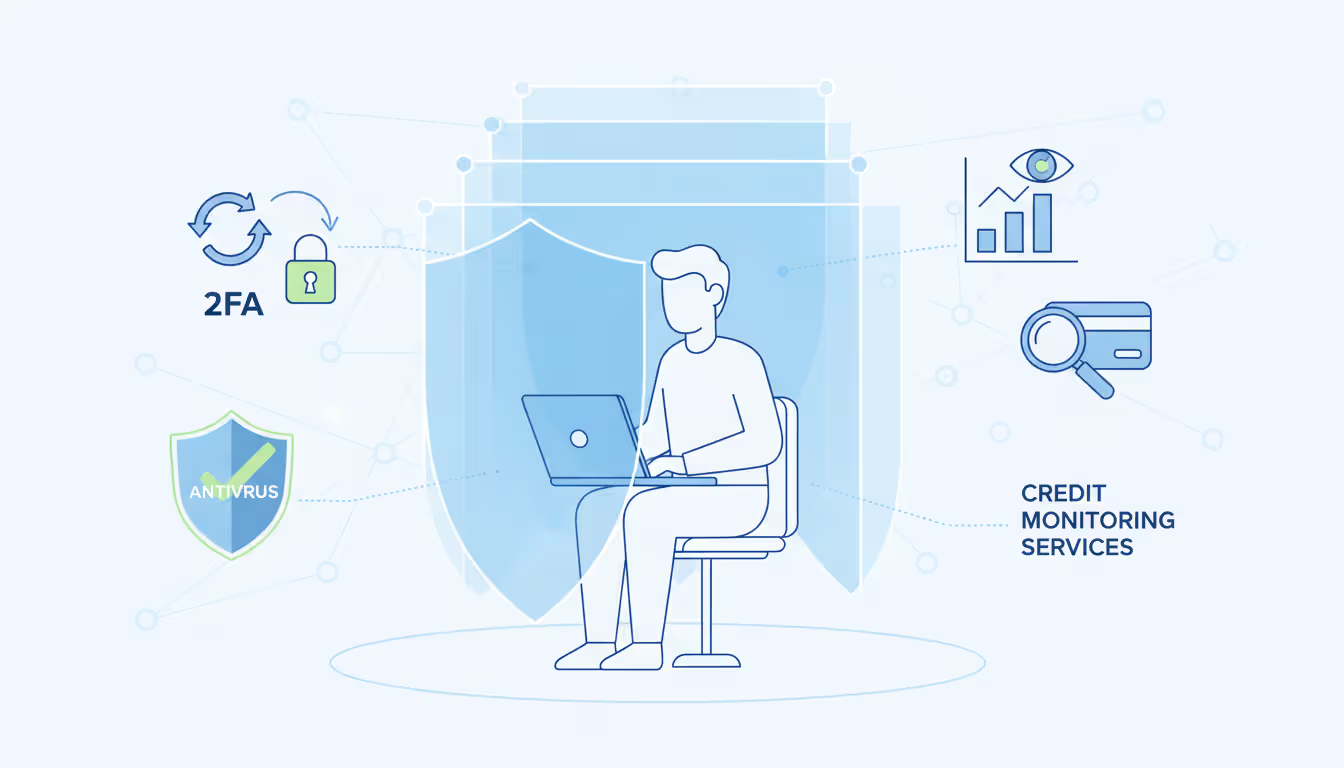
Two-factor authentication (2FA) goes next. This forces anyone logging in—even with your password—to provide a second proof of identity. Usually that's a code from an authentication app or a physical security key. Skip SMS codes if possible. Criminals can hijack those through SIM-swapping scams.
For maximum protection, hardware security keys (like YubiKey) beat everything else. These physical dongles verify the website's legitimacy before releasing any credentials, making them virtually phishing-proof.
Author: Monica Ellery;
Source: elegantimagerytv.com
Check for Unauthorized Access
Your account logs show who's been poking around. Gmail users: click your profile icon, hit "Manage your Google Account," then Security, then scroll to "Your devices." Outlook users: find "Recent activity" under your account settings. Hunt for red flags:
- IP addresses from countries you've never visited
- Login timestamps at 3 AM when you were asleep
- Devices or browsers you don't own
- Multiple failed login attempts (someone's actively guessing)
Spot something fishy? Use the "Sign out everywhere" option. This kicks out every active session across all devices and browsers, booting any unauthorized visitors.
Now check your forwarding rules and filters. Scammers love creating rules that auto-forward copies of your emails elsewhere or delete security alerts before you see them. In Gmail: Settings gear icon, then "See all settings," then "Filters and Blocked Addresses." Outlook users: Settings, then "Mail," then "Rules." Delete anything you didn't personally set up.
Alert Your Contacts
Send your frequent contacts a quick heads-up. Keep it simple: "My email address got caught in a security issue. If you get weird messages from me—especially asking for money or personal info—ignore them. Call me directly to confirm anything suspicious."
This warning neutralizes social engineering attacks before they launch. Scammers lose their biggest advantage when your network expects fake messages.
Those first 48 hours after discovering your email's exposed? That window's everything. People who nail strong authentication and alert their contacts within two days cut their risk of follow-up breaches by 73%. Wait longer and both the odds and the damage spike
— Sarah Chen
How to Secure Your Email After a Scam
Immediate damage control only gets you halfway. Reinforcing your email security prevents round two.
Turn on advanced security features most users ignore. Gmail's "Enhanced Safe Browsing" scans downloads and flags dangerous sites. Outlook's "Advanced Threat Protection" catches sophisticated phishing that basic filters miss. Apple's "Hide My Email" generates random, unique addresses for each service signup, preventing address harvesting.
Audit every connected app and device with email access. Third-party tools—calendar apps, email clients, productivity software—often request excessive permissions. Find your account's security settings and review this list. Revoke access for:
- Services you forgot you signed up for
- Apps you stopped using months ago
- Tools requesting "full account access" when they only need calendar read permissions
Each connected app creates a potential backdoor. A popular productivity app breach in 2025 exposed 4.2 million email accounts through exactly these third-party connections.
Refresh your recovery information so you—not a scammer—regain access if locked out. Add a backup email from a different provider and verify your current phone number. Strip out old recovery options that might be compromised.
Security questions need special attention. Answers to "mother's maiden name" or "first pet" often live publicly on Facebook. Replace these with fabricated answers you'll remember but others can't research. Your password manager stores these too.
Set up login alerts for new device access. Configure your email to ping you whenever someone logs in from an unfamiliar device or location. This early warning catches breaches in minutes instead of months.
Build email filters that spotlight potential phishing. Create rules highlighting messages demanding urgent action, containing suspicious links, or arriving from domains that almost-but-don't-quite match legitimate companies (paypa1.com versus paypal.com, for instance).
What to Change After an Email Scam
Email breaches create ripple effects across your entire digital ecosystem. Knowing what to change after an email scam stops the cascade.
Update passwords for linked accounts systematically. Tackle them by risk level:
- Financial accounts: Banks, credit cards, investment platforms, payment processors like PayPal and Venmo
- Healthcare portals: Insurance sites, medical records, pharmacy accounts
- Government services: IRS access, Social Security, state benefit systems
- Essential infrastructure: Utility companies, phone carriers, internet providers
- Social media and shopping: Facebook, Amazon, eBay, and similar
Every account needs its own unique password. Reusing passwords means a breach at some random shopping site compromises your bank credentials.
Overhaul security questions everywhere. Lots of platforms still use these as backup authentication, creating gaping vulnerabilities. If you previously answered truthfully, scammers might crack them using data breach information or social media stalking.
Verify payment methods stored in your email or connected accounts. Remove expired cards and confirm billing addresses. Scammers sometimes test stolen payment info with charges under $1 to verify cards work before attempting bigger frauds. Scan recent transactions on all cards for unfamiliar merchants.
Re-examine email filters and rules a few days later. Sophisticated attackers create subtle rules forwarding only emails containing specific keywords like "bank," "verify," or "security alert." These targeted filters hide easier during initial panic checks.
Clean up your email signature if it broadcasts sensitive details. Phone numbers, physical addresses, and job titles hand scammers ammunition for more convincing impersonation attempts.
Monitoring for Ongoing Damage
Email scam damage control extends way beyond quick fixes. Scammers often wait weeks or months before exploiting stolen information.
Sign up for credit monitoring services that alert you to new accounts, credit inquiries, or major report changes. Free options include Credit Karma and AnnualCreditReport.com (offering reports from all three bureaus). Paid services like IdentityForce or Aura provide comprehensive monitoring plus insurance covering identity theft losses.
Consider placing fraud alerts or credit freezes with Equifax, Experian, and TransUnion. Fraud alerts make creditors verify your identity before opening new accounts. Freezes completely block access until you temporarily lift them. Freezes provide stronger protection but require more active management when you legitimately need credit.
Stay alert for sophisticated phishing attempts referencing recent activity. Scammers who've studied your email history craft convincing messages mentioning real transactions, actual contacts, or legitimate events. Verify unexpected requests independently—call companies directly using numbers from their official websites, not numbers embedded in suspicious emails.
Run your email through data breach databases regularly to catch new leaks. Services like Have I Been Pwned track billions of compromised credentials across hundreds of breaches. Enable alerts notifying you immediately when your email surfaces in fresh incidents.
Scrutinize financial statements weekly for at least three months. Look beyond obvious large frauds. Scammers test stolen payment information with tiny charges at generic merchants—gas stations, online marketplaces—that might not immediately catch your eye.
Track your email reputation using tools like Google Postmaster Tools or Microsoft SNDS. If scammers use your address for spam blasts, your domain might get blacklisted, causing legitimate emails to bounce or land in spam folders.
Author: Monica Ellery;
Source: elegantimagerytv.com
When to Report Email Scams to Authorities
Reporting accomplishes two things: helps authorities track criminal operations and creates official records for disputing fraudulent charges or accounts.
File with the Federal Trade Commission at IdentityTheft.gov. This generates an official identity theft report and builds a personalized recovery plan. The FTC shares these reports with law enforcement investigating email scams and identity theft operations.
Submit financial fraud to the Internet Crime Complaint Center (IC3), run jointly by the FBI and National White Collar Crime Center. IC3 handles cases involving actual monetary loss—fraudulent wire transfers, investment scams, business email compromise. Include all documentation: email headers, transaction records, communication logs.
Contact your state attorney general's office if the scam originated from or targeted people in your state. State AGs pursue consumer protection cases federal agencies might skip. They also maintain resources specific to your state's identity theft laws.
Flag issues using your email provider's reporting tools for phishing attempts and compromised accounts. Gmail users: click the three dots beside suspicious messages, select "Report phishing." This helps providers identify and block similar attacks targeting other users.
Notify financial institutions directly if scammers accessed banking or credit card details. Banks run dedicated fraud departments that freeze accounts, reverse unauthorized transactions, and issue replacement cards. Report within 60 days to maintain full fraud protection under federal regulations.
File a police report when you've suffered financial losses or identity theft. Local police probably won't investigate email scams directly, but the report establishes official documentation useful for disputing fraudulent debts, correcting credit reports, and supporting insurance claims.
Email Security Checklist: Before vs. After a Scam
| Security Element | Prevention Status | Post-Scam Action | Priority Level |
| Password strength | Unique, 16+ character mix | Immediately change; implement password manager | Critical |
| Two-factor authentication | Active via authenticator app | Confirm still active; upgrade from SMS to app-based | Critical |
| Login activity review | Monthly checks | Review now; force sign-out across all sessions | Critical |
| Email forwarding rules | None configured | Remove all unauthorized auto-forwarding | Critical |
| Connected apps/devices | Minimum necessary permissions | Full audit; revoke suspicious access immediately | High |
| Recovery information | Current phone/backup email secured | Replace with verified secure alternatives | High |
| Linked account passwords | Unique per service | Change all financial/sensitive platforms | High |
| Security questions | Fabricated, non-guessable answers | Replace with false memorable responses | High |
| Login alerts | Enabled for unfamiliar devices | Verify notifications functioning properly | Medium |
| Credit monitoring | Active service subscription | Implement fraud alert or complete freeze | Medium |
| Email filters | Phishing detection active | Scan for malicious auto-filter rules | Medium |
| Account permissions | Quarterly reviews | Execute immediate comprehensive audit | Medium |
Frequently Asked Questions
Email security breaches escalate fast, but they're manageable when you respond promptly and systematically. The gap between minor hassle and major identity theft often boils down to reaction speed and how thoroughly you implement protective measures.
Begin with critical steps: lock down your email account, verify no unauthorized access occurred, and warn your contacts. Then expand to comprehensive security upgrades: updating linked accounts, activating advanced protections, and establishing continuous monitoring. This layered strategy addresses immediate threats while closing long-term vulnerabilities.
Remember—scammers having your email address doesn't guarantee disaster. It means you need action, but you've got effective tools and knowledge for protection. The checklist, recovery procedures, and monitoring strategies outlined here map a clear path from compromise back to security.
Maintain vigilance without sliding into paranoia. Regular security maintenance—quarterly password rotations, monthly login audits, and swift responses to suspicious activity—prevents most email-related fraud. When breaches happen anyway, you now possess a proven framework for damage control and recovery.
Related Stories
Read more
Read more


The content on this website is provided for general informational and educational purposes only. It is intended to explain concepts related to cybersecurity awareness, online threats, phishing attacks, and data protection practices.
All information on this website, including articles, guides, and examples, is presented for general educational purposes. Cybersecurity risks and protection strategies may vary depending on individual behavior, technology usage, and threat environments.
This website does not provide professional cybersecurity, legal, or technical advice, and the information presented should not be used as a substitute for consultation with qualified cybersecurity professionals.
The website and its authors are not responsible for any errors or omissions, or for any outcomes resulting from decisions made based on the information provided on this website.