

Collage of computers, cameras, routers, forming a digital network
Botnet Cyber Security Guide

Content
Content
Think your computer's running slow because it needs an upgrade? Here's an uncomfortable truth: millions of devices right now are secretly working for cybercriminals, and their owners have no idea. These zombie armies—called botnets—earn hackers roughly $1 billion annually while remaining almost invisible to their victims.
What started as simple email spam tools has morphed into something far more dangerous. Today's botnets mine cryptocurrency on your dime, steal your passwords while you sleep, and launch attacks powerful enough to knock entire countries offline. The 2026 threat landscape isn't getting better—it's expanding as smart refrigerators, doorbell cameras, and connected thermostats become unwitting soldiers in these digital armies.
Let's break down what you're actually facing.
What Is a Botnet in Cyber Security?
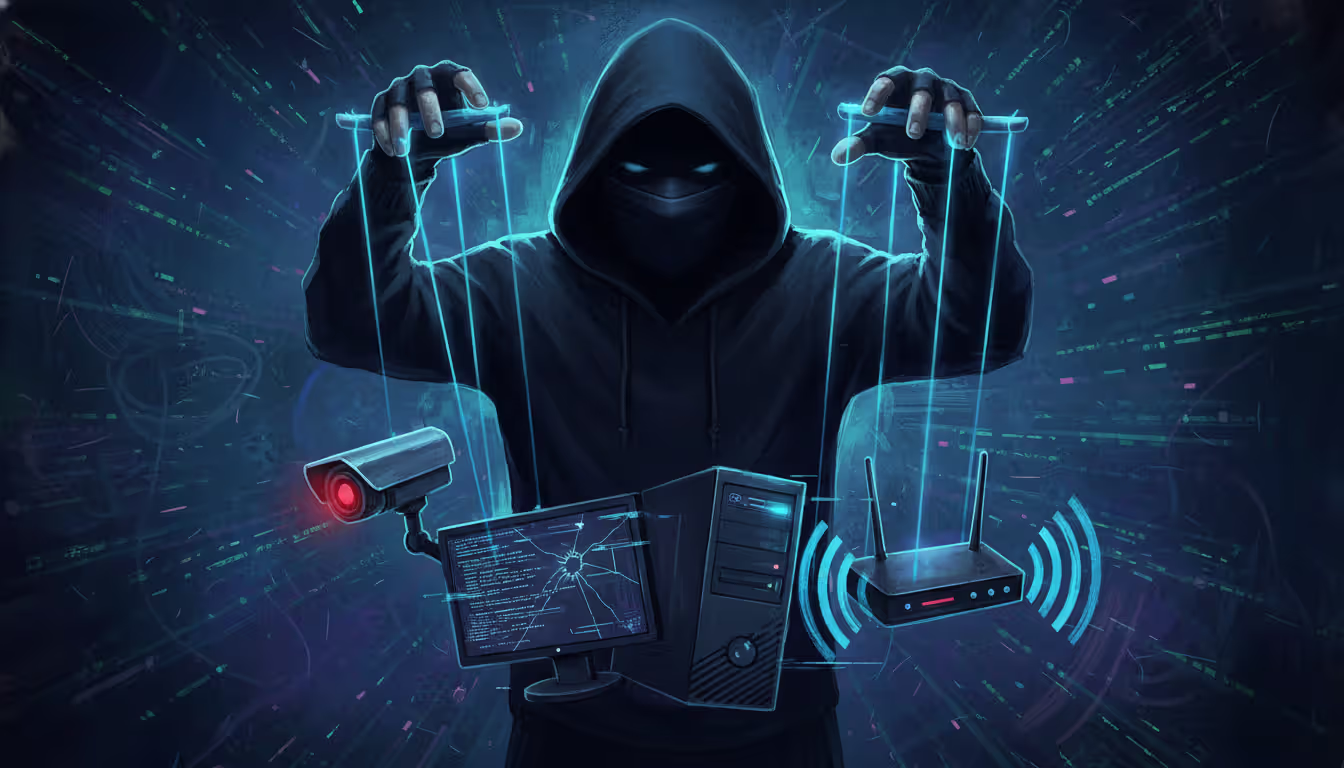
Picture an army of hijacked devices—maybe your neighbor's router, someone's baby monitor in Tokyo, a dozen smart TVs in Berlin—all taking orders from one criminal mastermind. That's essentially what botnet cyber security deals with: networks of enslaved gadgets doing their attacker's bidding while their owners binge Netflix, completely unaware.
The word itself mashes "robot" with "network." Fitting, since these infected machines (security folks call them "bots" or "zombies") execute commands robotically without any human oversight from the victim's side.
How these networks actually work:
Every botnet needs three pieces. You've got the infected devices themselves—thousands or millions of phones, computers, security cameras, whatever—sitting there running malware and waiting for orders. Then there's the command-and-control infrastructure (everyone just says C2), which is basically headquarters where instructions get broadcast. Finally, someone's actually running this operation—the botmaster, sitting behind a keyboard somewhere deciding whether to steal credit cards today or crash a website tomorrow.
Botnets aren't new. Back in 2002, GTBot and Agobot showed hackers that automated infections could spread frighteningly fast through IRC chat networks. By 2005, the business model had crystallized—why do the dirty work yourself when you could rent 50,000 compromised machines for $300 and let someone else deal with the consequences?
The game changed completely when Internet of Things devices flooded the market. Manufacturers shipped millions of cameras, routers, and smart gadgets with passwords like "admin/admin" and zero plan for security updates. These things sit on networks for years—my uncle's still using a 2019 router that hasn't seen a firmware update since installation. That's a hacker's dream scenario.
Modern botnet cyber security explained? These networks multitask now. Your infected laptop might mine Monero cryptocurrency during idle time, participate in a DDoS attack against a bank at 3 PM, steal your saved passwords continuously, and spread ransomware to other network devices—simultaneously. You might notice your fan running louder or your internet seeming slower, but you'd probably blame it on "just getting old."
Botnets have evolved from simple spam engines into sophisticated, multi-purpose platforms. We're seeing attackers rent botnet capacity like cloud services, commoditizing cybercrime in ways that make attribution and takedown increasingly difficult
— Dr. Elena Vasquez
How Botnets Work in Cyber Attacks
Getting onto your device is step one. Attackers have plenty of options here. That sketchy email attachment from "HR Department" about "urgent payroll changes"? Classic phishing, still works in 2026. They'll also scan millions of IP addresses looking for unpatched vulnerabilities—if you haven't updated your software in three months, they'll find you. Brute-force password attacks hit devices with weak credentials (looking at you, "Password123"). Sometimes malicious ads on legitimate websites silently drop malware. Worst case? Your device came pre-infected through compromised supply chains.
Once malware executes, things happen fast. First priority: survival. The infection modifies system files or Windows registry entries so it survives reboots. Next, it phones home—contacts the C2 servers and basically says "new recruit reporting for duty, here's my specs." Then it downloads whatever additional tools the botmaster wants and starts executing commands while trying to hide from your antivirus.
Communication between bots and controllers has gotten ridiculously sophisticated. Domain Generation Algorithms (DGAs) create thousands of potential C2 domains every single day—attackers only need to register a handful, making blocking nearly impossible. Some botnets skip central servers entirely, using peer-to-peer architectures where bots talk directly to each other (take down one, 10,000 remain). Others bury C2 traffic inside normal-looking HTTPS connections that your firewall can't distinguish from legitimate Netflix streaming.
What these zombie armies actually do:
- DDoS attacks: Imagine 500,000 devices simultaneously requesting your website's homepage. Your servers collapse under the weight. Site goes dark.
- Spam operations: Millions of phishing emails sent from "trusted" infected accounts, bypassing spam filters because they're coming from real people's compromised inboxes
- Credential stuffing: Testing billions of stolen username/password pairs across every major website (people reuse passwords—attackers know this)
- Click fraud: Generating millions of fake ad clicks that drain advertising budgets while paying criminals per click
- Cryptomining: Stealing your electricity and processor power to mine Bitcoin or Monero
- Data theft: Vacuuming up passwords, financial records, customer databases, trade secrets
- Ransomware delivery: The infection you can't ignore—all your files encrypted, pay $50,000 or lose everything
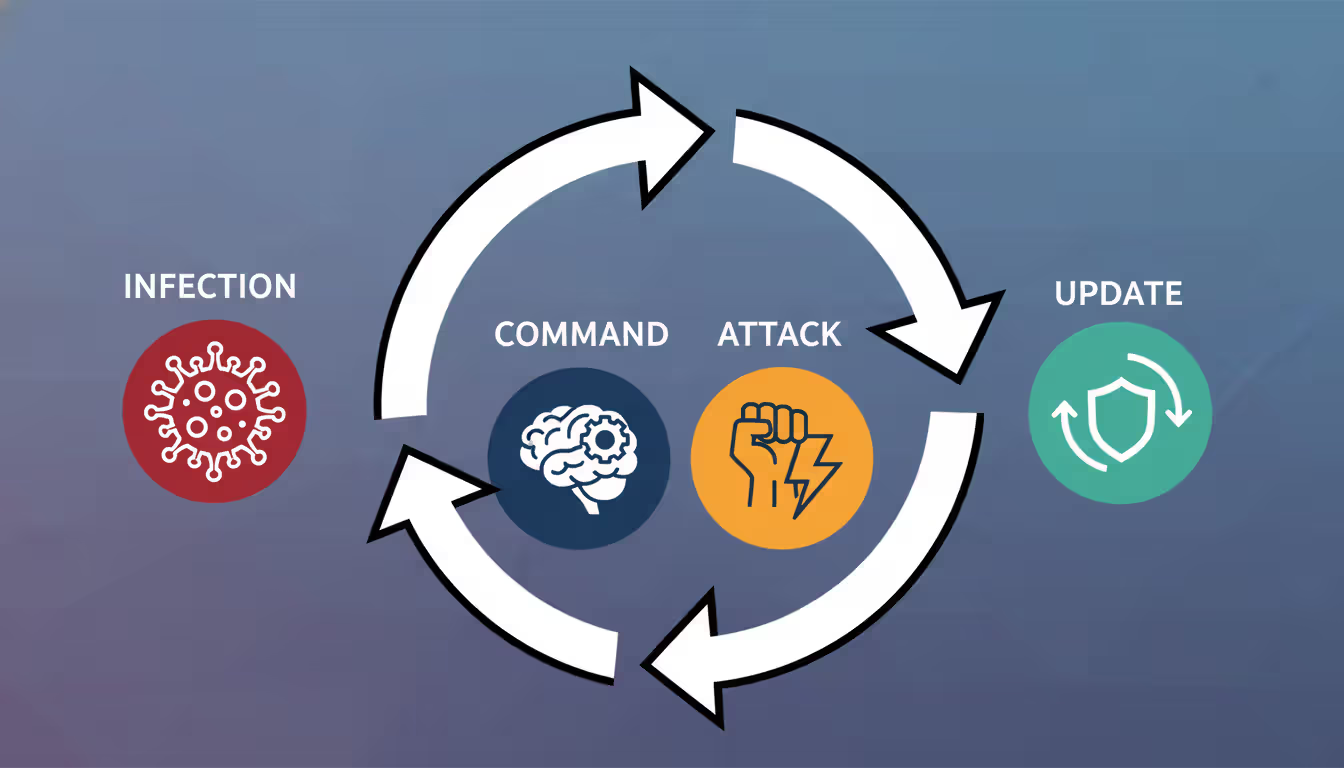
The Botnet Lifecycle
Let's walk through this from the attacker's perspective.
Recruitment phase: Automated scanners prowl the internet 24/7, probing billions of IP addresses for vulnerabilities. Found a router with default credentials? Exploit it. Discovered an unpatched Windows machine? Drop the payload. Spotted a WordPress site running outdated plugins? Inject malware. This happens at machine speed—your device gets compromised within seconds of becoming vulnerable.
Check-in and classification: Fresh bot makes contact, transmits critical intel: operating system, CPU power, bandwidth capacity, geographic location, network position. The botmaster sorts bots like a general organizing troops. High-bandwidth fiber connections? DDoS division. Powerful gaming PCs? Cryptomining unit. Machines on corporate networks? Credential theft and lateral movement squad.
Operational phase: Orders arrive. Could be immediate—launch attack right now—or the malware sits dormant for months, just updating itself and waiting. Some sophisticated botnets randomize check-in times and implement sleep periods specifically to evade network monitoring tools that look for regular traffic patterns.
Maintenance cycle: Security companies release signatures detecting the malware. Botmaster pushes updates to evade detection. Law enforcement seizes C2 servers. Botmaster activates backup infrastructure. Cleaned bots get replaced by newly infected devices. The cycle never stops.
Author: Calvin Roderick;
Source: elegantimagerytv.com
Command-and-Control Infrastructure
The C2 setup determines whether your botnet survives six months or six years.
Old-school centralized models put everything on one server cluster. Simple, direct, effective—until someone finds that server. One FBI raid, entire botnet goes dark. Modern attackers learned this lesson the hard way.
Peer-to-peer botnets distribute control across the infected devices themselves. Each bot maintains a list of other bots to contact. Commands ripple through the network organically. Seize 100 bots? The other 900,000 keep functioning. Downside: commands propagate slower, and researchers can infiltrate these networks more easily.
Hybrid approaches mix both strategies—P2P for resilience, centralized servers for critical functions. Add Domain Generation Algorithms that spit out thousands of potential C2 domains daily (attackers only register a few, defenders must block them all), and you've got infrastructure that's genuinely difficult to dismantle.
Fast-flux DNS takes this further—the IP addresses behind C2 domains change every few minutes, rotating through compromised servers worldwide faster than blocklists can update. Track down one IP address, it's already switched to another by the time you block it.
Cutting-edge botnets in 2026 have started embedding commands in blockchain transactions. Bots monitor specific cryptocurrency wallets, decode instructions from transaction data. No traditional C2 servers to seize. Welcome to the future.
Real-World Botnet Attack Examples
Author: Calvin Roderick;
Source: elegantimagerytv.com
Abstract threats don't motivate action. Real disasters do. Here's what botnet cyber security examples actually look like when they hit.
Mirai (2016) hunted Internet of Things devices running factory-default passwords. It scanned the entire internet systematically, tried combinations like "root/root" and "admin/password," and recruited everything it cracked. At its peak, Mirai controlled over 600,000 devices—mostly security cameras and home routers. The attack against Dyn, a DNS provider, brought down Twitter, Netflix, Reddit, and dozens of major sites simultaneously. Attackers published Mirai's source code publicly, spawning hundreds of variants that still infect devices today. Your 2019 security camera might be in someone's botnet right now.
Emotet started life in 2014 stealing banking credentials. By 2018, it had evolved into infrastructure—a botnet-as-a-service platform that other criminals rented for delivering their own malware. Emotet specialized in convincing phishing emails, sometimes hijacking existing email threads to make replies look legitimate. It spread TrickBot, loaded ransomware, stole everything it could reach. Europol finally disrupted Emotet's infrastructure in January 2021 after it had caused an estimated $2.5 billion in damages globally. The techniques survived—newer botnets copied Emotet's playbook.
Zeus (Zbot) revolutionized financial cybercrime around 2007. It captured online banking credentials through form-grabbing (intercepting data as you type) and keystroke logging. Attackers drained accounts, wired money to mules, and vanished. Zeus infected an estimated 3.6 million computers and stole hundreds of millions from victims worldwide. When its source code leaked in 2011, dozens of Zeus variants emerged. Financial institutions still deal with Zeus descendants today.
TrickBot appeared in 2016 as another banking Trojan but quickly expanded its repertoire. It added modules for reconnaissance, lateral network movement, credential harvesting, and ransomware deployment. TrickBot particularly loved targeting businesses, often serving as the initial foothold for ransomware gangs who'd encrypt entire corporate networks. Multiple law enforcement operations tried shutting it down—it kept rebuilding through distributed infrastructure and modular architecture that made complete eradication nearly impossible.
| Botnet | First Seen | What It Did | How Big It Got | Lasting Damage |
| Mirai | 2016 | IoT device DDoS attacks | 600,000+ enslaved devices | Took down major websites; variants actively infecting devices in 2026 |
| Emotet | 2014 | Delivered other malware, stole credentials | 1.5 million+ compromised machines | $2.5 billion in estimated damages; disrupted 2021 but tactics widely copied |
| Zeus/Zbot | 2007 | Banking credential theft | 3.6 million+ infected computers | Hundreds of millions stolen; leaked code spawned countless variants |
| TrickBot | 2016 | Banking fraud, ransomware deployment | 1 million+ active infections | Enabled major ransomware campaigns; extremely resilient to takedown attempts |
| Conficker | 2008 | Worm spreading, multiple attack types | 9-15 million peak infections | Largest botnet ever recorded; remnants still discovered on isolated networks |
Notice a pattern? These threats don't just disappear. Conficker launched in 2008—security researchers still find it on networks 18 years later. Botnet malware persists because attackers continuously update it, infrastructure shifts to new locations, and victims don't realize they're infected.
Warning Signs Your Device Is Part of a Botnet
Your computer won't display a big flashing "INFECTED" sign. Botnet cyber security warning signs show up as subtle annoyances you might dismiss as normal aging or software bloat.
Performance suddenly tanks. Apps that opened instantly now take 30 seconds. Your browser freezes loading simple websites. Games stutter that used to run smoothly. Sure, maybe your four-year-old laptop is just getting old—or maybe botnet malware is consuming 40% of your CPU mining cryptocurrency for someone in Romania. If performance degradation happens suddenly rather than gradually, investigate.
Network activity during "idle" time. You're not downloading anything. Browser's closed. No streaming video. Yet your router's activity lights blink frantically, or your internet connection monitor shows sustained upload/download activity. Botnet malware doesn't sleep—it's communicating with C2 servers, participating in attacks, or exfiltrating stolen data. Check which applications are using bandwidth (Task Manager on Windows, Activity Monitor on Mac). Recognize everything listed?
Heat and fan noise spike. Your laptop becomes uncomfortably hot during light email checking. Desktop PC fans scream like jet engines when you're just reading articles. Phone battery drains from 100% to 20% in three hours despite minimal use. Cryptomining malware hammers processors and GPUs constantly, generating excessive heat. Mobile devices infected with botnet malware often feel warm even in standby mode.
Browser weirdness. Toolbars you never installed. Your homepage changed to some sketchy search engine. Settings keep reverting after you fix them. Constant pop-up ads, even on reputable sites. Security software disabled and you can't re-enable it. These are classic infection symptoms, though some legitimate software also exhibits this behavior (looking at you, various "free" utilities).
Email sent without your knowledge. Friends report receiving spam from your address. Your sent folder contains messages you didn't write. Password reset emails arrive for accounts you've never accessed. Botnets love compromised email accounts—they bypass spam filters because messages come from legitimate addresses, making phishing campaigns far more effective.
Account access problems. Can't log in because your password mysteriously changed. Alerts about login attempts from China/Russia/Brazil when you're in Ohio. Unauthorized purchases on connected payment accounts. This suggests credential theft—your infected device handed over passwords, and attackers are exploiting them.
IoT devices acting strange. Security cameras rebooting randomly. Smart thermostat settings changing overnight. Router configuration modified without your action. These devices lack screens and user interfaces, making infections harder to spot. Check your router logs for unusual traffic patterns—most people never do this, making IoT botnets particularly stealthy.
Here's the critical mistake: blaming everything on "computers just get slow over time." True, legitimate software accumulates and consumes resources. But sudden changes, especially multiple symptoms simultaneously, warrant serious investigation. Your gut feeling that "something's wrong" is often correct.

Author: Calvin Roderick;
Source: elegantimagerytv.com
How to Prevent Botnet Infections
No defense stops every attack. But layered security makes you such a painful target that attackers move on to easier victims. Think of it as home security—you can't prevent a determined burglar with unlimited resources, but good locks and an alarm system mean they'll hit your neighbor's unlocked house instead.
Keep everything updated, religiously. Operating systems. Applications. Browsers. Firmware on routers and IoT devices. Plugins and extensions. Enable automatic updates wherever possible—yes, even though that Windows Update restart is annoying. Attackers exploit known vulnerabilities that patches fix. The Equifax breach happened because they didn't patch a vulnerability for which a fix existed for two months. Automated scanners probe for these gaps within hours of disclosure.
For devices requiring manual updates (many IoT products), set calendar reminders. Monthly minimum. Check manufacturer websites. If a device hasn't received updates in two years, seriously consider replacing it—that abandoned product is a security liability.
Deploy multiple security layers. Antivirus/anti-malware with real-time protection (Windows Defender is adequate; paid solutions like Bitdefender or Kaspersky offer more features). Host-based firewalls configured to alert on unexpected outbound connections—malware calling home is outbound traffic. Network-level intrusion detection for business environments.
Security software needs current threat signatures—configure automatic updates. Running antivirus without definition updates is like wearing a bulletproof vest from 1950; might stop some threats, won't help against modern attacks.
Strong authentication isn't optional anymore. Unique passwords for every account (password managers like Bitwarden or 1Password make this practical—you only remember one master password). Enable multi-factor authentication everywhere it's offered, prioritizing email, banking, and work accounts. Change default credentials immediately on every device you install, especially routers, cameras, and smart home gadgets.
Attackers run automated credential-stuffing attacks using billions of leaked passwords. Used the same password on three sites? One breach compromises all three accounts.
Practice healthy skepticism with emails and links. Unexpected attachments? Don't open them, even from contacts—their accounts get compromised too. Links in emails? Hover over them, verify the actual destination matches what's displayed. Downloads only from official sources—that "free Photoshop crack" absolutely contains malware. Urgent requests for credentials or financial information? Verify through separate channels (call the person using a known number, don't reply to the suspicious email).
Phishing succeeds because it exploits psychology, not technical vulnerabilities. The best firewall won't help if you hand over your password willingly.
Isolate IoT devices from sensitive systems. Put security cameras, smart TVs, and connected appliances on a separate network VLAN that can't access computers containing financial records or work documents. Disable remote access features you don't actively use—convenience creates attack vectors. Replace devices that no longer receive security updates (yes, even if they still work fine).
That $40 IP camera with default credentials? It can't steal data if it's isolated from devices containing data worth stealing.
Monitor network traffic for anomalies. Establish what "normal" looks like—typical bandwidth usage, usual connection destinations. Configure router alerts for large data transfers or connections to suspicious countries (why is your thermostat contacting a server in Belarus?). Review logs monthly at minimum.
Enterprise environments need network behavior analysis tools using machine learning to spot deviations. Home users can check router logs and use applications like GlassWire to monitor bandwidth.
Run standard user accounts for daily tasks. Separate administrator account for software installation. This principle of least privilege limits malware's ability to modify system files and establish deep persistence. Annoying to enter admin credentials for installations? Yes. Effective at containing infections? Also yes.
Maintain offline backups of critical data. Backups won't prevent botnet infection, but they'll save you when ransomware encrypts everything. Keep at least one backup completely disconnected from your network—cloud backups are convenient but also accessible to malware with your credentials.
Practical reality check: if a device connects to the internet, it needs security attention. Your laptop requires more protection than your smart light bulb, true. But that light bulb still needs a non-default password and network isolation. Every connected device is a potential bot recruit.
What to Do If You Detect a Botnet Infection
Finding out you're compromised triggers panic. That's normal. Channel that energy into systematic response instead of random flailing.
Disconnect immediately from all networks. Disable Wi-Fi. Unplug Ethernet cables. If multiple devices seem infected, shut down your router. This stops the botnet from receiving new commands, prevents data exfiltration in progress, and halts lateral spreading to other network devices. Yes, you lose connectivity. Containment takes priority over convenience—every minute you stay connected is another minute attackers can act.
Document what you observed. Write down symptoms, recent downloads or installations, suspicious emails you clicked, error messages. Screenshot anything unusual. This information helps during investigation and might be necessary for law enforcement reports or insurance claims if the breach is severe.
Boot into safe mode (computers only—phones and IoT devices have different procedures). Safe mode loads minimal system components, preventing most malware from executing its persistence mechanisms. This makes detection and removal significantly easier.
Run comprehensive scans using updated security tools. Preferably multiple tools, since no single product catches everything. Consider bootable rescue disks from vendors like Kaspersky or Bitdefender—these scan before your operating system loads, catching malware that hides from conventional scans. Expect this to take hours on systems with large storage. Let it finish.
Remove everything detected. Follow your security software's removal instructions. Some infections need manual cleanup steps—search for specific malware families by name on vendor support sites or security forums. Rootkits and deeply embedded threats might require complete OS reinstallation from clean media. That's drastic but sometimes necessary.
Change every password you've used on that device. Start with email (attackers use this to reset everything else). Then financial accounts. Then social media, work systems, shopping sites. Use a different, verified-clean device if possible. Enable multi-factor authentication during this process—if you haven't already.
Notify relevant parties. Your IT department if this is a work device (they need to know immediately). Your internet service provider (they can monitor for ongoing malicious traffic from your connection). Financial institutions if credential theft is suspected. Email contacts who might have received malicious messages from your compromised accounts.
Watch for reinfection signs. Monitor for the warning signs discussed earlier. Review account activity across financial and social platforms. Run periodic security scans. Some botnets attempt reinfection through backdoors or by re-exploiting the same vulnerability that enabled initial compromise.
Figure out how you got infected. Clicked a phishing link? Downloaded questionable software? Skipped security updates for six months? Understanding the infection vector prevents repeat compromises. No judgment here—just learn from it.
Common mistake: thinking that running antivirus once and seeing it remove some threats means you're completely clean. Sophisticated botnets use anti-detection techniques, multiple persistence mechanisms, and rootkit capabilities that automated tools miss. For business systems or severe infections, professional cybersecurity assistance is money well spent. For personal devices, when in doubt, wipe and reinstall.
Frequently Asked Questions About Botnets
Botnets aren't going anywhere. They're too profitable, too versatile, and too difficult to completely eliminate. Attackers earn roughly $1 billion annually from these zombie networks, motivating continuous innovation in infection techniques, C2 architecture, and evasion capabilities. The explosion of IoT devices has created hundreds of millions of potential bot recruits that will remain vulnerable for years.
Protection isn't about achieving perfect security—that's impossible. It's about making yourself more difficult to compromise than the alternatives. Maintain updated software across all devices. Secure every internet-connected gadget, not just computers. Practice skepticism with emails and downloads. Monitor for infection indicators. Respond quickly when something seems off.
Organizations need layered technical defenses combined with employee security training and incident response planning. Individual users need the same mindset scaled down—security software, strong authentication, regular updates, and healthy paranoia about unexpected emails.
The most effective defense combines technical measures with awareness. Understanding how botnets operate transforms you from potential victim into harder target. Will you be completely immune? No. Will you reduce your risk by 90%+ compared to someone running default configurations with no security software? Absolutely.
Your four-year-old router with default credentials? Change that password today. That Windows 10 machine that keeps postponing updates? Let it update tonight. The security camera you installed in 2020 and forgot about? Check whether the manufacturer still releases firmware updates, and if not, consider replacement.
Cybersecurity isn't a destination—it's ongoing adaptation as threats evolve. Stay informed. Adjust defenses accordingly. And remember: the best time to secure your systems was five years ago. The second-best time is right now.
Related Stories

Read more
Read more


The content on this website is provided for general informational and educational purposes only. It is intended to explain concepts related to cybersecurity awareness, online threats, phishing attacks, and data protection practices.
All information on this website, including articles, guides, and examples, is presented for general educational purposes. Cybersecurity risks and protection strategies may vary depending on individual behavior, technology usage, and threat environments.
This website does not provide professional cybersecurity, legal, or technical advice, and the information presented should not be used as a substitute for consultation with qualified cybersecurity professionals.
The website and its authors are not responsible for any errors or omissions, or for any outcomes resulting from decisions made based on the information provided on this website.