
Computer surrounded by cyber threat icons, main lock on screen
Malware vs Ransomware Explained

Content
Content
You've probably heard both terms thrown around when data breaches hit the news. Here's what matters: ransomware is one specific flavor of malware—think of it like calling all tissues "Kleenex" versus recognizing different brands. The confusion? It costs people and companies millions annually because they protect against the wrong threats or buy insurance that doesn't cover what actually hits them.
Ransomware sits inside the malware family tree. Every ransomware attack counts as malware, but plenty of malware infections have nothing to do with ransom demands. Getting this straight changes how you shop for security software, what your IT team prioritizes, and whether your insurance claim gets approved after an attack.
What Is Malware and How Does It Work?
"Malicious software"—shortened to malware—covers any code written to damage systems, steal information, or hijack resources without permission. It's the big tent housing everything from annoying popup ads to sophisticated espionage tools used by nation-states.
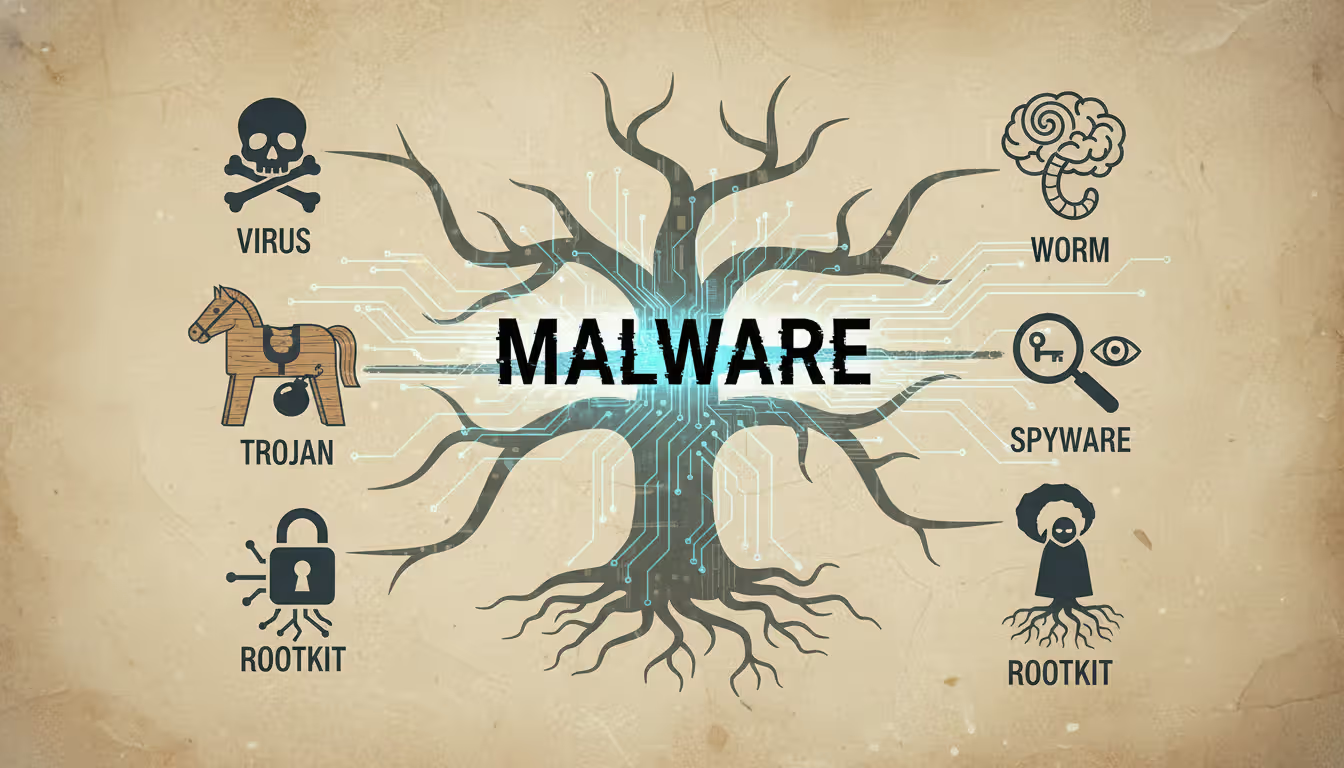
The malware universe includes viruses, worms, trojans, spyware, adware, rootkits, and keyloggers—each operating differently. Viruses glue themselves onto legitimate files. When you email that file to a colleague, the virus rides along. Worms don't need your help; they jump between networked computers automatically by exploiting weak spots in Windows, Linux, or application code.
Trojans borrowed their name from Greek mythology for good reason. They look helpful—maybe a PDF invoice or a game download—but execute hidden damage once you run them. Spyware watches everything you do, recording passwords, bank details, and browsing patterns. Adware floods your screen with advertisements, often tracking which sites you visit to target you better.
Rootkits burrow deep into operating systems, creating permanent backdoors while hiding from antivirus scans. Keyloggers capture every letter you type, collecting login credentials and private conversations. Some operate at the hardware level, making them nearly impossible to detect with software tools.
How does malware actually get in? Email attachments remain criminals' favorite method—that "unpaid invoice" PDF actually runs executable code, or the Word document contains macros that download malware when enabled. Drive-by downloads happen when you visit compromised websites; exploit kits probe your browser for vulnerabilities and install malware without a single click from you.
Malicious advertisements on legitimate news sites can trigger infections. That USB stick from the conference might carry more than PowerPoint presentations. Cracked Photoshop downloads usually bundle cryptocurrency miners or data thieves alongside the pirated software.
Here's the tricky part: some malware sits silent for months, slowly stealing intellectual property or using your computer's processor to mine Bitcoin. Others announce themselves within minutes by locking your screen or displaying fake virus warnings. This variety means counting on one security tool to catch everything is like bringing a knife to a gunfight.
Author: Trevor Kingsland;
Source: elegantimagerytv.com
What Is Ransomware and How Does It Work?
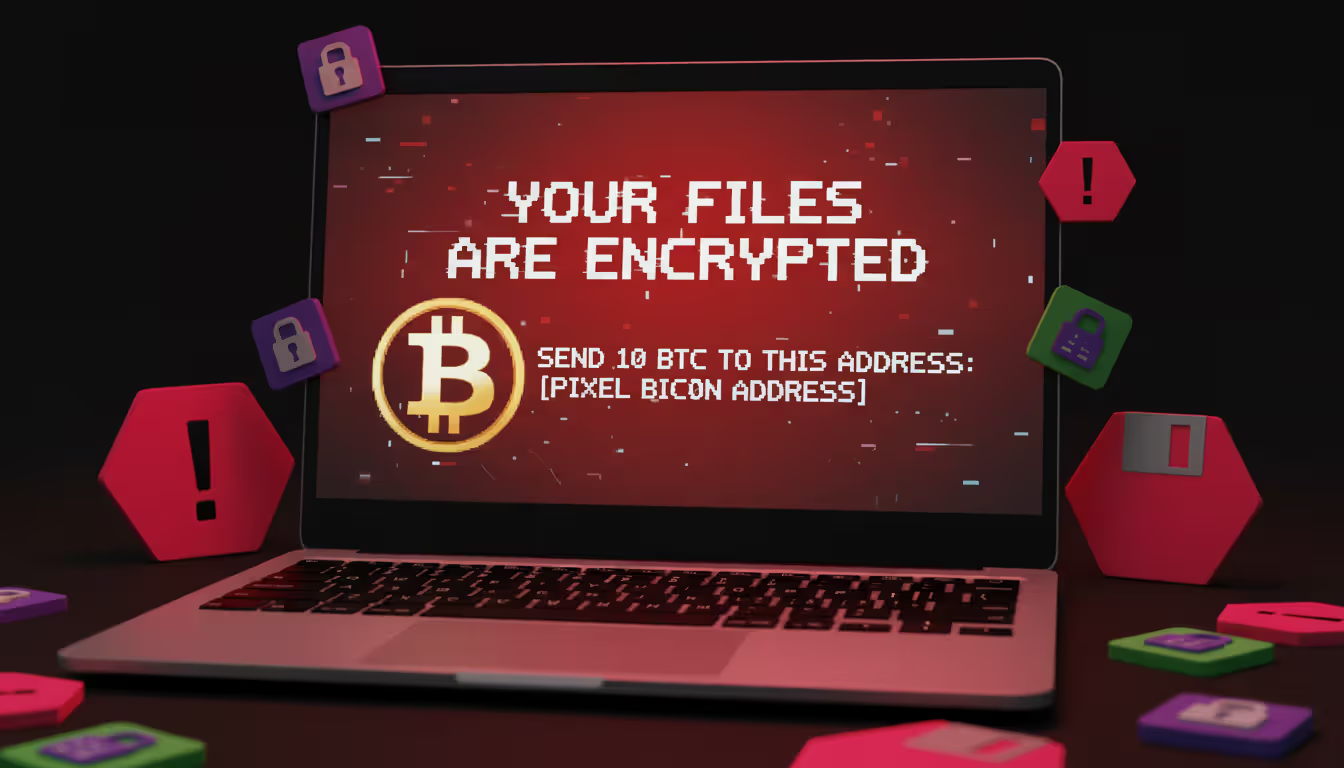
Ransomware takes a simpler, more direct approach: lock up your files, demand money, threaten consequences if you refuse. Most versions encrypt everything—documents, spreadsheets, photos, databases—using military-grade cryptography that even the NSA couldn't crack without the key. Then a message pops up: pay us Bitcoin within 72 hours or lose your data forever.
The encryption happens fast. Modern ransomware can lock 500GB in under ten minutes, targeting specific extensions like .docx, .xlsx, .pdf, .jpg, and database files. Advanced versions hunt down backup files and Windows shadow copies—those automatic restore points your system creates—erasing your easy recovery options before you even notice the infection.
Criminals now run double extortion schemes routinely. Step one: copy your sensitive data. Step two: encrypt everything. Step three: threaten to publish stolen files on leak sites if you don't pay. This works devastatingly well against hospitals, law firms, and retailers where regulatory fines for exposed customer data dwarf the ransom amount.
Triple extortion pushes further. After stealing your data and encrypting your systems, attackers threaten your customers directly using stolen contact lists and credentials. Some groups now license their ransomware to affiliates through "ransomware-as-a-service" arrangements, splitting profits from successful attacks.
Real damage? Colonial Pipeline shut down in May 2021, disrupting fuel supplies across the Southeast U.S. They paid $4.4 million (the FBI recovered some later). Costa Rica declared a national emergency in May 2022 when Conti ransomware paralyzed government agencies. MGM Resorts estimated $100 million in losses from a September 2023 attack that disabled slot machines and hotel systems for ten days.
Author: Trevor Kingsland;
Source: elegantimagerytv.com
CISA reported ransomware incidents jumped 38% between 2024 and 2025. Average demands against corporations now hit $2.3 million. Healthcare organizations get hammered hardest—67% faced ransomware in the past two years, according to recent surveys.
Key Differences Between Malware and Ransomware
The relationship trips people up constantly, but several clear markers separate these concepts in ways that matter for protection and recovery.
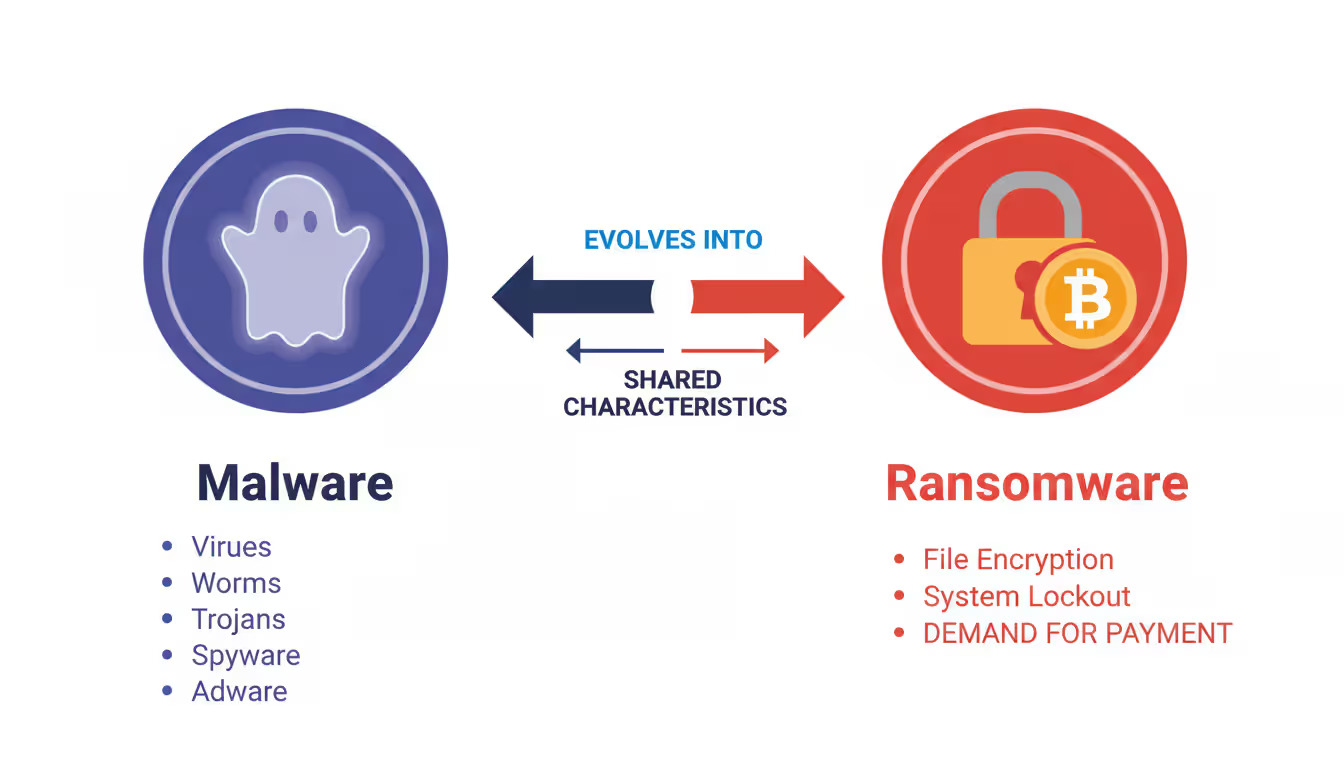
Ransomware is malware with a business model. While traditional malware might steal data quietly or damage systems indiscriminately, ransomware operators run calculated extortion schemes that rely on victims making cost-benefit analyses under pressure
— Christopher Krebs
Goals differ fundamentally. Most malware aims to steal credentials, maintain hidden access, display advertisements, or commandeer processing power. Ransomware wants immediate cash payments, not gradual monetization through dark web data sales.
Visibility splits them dramatically. Ransomware screams at you with countdown timers, payment instructions, and customer support chatbots (yes, really). Criminals need communication because extortion requires negotiation. Other malware stays invisible as long as possible—six months of undetected data theft beats getting caught after six days.
What happens to your data? Ransomware locks files through encryption but leaves them physically intact on your drives. Other malware might delete records, corrupt databases, or copy information elsewhere while leaving originals accessible.
| Aspect | Malware (Broader Category) | Ransomware (Specialized Subset) |
| Definition | Software intentionally designed to damage, exploit, or compromise systems | Specific malware variant that encrypts data and extorts payment for restoration |
| Primary Goal | Ranges from data theft to espionage, resource hijacking, or system disruption | Financial extortion through direct ransom demands |
| Visibility to User | Frequently operates invisibly for extended periods | Immediately visible through ransom messages and payment deadlines |
| Data Impact | May steal, corrupt, delete, or manipulate information | Encrypts files rendering them inaccessible while physically intact |
| Payment Demand | Seldom involves direct payment to attackers | Always centers on explicit ransom requirements |
| Common Types | Viruses, worms, trojans, spyware, adware, rootkits, keyloggers | Crypto-ransomware, locker ransomware, double/triple extortion variants |
| Removal Difficulty | Ranges from simple antivirus scans to complex professional remediation | Easy to remove; impossible to decrypt without keys |
| Prevention Focus | Endpoint protection, network monitoring, vulnerability patching | Offline backups, network isolation, email filtering, security training |
Recovery looks different too. Antivirus tools often clean standard malware infections, though sophisticated variants need professional help. Ransomware removal is trivial—the challenge is decrypting your files without paying. The encryption itself is usually unbreakable. Roughly 30% of victims who pay ransoms never get working decryption tools anyway.
When to Use the Terms Malware and Ransomware
Words matter when you're buying cyber insurance, filing police reports, or writing security policies. Using the wrong term can void coverage, trigger incorrect response procedures, or misalign risk assessments.
Say "malware" when discussing general cybersecurity threats, overall protection strategies, or situations where you're unsure what infected your system. Security awareness training should start with malware concepts before drilling into specific types. It's the safe umbrella term when speaking broadly.
Switch to "ransomware" specifically when encryption and extortion enter the picture. Insurance policies frequently treat ransomware differently—separate coverage limits, different requirements, distinct notification procedures. Your incident response plan needs ransomware-specific sections because the time pressure from ransom deadlines demands different decision-making than responding to data theft.
Budget conversations benefit from precision. Companies might spend heavily on backup infrastructure specifically targeting ransomware recovery while network monitoring addresses broader malware detection. Presenting to your board? Use "ransomware" when discussing extortion risks and "malware" for overall security posture.
Law enforcement and regulators want specific categories. The FBI's Internet Crime Complaint Center tracks ransomware separately from other cybercrime. HIPAA breach notifications distinguish between data theft (typical malware) and encryption (ransomware) since patient privacy risks differ substantially.
Talking to non-technical people? "Ransomware" immediately conveys the financial extortion angle better than "malware," which most people vaguely associate with computer viruses from the 1990s. That said, explaining ransomware as one malware type helps people build accurate mental models instead of treating them as completely separate threats.
How to Protect Against Malware and Ransomware
Protection overlaps significantly, though ransomware's unique characteristics demand specific defenses. Security professionals call this "defense in depth"—layering multiple controls so when one fails (and something always fails), others catch the threat.
Protection for Individuals
Email filtering catches most attacks before they reach you. Gmail and Outlook block obvious malicious attachments automatically, but sophisticated campaigns still break through. Never open attachments from strangers. Got an unexpected attachment from someone you know? Call or text them first—their email might be compromised and spreading malware to their contact list.
Update everything, always. Most malware exploits known vulnerabilities that patches already fixed. Turn on automatic updates for Windows, macOS, your browser, Adobe Reader, and Java. Remember WannaCry in May 2017? It exploited a Windows flaw Microsoft had patched two months earlier, but infected 200,000 computers across 150 countries because people ignored updates.
Antivirus software blocks most common threats. Windows Defender (built into Windows 10 and 11) provides decent baseline protection at no cost. Paid options like Bitdefender, Kaspersky, or Norton add behavioral analysis and ransomware-specific monitoring. Nothing catches 100% of threats, but you'll stop most attacks attempting to slip through.
Backup strategy determines whether ransomware ruins your week or ruins your year. Keep three data copies on two different storage types with one copy offsite—that's the backup rule experienced IT pros follow. External hard drives work for local copies. Cloud services like Backblaze or Carbonite handle offsite protection. Test quarterly by actually restoring files; many people discover their backups failed only during emergencies.
Password managers like Bitwarden or 1Password let you maintain strong, unique passwords for every account without memorizing anything. Enable multi-factor authentication everywhere, especially email, banking, and cloud storage. Malware steals passwords constantly, but MFA adds a critical second barrier that stops most attacks cold.
Browse skeptically. Pirated software almost always bundles malware—there's no such thing as a free lunch. Download applications only from official company websites or legitimate app stores. Ads promising free Photoshop or miracle PC cleanups? Malware delivery systems. Trust your instincts: offers that seem impossibly good probably contain nasty surprises.
Author: Trevor Kingsland;
Source: elegantimagerytv.com
Protection for Businesses
Network segmentation stops ransomware from spreading across your entire infrastructure. Divide networks into isolated zones so infections in accounting can't reach servers, backups, or engineering. Critical systems need separate network segments with strict access rules governing who can connect.
Endpoint detection and response (EDR) watches behavior patterns instead of just scanning for known malware signatures. Tools like CrowdStrike, SentinelOne, or Microsoft Defender for Endpoint spot ransomware based on unusual file encryption activity, catching brand-new variants that signature-based antivirus misses.
User privileges should follow the "least privilege" principle—people get minimum access necessary for their jobs, nothing more. Save administrative accounts for actual administration, not checking email or browsing websites. Ransomware running under limited user accounts causes vastly less damage than infections with administrative privileges.
Email security gateways examine attachments in isolated sandbox environments before delivery. Proofpoint, Mimecast, and Barracuda solutions can detonate suspicious files safely, blocking them when malicious behavior appears during testing.
Offline or immutable backups prevent ransomware from destroying your recovery options. Air-gapped backups on disconnected drives or tapes provide ultimate protection. Cloud backup services offering immutable storage—files can't be modified or deleted for specified periods—stop ransomware from encrypting cloud copies.
Security awareness training matters more than most technical controls. Your employees represent both your biggest vulnerability and strongest defense. Quarterly training with simulated phishing tests helps staff recognize suspicious emails. Track which departments click simulated phishing links most often and provide extra training there.
Create and actually test ransomware incident response plans. Decide in advance who authorizes ransom payments, how to isolate infected systems, which backups to restore from, and how to communicate with customers, regulators, and law enforcement. Run annual tabletop exercises revealing gaps before real incidents expose them painfully.
What to Do If You're Infected
Finding malware or ransomware demands immediate action. Your response in the first few minutes often determines whether you face minor disruption or total data loss.
Disconnect from networks immediately to limit ransomware spread. Unplug ethernet cables or disable Wi-Fi—don't just log out or shut down normally, since some ransomware triggers additional encryption during shutdown. On business networks, notify IT security instantly so they can isolate other potentially infected systems.
Don't restart your computer unless security professionals instruct you to. Some malware survives reboots; others can be removed by booting into safe mode. Restarting without guidance might complicate recovery significantly.
Photograph ransom notes, error messages, and suspicious screens using your phone. These images help security professionals identify specific malware variants and check whether free decryption tools exist. The No More Ransom project at nomoreransom.org maintains decryption utilities for numerous ransomware families.
For ransomware specifically: the FBI and CISA strongly recommend never paying ransoms. Payments fund criminal operations, encourage future attacks, and guarantee nothing. About 30% of victims who pay never receive working decryption keys. Some ransomware groups provide decryption tools but leave backdoors enabling future attacks.
That said, payment decisions involve complex tradeoffs. Hospitals with patient care at stake face different calculations than small businesses with solid backups. Some cyber insurance policies cover ransom payments but mandate specific notification procedures. Consult legal counsel, insurance providers, and cybersecurity professionals before deciding.
Report incidents to law enforcement regardless. File complaints with the FBI's IC3 at ic3.gov and contact your local FBI field office. While they might not recover your specific data, reports help authorities track criminal groups and potentially prevent future attacks. Several ransomware investigations resulted in arrests and mass decryption key releases.
Start recovery from clean backups only after confirming complete malware removal. Restoring infected backups reintroduces infections. Businesses should consider hiring digital forensics firms to determine initial infection vectors, identify accessed data, and assess regulatory notification requirements.
Change every password after malware infections, especially if you suspect credential theft. Begin with email and banking, then work through other services. If you've reused passwords across sites (stop doing that), prioritize changing those first.
Frequently Asked Questions About Malware and Ransomware
Grasping the distinction between malware and ransomware empowers better decisions about cybersecurity investments, insurance coverage, and incident response. Ransomware represents one specialized malware type focused on extortion through encryption, but both threats demand layered defenses combining technical controls, backup strategies, and user awareness.
The cybersecurity landscape shifts constantly as attackers develop fresh techniques and defenders build better protections. Staying informed about emerging threats, maintaining robust backup practices, and implementing multiple defensive layers provide your strongest protection against both broad malware campaigns and targeted ransomware operations. No single solution delivers complete protection, but combining multiple defensive approaches dramatically reduces your risk of catastrophic data loss or financial extortion.
Related Stories

Read more
Read more




The content on this website is provided for general informational and educational purposes only. It is intended to explain concepts related to cybersecurity awareness, online threats, phishing attacks, and data protection practices.
All information on this website, including articles, guides, and examples, is presented for general educational purposes. Cybersecurity risks and protection strategies may vary depending on individual behavior, technology usage, and threat environments.
This website does not provide professional cybersecurity, legal, or technical advice, and the information presented should not be used as a substitute for consultation with qualified cybersecurity professionals.
The website and its authors are not responsible for any errors or omissions, or for any outcomes resulting from decisions made based on the information provided on this website.