

Hacker trying to guess a password on a laptop, sticky note with the word "password" on desk
Dictionary Attack in Cyber Security Explained

Content
Content
You'd think after decades of "use strong passwords" lectures, we'd have moved past this problem. Yet here we are in 2026, and dictionary attacks still crack accounts by the thousands every day. Why? Because typing "Fluffy2026!" is easier than memorizing "xK9$mP2@vL8#nQ5%"—and attackers know it.
Here's what makes these attacks so dangerous: they're not guessing randomly. Attackers use carefully built lists of passwords that real people actually choose. Your kid's name plus your anniversary year? That's in the list. Your favorite sports team with an exclamation point? Already covered. Company name plus "123"? They've got thousands of variations ready.
The gap between what security experts recommend and what humans actually do creates the perfect environment for these attacks. While organizations spend millions on firewalls and encryption, attackers just keep testing "password", "welcome", and "qwerty" until someone's account pops open.
What Is a Dictionary Attack in Cyber Security
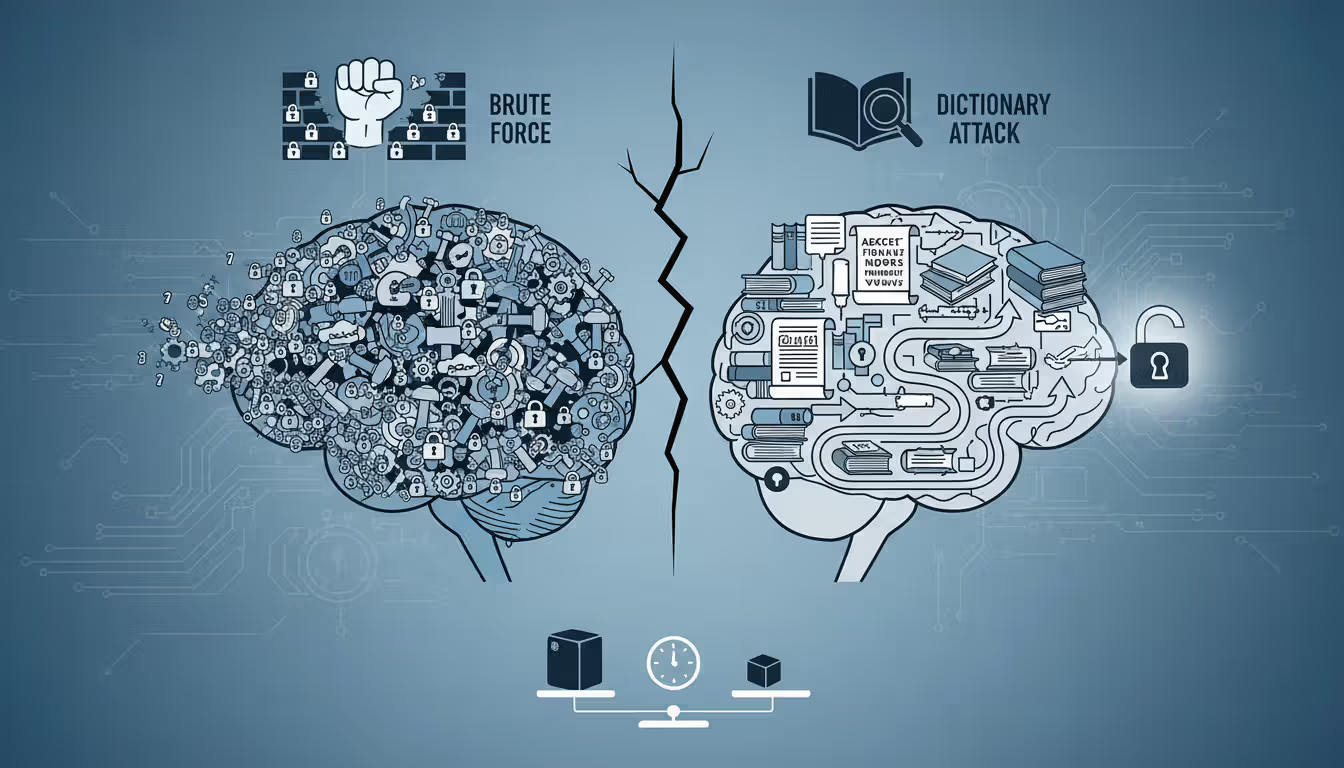
Think of dictionary attacks as the attacker's shortcut. Instead of randomly trying every possible password combination (which would take centuries for longer passwords), they focus exclusively on passwords that humans would realistically create.
The technique works like this: attackers compile massive lists—sometimes exceeding a billion entries—of passwords that people have actually used before. Where do these lists come from? Data breaches expose millions of real passwords annually. Security researchers publish studies of common password patterns. Attackers even scrape passwords from public forums where people carelessly post credentials.
Now compare this to traditional brute force methods. A brute force attack methodically tests every possible combination: starting with "a", then "b", then "c", eventually reaching "aa", "ab", and so on through every conceivable character sequence. For an eight-character password, that means grinding through 218 trillion possibilities. Most systems would detect and block this behavior long before success.
Author: Alyssa Norwood;
Source: elegantimagerytv.com
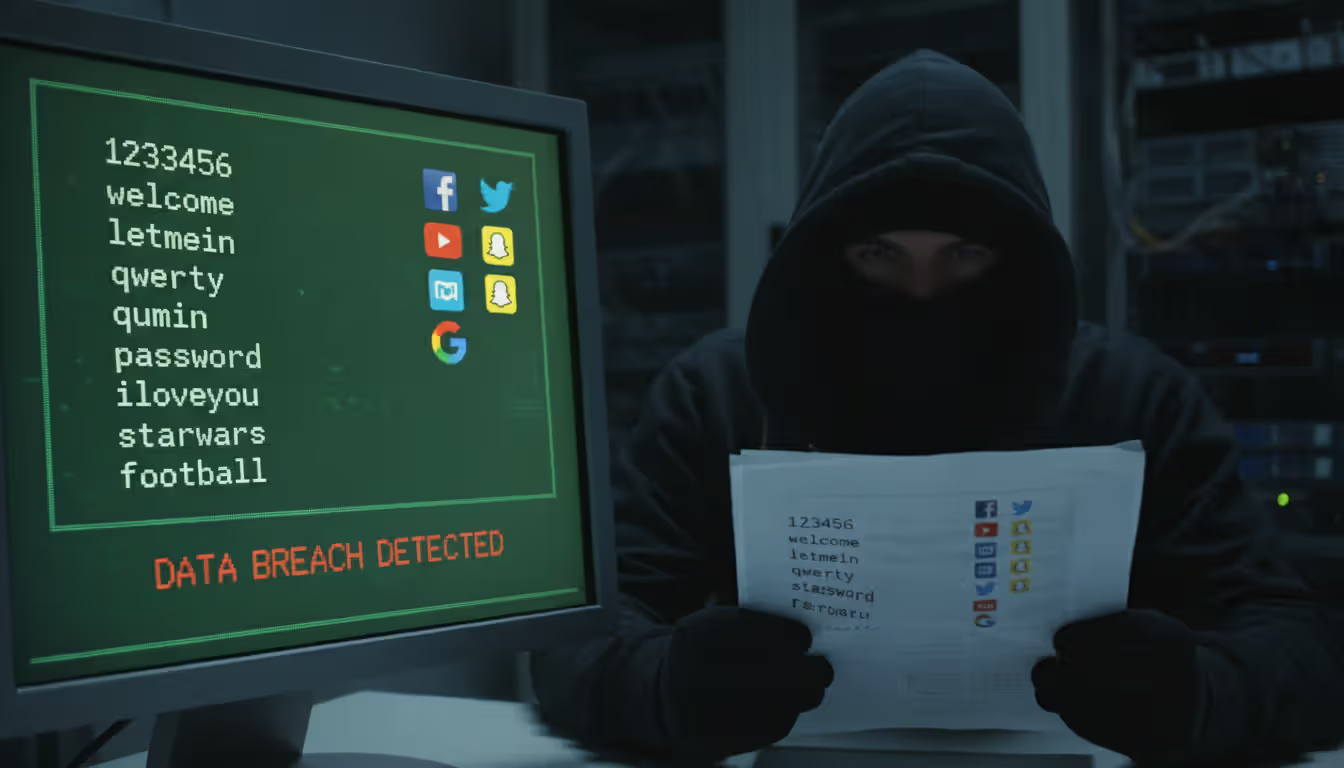
Dictionary attacks jump straight to the passwords people actually pick. "123456", "password", "qwerty", "letmein"—these consistently rank among the most common passwords year after year. Attackers test these first because they work surprisingly often. Then come predictable patterns: names with years appended, keyboard sequences, simple substitutions like replacing "o" with "0".
What keeps dictionary attacks effective despite constant security warnings? Research from 2025 found that roughly one in four users still selects passwords from the 10,000 most common options. Add password reuse across multiple accounts, and suddenly one dictionary match becomes a skeleton key for someone's entire digital life.
The speed difference is staggering. While a brute force attack might test possibilities for weeks or months, a dictionary attack targeting common passwords might crack an account in 20,000 attempts—something that takes minutes against poorly protected systems.
Modern dictionaries do more than just list common passwords. They include cultural references, current events, popular song lyrics, and location-specific terms. Attacking a company in Boston? The dictionary probably includes "RedSox2026", "Celtics!", and "Patriots123".
Only amateurs attack machines; professionals target people
— Bruce Schneier
How Dictionary Attack in Cyber Security Works
Let's walk through what actually happens during one of these attacks—it's more systematic than you might expect.
Target identification comes first. Attackers pick their focus: maybe a specific user account they've researched through social media, or perhaps an entire company's login portal, or a stolen database of hashed passwords from a breach. This choice shapes everything that follows.
Dictionary selection gets customized. Generic password lists work for broad attacks, but targeted campaigns need personalized dictionaries. Attacking a healthcare company? Add medical terminology, common drug names, and HIPAA-related terms. Targeting an individual? That person's Facebook page probably reveals their dog's name, their hometown, their graduation year—all prime password ingredients. I've seen cases where attackers built dictionaries specifically around a target company's founding date, executive names, and product lines.
The actual attack execution varies dramatically depending on whether attackers have "online" or "offline" access. Online attacks hit live login systems—think typing passwords into a website or app. These face rate limits and lockout policies that slow attackers down. Offline attacks happen when attackers have already stolen a password database. Without a live system fighting back, they can test millions of passwords per second locally.
Tools for this work are surprisingly accessible. Specialized software like John the Ripper handles the computational heavy lifting, while tools like Hydra automate login attempts across network services. Hashcat can leverage your computer's graphics card to test billions of password hashes per second—yes, your gaming GPU makes an excellent password-cracking device. Medusa offers similar capabilities for network authentication protocols.
These programs support sophisticated "rule sets" that generate variations automatically. Feed in "baseball" and the software generates "Baseball", "Baseball1", "baseball!", "Baseball2026", "BASEBALL", and hundreds of other predictable modifications.
Time requirements shift based on constraints. Attacking a live system that locks accounts after five failed attempts? You're limited to those five tries before moving to another target. A system with rate limiting but no lockout might let you test 100 passwords per minute—meaning a 100,000-word dictionary takes about 17 hours per account. But offline attacks against stolen databases? Modern graphics cards compute billions of hashes per second for weaker algorithms. That same 100,000-word dictionary gets exhausted in under a second.
The resource barrier has essentially vanished. A decade ago, serious password cracking required expensive server farms. Today, anyone can rent cloud computing power for pocket change. Spend $50 on Amazon Web Services or Google Cloud, and you've got enough processing power to crack thousands of weak passwords from a stolen database over a weekend.
Attackers typically work through dictionaries from most to least common. "password" gets tested first. "p@ssw0rd" comes shortly after. Your creative "P@ssw0rd2026!" appears somewhere in the first few thousand tries.
Dictionary Attack in Cyber Security Examples
Real breaches show how these attacks play out beyond theory.
LinkedIn's 2012 breach became a textbook case of dictionary attack consequences. Hackers stole roughly 6.5 million password hashes—encrypted versions of passwords. LinkedIn had used SHA-1 hashing, which was already outdated. Worse, they hadn't "salted" the hashes (we'll explain salting later). Within 72 hours of the breach going public, security researchers cracked about 90% of those passwords using dictionary attacks. The most common password? "linkedin" itself appeared over 750 times. "123456" showed up thousands of times. Simple keyboard patterns like "qwertyuiop" were everywhere. Users had made it easy.
A 2025 healthcare provider incident demonstrates how corporate networks fall. Attackers started by scraping employee names from LinkedIn—publicly available information. They then launched dictionary attacks against the company's VPN login portal. The organization had implemented no account lockout policy, allowing unlimited login attempts. Within 72 hours, attackers successfully authenticated as a contract worker who'd set their password to the company name followed by "2024!". That single compromised credential opened the door to 200,000 patient records.
Email account takeovers happen constantly. Gaining access to someone's email is particularly valuable because it enables password resets for their banking, shopping, and social media accounts. One common pattern: attackers use password lists leaked from a compromised gaming forum or retail website. They test those exact username-password combinations against Gmail, Outlook, and Yahoo. When people reuse passwords (and millions do), accounts fall immediately. The attackers aren't even cracking passwords—they're using ones that already worked elsewhere.
A regional bank reported 45,000 login attempts against 3,200 customer accounts over a single February 2026 weekend. The password dictionary clearly came from previous financial sector breaches because it included patterns like "Bankname123", "Secure2025!", and variations incorporating routing numbers. Multi-factor authentication stopped all access attempts, even when passwords matched. Not a single account was compromised—this is why MFA matters.
State university systems attract relentless attacks. One large university detected a sustained campaign throughout 2025 targeting student email accounts. Attackers successfully cracked roughly 300 passwords, exposing financial aid records, grades, and personal communications. Investigation revealed that students had used incredibly predictable passwords: the school mascot name combined with graduation years or birthdays. "Wildcats2026", "Wildcats2027", "Wildcats2028"—attackers had built those exact patterns into their dictionary.
The pattern across these examples? Weak passwords plus inadequate defenses equals breaches. Attackers don't need sophisticated zero-day exploits when "Password123!" still works.
Author: Alyssa Norwood;
Source: elegantimagerytv.com
Dictionary Attack in Cyber Security Warning Signs
Catching these attacks early can prevent account compromises. Here's what to watch for.
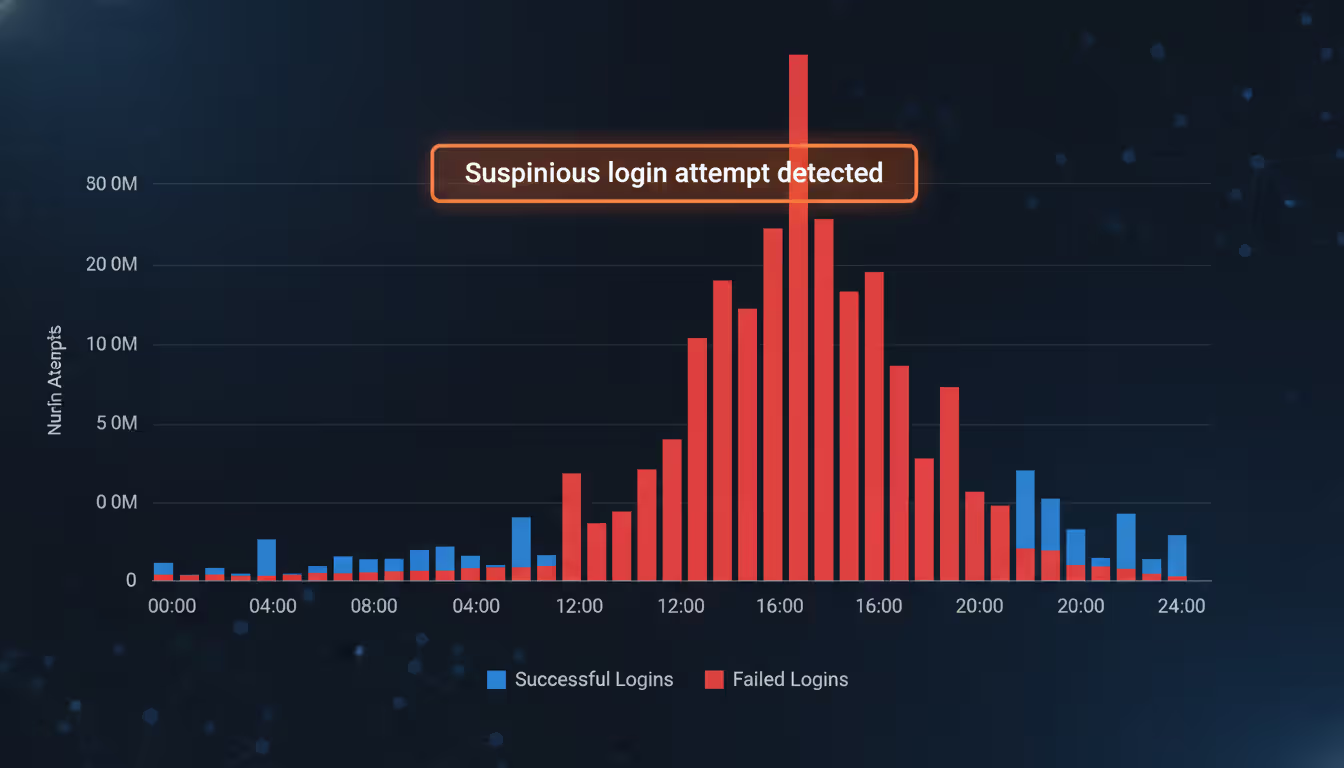
Failed login alerts deserve immediate attention. Your bank emails saying "We noticed 3 failed login attempts from Romania"? That's not random. Someone is testing passwords against your account. One or two failed logins might be you mistyping. Twenty failed attempts at 3 AM from another continent? That's an active attack. Many people ignore these notifications—don't be one of them.
Account lockout messages when you haven't been trying to log in are red flags. If your account suddenly locks due to "excessive failed login attempts" and you weren't attempting to access it, someone is definitely running an automated attack against your credentials. Organizations should monitor lockout frequencies across all accounts—a spike from 5 lockouts per day to 200 suggests coordinated attack activity.
"We noticed unusual activity" alerts from service providers often indicate successful dictionary attacks. Your bank texts "Did you just log in from California?" and you're in New York? An attacker cracked your password and accessed your account. These behavioral analysis systems flag logins from new devices, unusual locations, or atypical usage patterns.
Server performance issues sometimes reveal attacks in progress. IT administrators might notice CPU usage spiking on authentication servers with no apparent cause. Network traffic to login endpoints suddenly increases tenfold. Database queries related to authentication slow to a crawl. These symptoms can indicate thousands of login attempts per minute as attackers hammer the system with dictionary tests.
Authentication log patterns tell the story clearly. Security teams reviewing logs should watch for distributed attacks where 100+ IP addresses each attempt 5-10 passwords against many accounts. This indicates attackers staying under rate-limiting thresholds. Conversely, concentrated attacks from a few IPs testing hundreds of passwords against specific accounts suggest targeted campaigns against high-value users.
Unsolicited password reset emails mean trouble. If you receive notifications about password reset requests you didn't initiate, attackers have likely cracked your password and are attempting to lock you out by changing it.
One critical point: offline dictionary attacks against stolen password databases produce zero real-time warning signs. Users only discover the compromise weeks or months later when attackers start using those cracked credentials. By then, the damage is done.
Author: Alyssa Norwood;
Source: elegantimagerytv.com
How to Prevent Dictionary Attack in Cyber Security
Stopping these attacks requires multiple defensive layers working together. No single measure provides complete protection.
Password complexity rules help—when implemented intelligently. Requiring minimum length (12+ characters), mixed case, numbers, and symbols creates better passwords than allowing "password123". But here's where most organizations screw up: forcing complexity often backfires. Tell users they need uppercase, lowercase, numbers, and special characters, and they create "Password1!" instead of genuinely random credentials.
A smarter approach? Check proposed passwords against databases of known compromised passwords. Services like Have I Been Pwned maintain lists of billions of passwords exposed in breaches. If someone tries to set "Welcome2026!" as their password, reject it instantly—that password is already compromised regardless of how "complex" it looks.
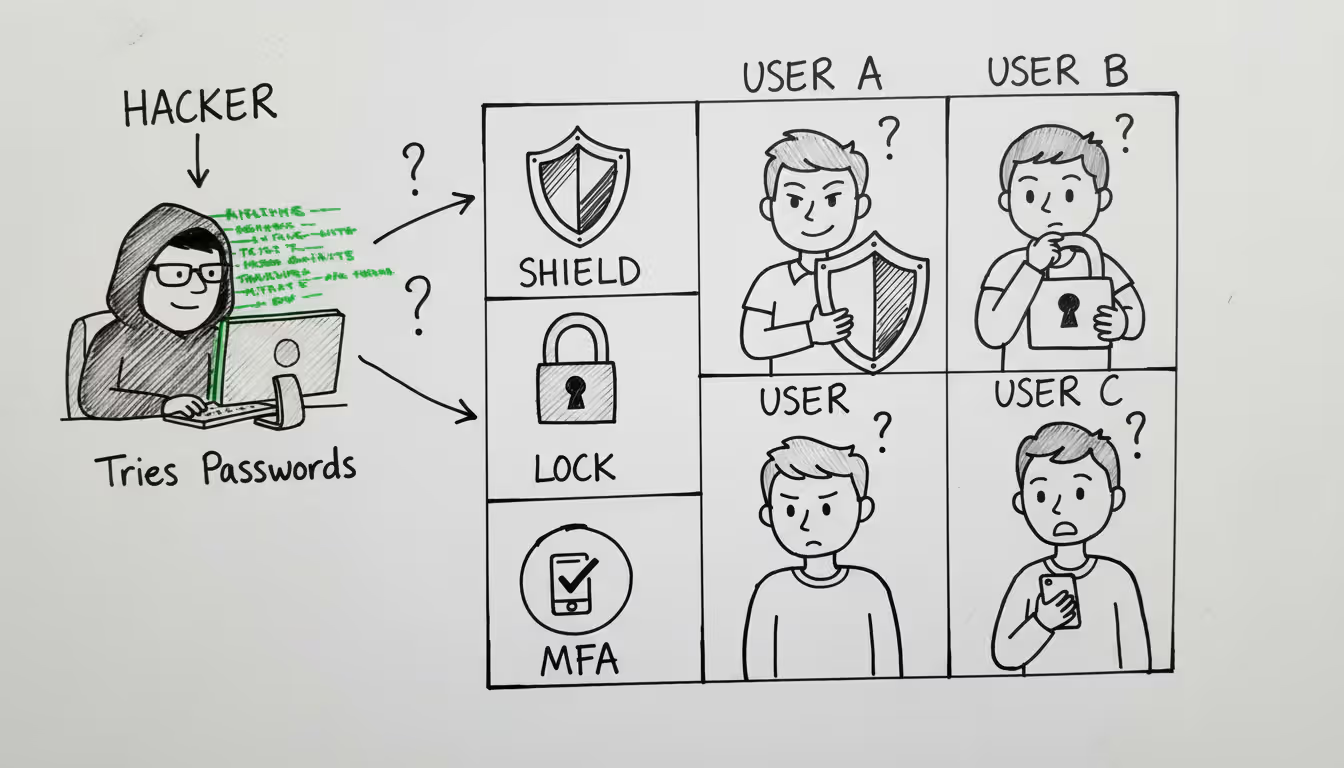
Multi-factor authentication (MFA) is your best defense. Period. Even if attackers crack your password through a dictionary attack, they can't log in without the second factor—a code from your phone app, a fingerprint scan, or a hardware security key. Organizations should mandate MFA for anything touching sensitive data. The minor inconvenience is negligible compared to breach consequences.
Account lockout policies stop attackers cold—but need careful configuration. Lock accounts after 5 failed attempts within 10 minutes, and dictionary attacks become impractical. Attackers can't test thousands of passwords if each account locks after just a few tries. However, simple lockout policies create denial-of-service risks. Attackers can deliberately lock legitimate users out of their own accounts.
Better approach: progressive delays. Three failed attempts? Add a 10-second delay before allowing another try. Five failures? Now there's a one-minute delay. Ten failures? Block that IP address temporarily. This frustrates automated attacks without permanently locking accounts.
Rate limiting slows attacks to a crawl. Limit login attempts to 10 per minute from any single IP address. Dictionary attacks testing thousands of passwords become impractical when each attempt forces a 6-second wait.
Password managers eliminate the root problem. When every account has a randomly generated 20-character password like "xK9#mP2$vL8@nQ5%wR3^tY7&", dictionaries become useless. Nobody chooses these passwords naturally, so they never appear in attacker word lists. Organizations should provide password manager licenses to employees and mandate their use. For personal use, quality free options like Bitwarden offer excellent security.
Security audits catch vulnerabilities proactively. Organizations should periodically test their own password databases against common dictionaries. Any matches represent accounts requiring immediate forced password resets. Don't wait for attackers to find these weak passwords.
CAPTCHA challenges after failed logins break automated attack scripts. After three failed attempts, require solving a CAPTCHA before allowing more tries. Automated dictionary attack tools can't handle this, forcing attackers to either give up or manually solve CAPTCHAs (which makes mass attacks impractical).
Monitoring and alerting enables rapid response. Security Information and Event Management (SIEM) systems can automatically alert administrators when authentication logs show dictionary attack patterns. Quick response can block attacks before they succeed.
Some organizations are moving toward passwordless authentication entirely—biometric authentication, hardware security keys, or magic links sent to verified email addresses. These approaches eliminate passwords altogether, making dictionary attacks irrelevant.
Employee training matters despite technical controls. Users who write passwords on sticky notes or share credentials with colleagues undermine every technical defense. Regular security awareness training should cover password hygiene, recognizing credential theft attempts, and reporting suspicious activity.
Balancing security with usability is crucial. Overly restrictive policies push users toward workarounds that actually reduce security. The goal is making accounts genuinely hard to crack while keeping legitimate access reasonably convenient.
Dictionary Attacks vs Other Password Attack Methods
Understanding how dictionary attacks compare to alternative techniques helps prioritize defenses.
| Attack Method | How It Works | Speed/Efficiency | Detection Difficulty | Best Defense |
| Dictionary Attack | Tests curated lists of commonly used passwords and likely variations based on human behavior patterns | Quick against typical passwords; hours to days for online attempts, seconds to minutes when offline | Moderate difficulty; creates recognizable patterns in failed authentication logs | Unique random passwords, mandatory MFA, account lockout configuration |
| Brute Force Attack | Systematically tests every possible character combination starting from shortest to longest | Extremely slow; becomes impractical for passwords exceeding 8-10 characters | Easy to detect; produces massive volumes of failed login attempts | Minimum password length requirements, strict rate limiting, MFA |
| Rainbow Table Attack | Leverages precomputed hash tables to instantly reverse password hashes without calculation | Very quick for unsalted hashes; completely ineffective against properly salted hashes | Difficult to detect; happens offline using stolen databases | Password salting, modern hashing algorithms like bcrypt or Argon2 |
| Credential Stuffing | Tests username-password pairs already exposed in previous data breaches | Fast execution; depends on password reuse rather than cracking new passwords | Moderate difficulty; resembles normal login traffic from various geographic locations | Unique passwords per service, MFA implementation, breach monitoring services |
Attackers pick methods strategically based on circumstances. Dictionary attacks offer the optimal balance of speed and success rate for most scenarios. When attackers have unlimited time with offline access to password hashes, rainbow tables deliver faster results—but only if the target organization failed to properly salt passwords during storage.
Pure brute force has become mostly obsolete except for very short passwords or specialized situations. The computational requirements multiply exponentially with each additional character, making brute force completely impractical against modern 12+ character password requirements.
Credential stuffing has surged in popularity as major breaches leak billions of valid username-password combinations onto the dark web. This technique doesn't actually crack anything—it simply recycles known credentials across multiple services, exploiting the reality that people reuse passwords everywhere. Success rates are lower than targeted dictionary attacks but the effort required is minimal.
Detection varies considerably between methods. Brute force attacks generate obvious patterns that security systems spot immediately—thousands of sequential failed attempts from the same IP address aren't subtle. Dictionary attacks appear more natural because testing 50 common passwords could pass for a legitimate user who forgot their exact password. Credential stuffing often succeeds on the first or second attempt, appearing identical to normal authentication.
Effectiveness depends heavily on target password policies. Against users selecting common passwords, dictionary attacks succeed quickly. Against users with strong unique passwords, none of these technical methods work efficiently—which explains why attackers increasingly favor phishing and social engineering over technical password cracking.
Organizations face all these threats simultaneously. You can't defend against just dictionary attacks while ignoring credential stuffing. The good news? Strong passwords, MFA, and proper password hashing defend against multiple attack types simultaneously.
Author: Alyssa Norwood;
Source: elegantimagerytv.com
Common Questions About Dictionary Attacks
Dictionary attacks succeed by exploiting human nature—our preference for memorable passwords over secure ones. Despite decades of security education, predictable passwords remain widespread, providing attackers with an efficient path to unauthorized access. The technical sophistication has certainly increased, with modern attack dictionaries containing billions of entries compiled from leaked credentials, but the fundamental vulnerability hasn't changed.
Protection requires accepting that memorable passwords are inherently vulnerable. The solution isn't trying harder to remember complex passwords—it's using password managers to generate and store genuinely random credentials, implementing multi-factor authentication wherever available, and staying alert to warning signs of attack activity.
Organizations must systematically enforce these protections rather than relying on individual user judgment. Account lockout policies, strict rate limiting, and mandatory MFA create defensive layers that make dictionary attacks impractical. Regular security audits identify weak passwords before attackers exploit them.
The threat landscape keeps evolving. As dictionary attacks become less effective against well-defended systems, attackers adapt their tactics—but password vulnerability persists. Taking action now to strengthen authentication practices prevents devastating consequences: stolen data, financial losses, and compromised privacy.
Security isn't about achieving perfection—it's about making your accounts harder to crack than the next target. Implementing even basic protections like unique passwords and two-factor authentication places you ahead of most users and dramatically reduces your risk of falling victim to dictionary attacks.
Related Stories

Read more

Read more



The content on this website is provided for general informational and educational purposes only. It is intended to explain concepts related to cybersecurity awareness, online threats, phishing attacks, and data protection practices.
All information on this website, including articles, guides, and examples, is presented for general educational purposes. Cybersecurity risks and protection strategies may vary depending on individual behavior, technology usage, and threat environments.
This website does not provide professional cybersecurity, legal, or technical advice, and the information presented should not be used as a substitute for consultation with qualified cybersecurity professionals.
The website and its authors are not responsible for any errors or omissions, or for any outcomes resulting from decisions made based on the information provided on this website.